
20 Expert Google Search Tips: How to Search Like a Pro
In an era where information is the most valuable currency, knowing how to find it quickly and accurately is a superpower. Google handles billions of searches every day, yet the average user only scratches the surface of what the world’s most powerful search engine can actually do. Whether you are a business owner researching the competition, a student citing academic sources, or a shopper hunting for the best deal, efficiency is key.

Most of us treat Google like a simple question-and-answer box. We type in a few words, hope for the best, and rarely look past the first three results. But by mastering a few "hidden" features and syntax rules, you can transform your browsing experience from a broad sweep into a surgical strike.
Here is the definitive guide to getting the most out of Google Search in 2026.
Master the Horizontal Tabs
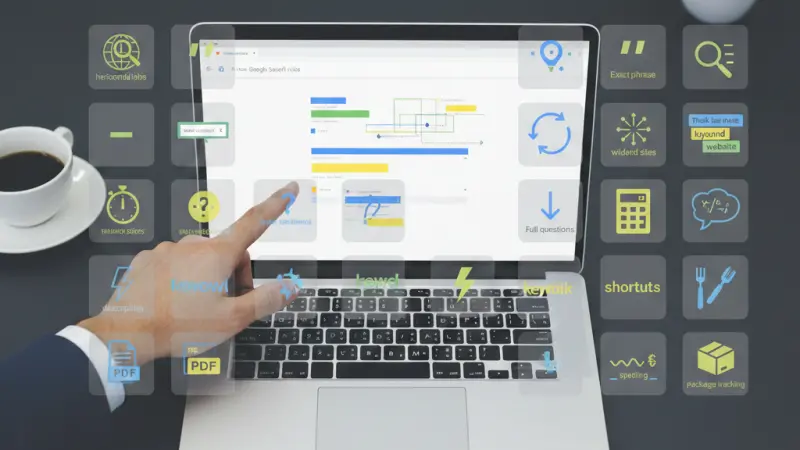
The "All" tab is the default, but it isn’t always the most efficient. At the top of every results page, you’ll find specialized tabs: Images, News, Shopping, Maps, and More (Videos, Books, Flights).
The Pro Tip: If you are researching a breaking story, the "News" tab filters out old blog posts and SEO-heavy landing pages, giving you real-time reports and press releases.
The Power of Quotation Marks
If you are looking for a specific phrase, use double quotes (e.g., "organic fair trade coffee beans"). Without quotes, Google might show you results for "organic" or "coffee" separately. Quotes force the engine to find that exact sequence of words, which is essential for finding specific quotes, song lyrics, or technical terms.
Subtract the Noise with Hyphens
Ambiguity is the enemy of speed. If you search for "Jaguar," do you want the animal or the car? To exclude unwanted results, use a hyphen (the minus sign). Typing Jaguar -car ensures your results are focused on the feline, while Jaguar -animal points you toward the luxury vehicle.
Site-Specific Searches
Why search an entire web when you know the answer is on a specific site? Use the site: operator. For example, vaccine requirements site:gov.uk will only show results from UK government domains. This is incredibly useful for internal site searches when a website's own search bar is poorly designed.
Find Backlinks with the Link Operator
If you want to see who is talking about a specific URL, use link:website.com. While Google has limited the transparency of this over the years for SEO reasons, it still provides a window into which blogs or news sites are citing a particular source.
Use the Asterisk (*) Wildcard
Can’t remember the middle of a sentence? The asterisk acts as a placeholder. Searching for “the * of the *” will help Google fill in the blanks. This is perfect for identifying forgotten song lyrics or idioms like "a * saved is a * earned."
Find Similar Content with 'Related:'
If you love a particular store or news outlet and want more like it, use the related: command. Typing related:amazon.co.uk will bring up other major e-commerce players like eBay or Argos. This is a goldmine for competitive research for small business owners.
The Built-In Mathematician
Google isn't just a librarian; it’s a scientist. You can type complex equations directly into the search bar, like (24*5)/12, and it will instantly provide the answer along with a fully functional scientific calculator. It also handles geometry, like area of a circle with radius 5.
Phrase Your Queries as Questions
Google’s Natural Language Processing (NLP) has become incredibly sophisticated. Instead of fragmented keywords like "steak cooking," use "how long should I sear a 1-inch ribeye?" Descriptive, long-tail queries often trigger "Featured Snippets" that give you the answer without even having to click a link.
Narrowing Down with Number Ranges
If you are looking for information within a specific timeframe or price point, use two dots ... For example, UK inflation rates 2020..2024 or laptop £500..£800. This filters out irrelevant data from years or price brackets you don't care about.
The KISS Method (Keep It Simple, Stupid)
Sometimes, less is more. Google uses your IP address to provide local relevance. Instead of "Where is the nearest Italian restaurant in the city of
London?", simply type "Italian restaurant." The engine uses your geolocation to provide a Map Pack with reviews, distances, and menus instantly.
Use Gradual Refinement
Don't get frustrated if the first search fails. Start broad, then add descriptors. Start with "SEO," then "SEO for small business," then "SEO for small business in the UK." Each added word acts as a filter that hones the algorithm's focus.
Speak Like a Website
Human beings ask questions, but websites provide answers. To find better technical or professional results, use the language a professional writer would use. Instead of "my head hurts," search for "migraine symptoms and remedies."
Prioritize "Nouns" Over "Fillers"
Words like "the," "a," "where," and "how" are often ignored by the algorithm unless they are part of a specific phrase. Focus on the core nouns and verbs. "London plumber emergency" is often more effective than "I need to find a plumber in London who can come right now."
Shortcuts for Weather and Time
No need to visit a weather site. Type weather [Postcode] for a 7-day forecast. You can also type time in Tokyo or sunrise in Paris to get instant geographic data without leaving the results page.
Ignore Your Spelling
Google’s "Did you mean..." feature is legendary. Don't waste time backspacing if you make a typo. The engine uses massive databases of common misspellings to predict your intent accurately.
Be Specifically Descriptive
Avoid generic terms when you have a specific need. If you search for "Apple," you'll get the tech giant. If you want the fruit, search for "Granny Smith apple nutrition." Using descriptive adjectives helps distinguish between brands, products, and natural objects.
The 'Filetype:' Hack
Looking for a specific PDF report, a PowerPoint template, or an Excel spreadsheet? Use filetype:. For example, marketing strategy template filetype:pptx. This bypasses standard HTML pages and takes you directly to the downloadable documents.
Currency and Unit Conversions
Google is the world’s fastest converter. Type 150 USD to GBP or 50 miles to km to get the current mid-market rate or metric conversion instantly. This works for everything from temperature (35C to F) to cooking measurements.
Track Your Packages Directly
You don't need to navigate to the UPS, FedEx, or Royal Mail websites. Simply paste your tracking number directly into the Google Search bar. Google recognizes the format of most major carriers and provides a direct link to the tracking status.
Grow Your Visibility with Local Page UK
Finding the right information is only half the battle; being found is the other. If you are a business owner in the United Kingdom, appearing in a high-quality uk online business directory is essential for your digital footprint. Whether you are looking for a uk business directory to boost your SEO or trying to find local businesses uk to partner with, Local Page UK business directory is your premier resource.
Our platform serves as a comprehensive uk local business directory, providing a curated local businesses list uk that helps customers connect with services in their area. From a uk small business directory perspective, we offer the tools needed to compete with larger brands. We cater to all sectors, functioning as a robust uk b2b business directory for professional networking and a uk b2c business directory for consumer-facing shops.
When you list your company on our business directory uk online, you join an elite uk service providers directory. Our uk business listings online are optimized for search engines, ensuring your uk business directory website presence is felt far and wide.
Looking to save on marketing? You can secure a business listing uk today. Our business listing uk model allows you to get a business listing uk without any upfront costs. As a leading business listing uk, we pride ourselves on providing a high-quality business listing uk experience. Whether you need a business listing uk or a business listing uk, our business listing uk options are designed to help you grow. We even offer localized support, such as a business listing uk or a business listing uk nationwide.
Explore our local business listings uk to see why we are the top choice for uk service listings. We feature uk verified business listings and a showcase of uk top rated local businesses. From the uk home services directory to uk professional services listings and uk trade services listings, we cover every industry. Trust the uk local trades directory that experts use. Check out the local page uk listings and refine your uk local business search today.
Questions Clients Commonly Ask
What is the most useful Google search operator?
The site: operator is widely considered the most useful for filtering out junk and focusing on authoritative sources.
Does capitalization matter in Google Search?
No. Google search is not case-sensitive. "APPLE" and "apple" produce the same results.
How do I search for a specific price?
Use the currency symbol followed by the number, e.g., iphone £500.
Can I search for results only from the last 24 hours?
Yes. After searching, click "Tools" and change "Any time" to "Past 24 hours."
What is an "Advanced Search"?
It is a dedicated Google page that provides a user interface for all the operators mentioned above, making it easier for those who don't want to memorize codes.
How do I find an exact image size?
In Google Images, go to "Tools" > "Size" to choose from Large, Medium, or Icon.
What does 'OR' do in a search?
It allows you to search for multiple terms at once, e.g., "London" OR "Manchester".
How do I search for a specific location in Maps?
Type "restaurants near [Location Name]" or use a postcode.
Can Google translate text directly?
Yes, type translate [word] to [language] for an instant translation.
How do I find the definition of a word?
Type define: [word] for a dictionary entry and pronunciation guide.
Can I use Google to track stocks?
Yes, type the ticker symbol (e.g., AAPL or TSLA) to see real-time market data.
What is the 'Cache' feature?
It allows you to see a previous version of a website if the current one is down.
How do I filter out certain websites?
Use -site:example.com to exclude that specific domain from your results.
Can I search for movies nearby?
Type "movies" or a specific movie title to see local showtimes.
How do I find my own IP address?
Simply type what is my IP into the search bar.

Disclaimer: The information provided in this article is for general informational and research purposes only. Company details, features, services, and market positions may change over time. Readers are advised to visit official company websites and conduct independent research before making any business decisions or purchasing services.
Most Searchable Keywords
Recent Blogs



Related Listings


Categories
- Accountants (295)
- Advertising Agencies (559)
- Architects (149)
- Automobiles (377)
- Beauty (300)
- Carpenters (146)
- Cleaning Services (386)
- Dentists (189)
- Driving (62)
- Electricians (215)
- Energy (8)
- Event Organiser (685)
- Finance (599)
- Guide (3365)
- Health (2207)
- Information technology (206)
- Legal Services (353)
- Logistics (6)
- Maintenance (65)
- Manufacturing (35)

Sponsored Listings in Locksmith Services


Related Blogs

Gen Z Political Reporters and News Creators i...
Read this insightful article "Gen Z Political Reporters and News Creators in the UK" to expand your knowledge!

Famous Female Social Media Influencers Across...
Read this insightful article "Famous Female Social Media Influencers Across the UK" to expand your knowledge!

Your UK Sponsor Licence 2026 Step by Step Gui...
Read this insightful article "Your UK Sponsor Licence 2026 Step by Step Guide" to expand your knowledge!
Questions & Answers – Find What
You Need, Instantly!
How can I update my business listing?
Is it free to manage my business listing?
How long does it take for my updates to reflect?
Why is it important to keep my listing updated?
