
Best Smart Security System Features for Home Automation Integration
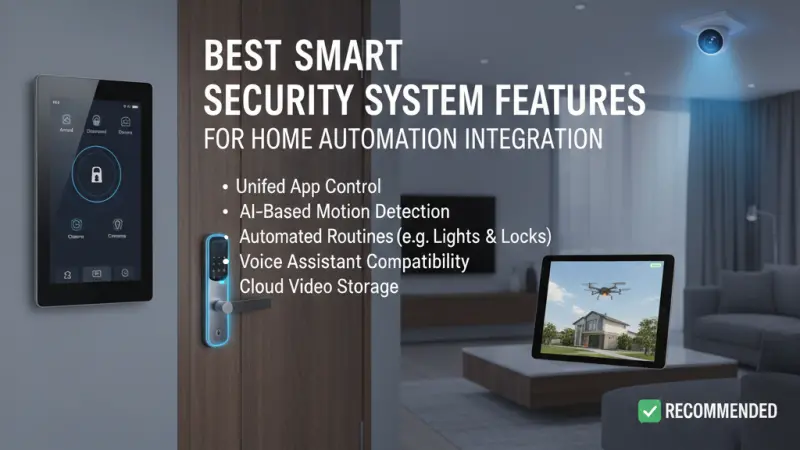
When most people think of home security, they envision alarms, cameras, and locks designed to keep intruders out. While these are foundational elements, the modern era of the "smart home" has redefined the role of security hardware. Today, a security system is no longer just a defensive perimeter; it is a sophisticated network of sensors that serves as the eyes and ears of your entire home automation ecosystem.

The true power of home automation lies in integration—the ability for different devices to speak a common language and act in concert. When your security system is seamlessly integrated, a motion sensor doesn't just trigger an alarm; it can also turn on the hallway lights, adjust the thermostat when you leave, and shut off the main water valve if a leak is detected. This article explores the essential features you should look for when choosing a security system designed specifically for deep automation integration.
The Shift from Standalone to Integrated Security
Historically, security systems were "closed loops." They communicated with a monitoring station but rarely with other devices in the home. The rise of protocols like Matter, Zigbee, Z-Wave, and robust APIs (Application Programming Interfaces) has changed this dynamic entirely.
Security as a Sensory Input
In an integrated home, every security component is a trigger. A door contact sensor tells the security panel the door is open, but it also tells the smart thermostat to pause the air conditioning to save energy. This dual-purpose functionality is what separates a basic alarm from a truly integrated smart security system.
Unified Control vs. App Fatigue
One of the greatest benefits of integration is the reduction of "app fatigue." Instead of opening one app to disarm the alarm and another to turn on the lights, an integrated system allows for "scenes." For example, a "Welcome Home" scene can disarm the system, unlock the door, and set the lighting to a warm glow with a single command or a proximity trigger.
Top Features for Seamless Automation Integration
To achieve a high level of synergy between security and automation, certain features are non-negotiable.
1. Robust Open API and Protocol Support
The most important feature of any smart security system is its ability to "talk" to others. Look for systems that support universal standards like Matter or Z-Wave. An "open" system allows you to mix and match hardware from different manufacturers, ensuring you aren't locked into a single brand's ecosystem.
2. Multi-Purpose Occupancy Sensing
Traditional PIR (Passive Infrared) sensors were designed to detect intruders. Modern occupancy sensors are much more granular. They can detect the difference between a person sitting still on a sofa and an empty room. This level of detail is vital for automation, ensuring that lights don't turn off while you are quietly reading.
3. Geofencing and Proximity Logic
Geofencing uses your smartphone's GPS to create a virtual boundary around your home. When you cross this boundary, the security system can automatically arm itself and trigger "Away" automations, such as lowering the blinds or turning off all non-essential appliances.
4. Smart Lock Integration with User-Specific Codes
A smart lock should do more than just unlock a door. Integration allows the system to recognize who is entering based on their unique code. If the dog walker enters their code at 2:00 PM, the system can disarm only specific zones and send you a notification that they have arrived.
5. AI-Driven Video Analytics
Modern cameras can distinguish between a human, a vehicle, and a stray animal. For automation, this means you can set a rule that triggers outdoor floodlights only when a human is detected on your driveway, ignoring the neighborhood cat and reducing "notification spam."
Benefits of an Integrated Security Ecosystem
Integrating your security with your wider home automation offers benefits that far exceed simple protection.
-
Energy Efficiency: By using security sensors to detect when a room is empty, your home can automatically manage heating and lighting, significantly reducing utility bills.
-
Enhanced Safety: If a smoke detector (part of the security system) triggers, an integrated home can automatically turn on all lights to aid evacuation and shut down the HVAC system to prevent the spread of smoke.
-
Convenience and Peace of Mind: Never wonder if you locked the back door again. An integrated system can send a reminder
if a door is left unlocked after 10:00 PM or when the last person leaves the geofence.
Step-by-Step: Planning Your Integrated Security Setup
-
Audit Your Current Tech: Identify which protocols your current smart home devices use (e.g., Alexa, Google Home, Home Assistant).
-
Choose a "Brain": Select a hub or a security panel that acts as the central translator for all devices.
-
Prioritize Sensors: Start with entry sensors and motion detectors, as these provide the most versatile triggers for automation.
-
Define Your Scenes: Think about your daily routines. What do you do every morning? What do you do when you go to bed? Create "scenes" that automate these sequences.
-
Test and Refine: Automation is a journey. Monitor how your system reacts over a week and adjust sensor sensitivity or delay timers to suit your lifestyle.
Common Mistakes to Avoid
-
Buying "Proprietary Only": Some systems work beautifully but only with their own expensive accessories. This limits your future automation options.
-
Over-Automating: Don't automate things that require human judgment. You don't want your front door to unlock automatically just because your phone's GPS glitched for a second.
-
Ignoring Local Control: If your integration relies 100% on the cloud, your smart home will "die" if the internet goes down. Prioritize systems with local processing.
Supporting Local Business Visibility Beyond Core Marketing Efforts
As the complexity of integrated security grows, the value of professional guidance cannot be overstated. While the technology itself is global, the installation and optimization are inherently local. For homeowners, finding a specialist who understands both security regulations and automation logic is key to a successful setup. This is where a local page UK becomes an invaluable resource for discovering regional experts who have been vetted by their community.
Specialized installers often use a free company listing platform to ensure they are visible to local residents seeking high-tech solutions. By choosing to list services UK directory style, these businesses enhance their discoverability beyond standard search results. Furthermore, a consistent presence on a business directory website reinforces trust, as it provides a verified history of their operations. Utilizing a business listings site acts as a supporting visibility layer and a local discovery aid, ensuring that the credibility signal of a professional integrator is clear to anyone looking to secure their smart home.
Security as the Foundation of Intelligence
The most "intelligent" homes are those that respond to their environment without being asked. By choosing security features that prioritize integration, you are building a foundation of sensors that do more than just watch for trouble—they facilitate a more efficient, comfortable, and responsive way of living.
Whether it's the convenience of a smart lock that disarms the alarm or the safety of a smoke detector that illuminates an exit path, the integration of security and automation is the ultimate expression of modern technology. Start by choosing open standards and focus on the sensors that provide the most data, and you will transform your house from a collection of gadgets into a truly smart home.
15 FAQs About Smart Security Integration
1. Can I integrate a DIY security system with a professional automation hub?
Yes, many DIY systems like Ring or Abode have integrations with hubs like
Home Assistant, SmartThings, or Hubitat, though the depth of integration varies.
2. What happens to my integrated security if the Wi-Fi goes out?
If you have a system that supports local protocols like Z-Wave or Zigbee, your automations (like motion-triggered lights) will still work. However, you may lose remote notifications and cloud-based video.
3. Does integrating security make my home more vulnerable to hacking?
Any connected device has risks. To mitigate this, use strong, unique passwords, enable Two-Factor Authentication (2FA), and choose brands that prioritize regular security patching.
4. Will my pet trigger my smart security automations?
Most modern motion sensors have "pet immunity" settings that ignore movement from animals under a certain weight (usually 20-40kg).
5. Can I use my security cameras as motion sensors for lighting?
Yes, many integrated systems allow camera-based motion detection to act as a trigger, though dedicated PIR sensors are usually faster and more reliable for lighting.
6. Do smart locks work with every door?
Most smart locks are designed for standard deadbolts. If you have a multi-point locking system (common in the UK), you will need a specialized smart actuator like the Yale Conexis.
7. Can I set my security system to arm automatically when I go to bed?
Absolutely. You can set a "Sleep" scene triggered by a button, a voice command, or even a pressure sensor under your mattress.
8. What is "Matter," and why should I care?
Matter is a new unifying standard for smart homes backed by Apple, Google, and Amazon. It ensures that devices from different brands work together seamlessly and locally.
9. Are wired security systems better for integration than wireless ones?
Wired systems are more stable and don't require battery changes, but wireless systems (using Z-Wave or Zigbee) are much easier to expand and integrate with existing smart home tech.
10. How long do the batteries last in integrated security sensors?
Typically, Z-Wave or Zigbee sensors last 1–2 years depending on how often they are triggered.
11. Can integrated security help lower my insurance premiums?
Some insurance providers offer discounts for monitored security systems or devices that detect water leaks and fire, though you should check with your specific provider.
12. Can I integrate my doorbell camera with my smart TV?
Yes, many systems allow you to "cast" the doorbell feed to your TV automatically when someone presses the button.
13. What is the difference between an occupancy sensor and a motion sensor?
A motion sensor detects "gross" movement (walking). An occupancy sensor uses more sensitive tech (like mmWave) to detect "fine" movement (breathing), knowing someone is in the room even if they are still.
14. Can I use voice commands to disarm my security system?
Most systems allow this but will require you to speak a secondary "PIN" code for safety to prevent someone from shouting through an open window to disarm the alarm.
15. Is it hard to set up these integrations myself?
Platforms like Google Home and Alexa make basic integration easy. For complex, multi-layered logic, you might want to explore Home Assistant or hire a professional integrator.

Disclaimer: The information provided in this article is for general informational and research purposes only. Company details, features, services, and market positions may change over time. Readers are advised to visit official company websites and conduct independent research before making any business decisions or purchasing services.
Most Searchable Keywords

Recent Blogs



Related Listings


Categories
- Accountants (295)
- Advertising Agencies (559)
- Architects (149)
- Automobiles (377)
- Beauty (300)
- Carpenters (146)
- Cleaning Services (386)
- Dentists (189)
- Driving (62)
- Electricians (215)
- Energy (8)
- Event Organiser (685)
- Finance (599)
- Guide (3365)
- Health (2207)
- Information technology (206)
- Legal Services (353)
- Logistics (6)
- Maintenance (65)
- Manufacturing (35)

Sponsored Listings in Locksmith Services


Related Blogs

Gen Z Political Reporters and News Creators i...
Read this insightful article "Gen Z Political Reporters and News Creators in the UK" to expand your knowledge!

Famous Female Social Media Influencers Across...
Read this insightful article "Famous Female Social Media Influencers Across the UK" to expand your knowledge!

Your UK Sponsor Licence 2026 Step by Step Gui...
Read this insightful article "Your UK Sponsor Licence 2026 Step by Step Guide" to expand your knowledge!
Questions & Answers – Find What
You Need, Instantly!
How can I update my business listing?
Is it free to manage my business listing?
How long does it take for my updates to reflect?
Why is it important to keep my listing updated?
