
HMRC Login Secrets: How to Manage Self-Assessment & PAYE Online
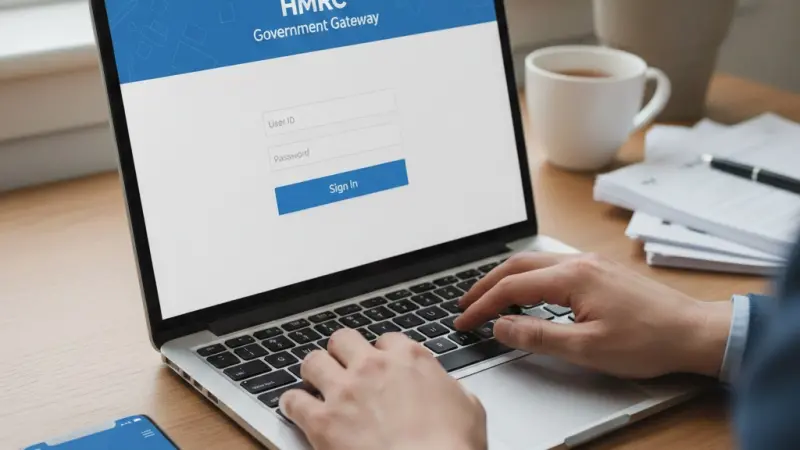
Accessing your HMRC login is the primary gateway for managing your fiscal responsibilities within the United Kingdom. To sign in, you typically require your Government Gateway user ID and password, which grants access to your Personal Tax Account or Business Tax Account. Once authenticated, you can view your tax code, claim refunds, and manage Self Assessment returns. Navigating the official GOV.UK portal ensures your data remains protected under stringent British cybersecurity standards. Whether you are an employee checking your National Insurance record or a business owner filing VAT returns, the digital interface provides a centralized hub for all interactions with His Majesty’s Revenue and Customs. Ensuring you have your credentials and any required multi-factor authentication devices ready will streamline the process and prevent account lockouts during peak filing seasons.
What is the HMRC login? The HMRC login is a secure digital authentication service, primarily using the Government Gateway system, that allows UK taxpayers to access their private financial records, submit tax returns, and communicate with tax authorities online. It serves as the official portal for Personal Tax Accounts, Self Assessment, and corporate tax management.
Navigating the Government Gateway portal
The Government Gateway remains the backbone of the British digital administrative system, acting as a secure bridge between the citizen and the state. When you first approach the HMRC login page, you are participating in a highly encrypted environment designed to shield sensitive financial data from external threats. This system was overhauled to replace older, less secure methods, ensuring that every individual or entity has a unique digital footprint. For most users, this involves a twelve-digit user ID that functions alongside a user-defined password. The portal is designed to be intuitive, yet the security protocols are rigorous to reflect the importance of the data held within. Accessing this system regularly is recommended to ensure that your contact details and tax status remain current, avoiding any nasty surprises at the end of the financial year.
Establishing your digital identity
To begin using the service, you must first complete a registration process that verifies your identity against existing state records. This usually requires your National Insurance number, a recent P60, or a valid UK passport. Once these details are cross-referenced, HMRC issues a Government Gateway ID. This identifier is permanent and should be stored with the same level of care as a physical birth certificate or passport. Losing this ID often necessitates a lengthy recovery process involving postal verification, which can delay urgent tax filings or refund claims during the busy January period.
Security verification steps
Multi-factor authentication is now a standard requirement for all users. After entering your primary credentials, you will receive a unique six-digit access code via text message or a dedicated smartphone app. This secondary layer of protection ensures that even if your password is compromised, unauthorized parties cannot access your financial records or redirect your tax refunds to fraudulent accounts.
Managing your Personal Tax Account
The Personal Tax Account is perhaps the most versatile tool available through the HMRC login. It provides a comprehensive overview of your financial relationship with the government, pulling together data from various sources including employers, banks, and pension providers. Within this dashboard, you can see exactly how much income tax you have paid to date and check if your current tax code is accurate. If you notice a discrepancy, such as an incorrect benefit-in-kind or an outdated job status, you can often correct it immediately without needing to wait on hold for a telephone advisor. This self-service approach has significantly reduced the administrative burden on taxpayers, allowing for real-time adjustments that ensure you are paying exactly the right amount of tax throughout the year.
Checking National Insurance records
One critical feature of the online account is the ability to view your National Insurance contribution history. This record determines your eligibility for the State Pension and other statutory benefits. By logging in, you can identify any "gap years" where contributions were missed, perhaps during periods of unemployment or time spent working abroad. The portal provides clear guidance on how to make voluntary contributions to fill these gaps, which can be a vital step in securing your financial future as you approach retirement age in the UK.
Claiming overpaid tax
If you have overpaid tax through the PAYE system, the portal will often highlight a potential refund. Rather than waiting for a cheque in the post, you can provide your bank details directly through the secure interface. This digital process significantly accelerates the repayment timeline, often seeing funds cleared in your account within five to ten working days.
Self Assessment and digital filing
For the millions of self-employed individuals, freelancers, and landlords across Britain, the HMRC login is an essential monthly or annual destination. The Self Assessment section allows for the digital submission of tax returns, replacing the cumbersome paper forms of the past. The system is programmed to calculate your tax liability automatically based on the figures you input, providing an instant estimate of what you owe for both the balancing payment and any payments on account. This transparency is invaluable for budgeting, as it removes the guesswork from tax planning. Furthermore, the system saves your progress as you go, allowing you to tackle different sections of the return over several days before final submission, ensuring accuracy and reducing the stress associated with the 31 January deadline.
Deadlines and penalty avoidance
Timely submission is critical to avoid the automatic £100 late filing penalty. The online dashboard clearly displays your upcoming deadlines and any outstanding balances. By using the digital service, you receive an immediate electronic receipt upon submission, providing definitive proof that your return has been filed.
This audit trail is far more robust than traditional postal methods, offering peace of mind that your compliance obligations have been met in full and on time.
Record keeping for businesses
The system also serves as a repository for your past filings. You can download and print tax calculation summaries (SA302), which are frequently required by mortgage lenders and banks when verifying income for loans. Having these documents readily available at the click of a button simplifies complex financial applications and professional interactions.
Common pitfalls and authentication errors
Despite the robustness of the Government Gateway, users frequently encounter hurdles that can prevent successful access. One of the most common mistakes is attempting to log in with an old ID that has been superseded or using credentials for a different government service that does not share the HMRC integration. Another frequent issue arises from outdated contact information; if the mobile number associated with your multi-factor authentication is no longer in use, you may find yourself locked out of your account. It is also vital to avoid using "copy and paste" for passwords if they include hidden formatting characters, as the system is highly sensitive to exact character strings. Maintaining a clean, updated record of your access details is the simplest way to ensure a smooth experience every time you need to check your tax status.
Handling forgotten credentials
If you lose your user ID or password, the recovery service is the first port of call. You will be asked a series of security questions based on your personal history and tax records. If these cannot be answered accurately, HMRC will send a reset code via post to the address they have on file. This highlights the importance of notifying the revenue of any change of address immediately, as a lost ID coupled with an old address can lead to significant delays in regaining account access.
Phishing and scam awareness
Always ensure you are on the official "gov.uk" domain before entering any credentials. HMRC will never send a text message or email with a direct link to a login page or asking for bank details in exchange for a "tax refund." Genuine notifications will simply prompt you to log in via the official portal to check for new messages in your secure inbox, protecting you from sophisticated cyber-attacks.
The future of Making Tax Digital
The UK is currently moving toward a more integrated digital tax system known as Making Tax Digital (MTD). This initiative aims to make it easier for individuals and businesses to stay on top of their affairs by requiring digital record-keeping and quarterly updates rather than a single annual return. As this roll-out continues, the HMRC login will become even more central to daily financial management. Integration with third-party accounting software is already becoming the norm, allowing for a seamless flow of data from your business accounts directly into the HMRC systems. This transition represents a significant shift in the British tax landscape, moving away from reactive year-end filing toward a proactive, real-time understanding of tax liabilities and cash flow management.
Adapting to quarterly updates
Under MTD, many taxpayers will eventually be required to provide summary data every three months. This change is designed to reduce the "tax gap" caused by errors and omissions in manual record-keeping. While it requires a change in habits, the long-term benefit is a clearer picture of financial health throughout the year. The HMRC portal will serve as the verification point for these updates, ensuring that the data held by the government matches the records in your software.
Simplified accounting for small entities
Future iterations of the portal are expected to offer more tailored guidance for small businesses and the "gig economy." By leveraging data from more sources, HMRC aims to pre-populate more of the tax return, making the process faster and less prone to human error. This evolution will likely see the HMRC login transform into a more proactive financial advisor tool rather than just a collection point for data.
Direct step by step login guide
To access your account today, start by visiting the official GOV.UK homepage and searching for "Personal Tax Account." Click the primary "Sign in" button, which will redirect you to the Government Gateway authentication page. Enter your 12-digit User ID and your password carefully. Once submitted, you will be prompted for an access code sent to your registered mobile device. Enter this code to reach your dashboard. From here, you can select the specific tax service you require, such as Self Assessment, PAYE, or VAT. If it is your first time, you may need to go through additional identity verification steps, such as providing your National Insurance number and details from a recent payslip or your UK passport to unlock the full suite of features.
Navigating the dashboard interface
Once inside, the dashboard is divided into clear categories. Your "Messages" inbox is where HMRC will send official correspondence, while the "Business" or "Personal" tabs house your specific tax records.
If you need to update your address or bank details, look for the "Manage Account" or "Personal Details" section. Always remember to sign out securely, especially if you are using a shared or public computer, to prevent cached data from remaining accessible to others.
Browser compatibility and technical tips
For the best experience, use a modern, updated web browser like Chrome, Edge, or Safari. Ensure that JavaScript is enabled and that you are not using a VPN that might trigger security alerts by making your login attempt appear as if it is coming from an unusual geographic location. If the site is undergoing maintenance, HMRC usually posts notices on their social media channels and the main portal entrance to inform users of expected downtime.
Essential contact information and support
While the digital portal is designed for self-service, there are times when human intervention is necessary. If you encounter technical errors that cannot be resolved through the online help pages, the HMRC digital helpdesk is available. They can assist with issues related to the Government Gateway and account locking. However, for specific questions about your tax bill or complex legislation, you may need to contact the specific department related to your query, such as the Self Assessment helpline or the VAT office. Before calling, it is helpful to have your National Insurance number and your Government Gateway ID ready, as the automated phone systems will use these to route your call to the correct advisor and verify your identity more quickly.
Using the HMRC App
For those who prefer mobile access, the official HMRC app is available on the iOS and Android stores. It allows for quick fingerprint or facial recognition login, bypassing the need to enter your full Gateway ID every time. The app provides a streamlined version of the web portal, perfect for checking your tax code or your next payment date while on the move. It is a highly rated tool that brings the convenience of modern banking to the UK tax system.
Help for those with accessibility needs
HMRC provides alternative formats for those who struggle with digital services. If you have a disability that makes using the online portal difficult, you can request support through the "Extra Support Team." They can offer guidance over the phone or, in some cases, via face-to-face appointments to ensure that every UK citizen has the ability to manage their taxes regardless of their technical proficiency or physical circumstances.
Mistakes to avoid when using HMRC online
One of the most frequent errors is maintaining multiple Government Gateway accounts. Users often create a new ID because they have forgotten an old one, leading to fragmented records and significant confusion when trying to file a return. Another mistake is ignoring the "secure messages" within the portal; HMRC is moving away from paper letters, and critical notices regarding tax changes or refunds may only appear in your digital inbox. Additionally, failing to log out properly can leave your session active, posing a security risk. Finally, many taxpayers wait until the final week of January to attempt their first login of the year, only to find their password has expired or their phone number has changed, leading to unnecessary stress and potential late filing fees.
Importance of consistent record keeping
Always keep a physical or secure digital backup of your Government Gateway credentials. Treat your tax account with the same level of security as your primary bank account. Check your "Tax Code" section at the start of every new tax year (6 April) to ensure your employer is deducting the correct amount; errors here can lead to significant underpayments that HMRC will seek to claw back in future years through "P800" notices.
Updating personal circumstances
Do not assume HMRC knows when you have moved house or changed your name. Updating these details on the portal is your responsibility.
Failure to do so can result in important legal documents being sent to the wrong address, which is not considered a valid excuse for missing deadlines or failing to respond to official enquiries.
Frequently Asked Questions
How do I find my lost Government Gateway user ID?
You can retrieve a lost user ID by searching your email inbox for the original confirmation sent by HMRC. If you cannot find it, use the "forgotten user ID" link on the sign-in page. You will need to verify your identity using your National Insurance number and either your postcode or your specific tax reference numbers to have the ID displayed or sent to you.
Can I change the mobile number used for my login security codes?
Yes, once you are logged in, you can navigate to the security settings of your Government Gateway account to update your multi-factor authentication methods. If you are locked out because you no longer have access to the old number, you may need to call the HMRC online services helpdesk to have your security preferences reset after passing a rigorous identity check.
What should I do if my HMRC account is locked?
Accounts are typically locked after several unsuccessful login attempts to protect against unauthorized access. In most cases, the lock is temporary and will expire after two hours. If the account remains locked or if you have forgotten your credentials entirely, you must follow the online "reset password" process or contact the HMRC technical support team for further assistance in unlocking the record.
Does the HMRC login work for both personal and business taxes?
While the Government Gateway system is the same, you may have different "services" attached to your ID. A Personal Tax Account is for your individual income, while a Business Tax Account is used for VAT, Corporation Tax, and PAYE for employers. You can often link these services to a single login ID for convenience, allowing you to manage all UK tax obligations from one dashboard.
Is the HMRC app safer than the website login?
Both platforms use high-level encryption and multi-factor authentication. However, the app offers the added security of biometric login (fingerprint or face ID), which can be more secure than a typed password in public places. The app also receives regular security updates through official app stores, making it a highly robust way to manage your tax affairs while ensuring your data stays private.
Disclaimer: The information provided in this article is for general informational and research purposes only. Company details, features, services, and market positions may change over time. Readers are advised to visit official company websites and conduct independent research before making any business decisions or purchasing services.
Most Searchable Keywords
Recent Blogs


Related Listings

Categories
- Accountants (295)
- Advertising Agencies (559)
- Architects (149)
- Automobiles (377)
- Beauty (300)
- Carpenters (146)
- Cleaning Services (387)
- Dentists (189)
- Driving (62)
- Electricians (215)
- Energy (8)
- Event Organiser (686)
- Finance (602)
- Guide (3372)
- Health (2207)
- Information technology (206)
- Legal Services (353)
- Logistics (6)
- Maintenance (65)
- Manufacturing (35)
Sponsored Listings in Travel Agencies


Related Blogs

How Much Do UK Actors Really Earn Full Indust...
Read this insightful article "How Much Do UK Actors Really Earn Full Industry Breakdown" to expand your knowledge!

Blue Light Card UK 2026 Check Eligibility and...
Read this insightful article "Blue Light Card UK 2026 Check Eligibility and Claim" to expand your knowledge!

BBC Radio 1 DJs Net Worth Ranking Revealed
Read this insightful article "BBC Radio 1 DJs Net Worth Ranking Revealed" to expand your knowledge!
Questions & Answers – Find What
You Need, Instantly!
How can I update my business listing?
Is it free to manage my business listing?
How long does it take for my updates to reflect?
Why is it important to keep my listing updated?
