
How to Automate Your Home Office Tasks UK
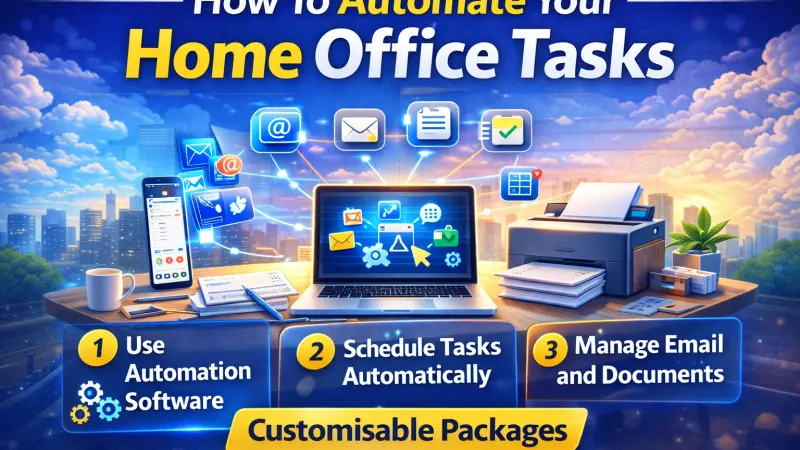
Working from home has become a normal part of modern business life in the UK. Whether you are a freelancer, entrepreneur, remote employee, or small business owner, managing daily tasks efficiently is essential for maintaining productivity and achieving work life balance.

However, home office work often involves repetitive administrative tasks such as emails, scheduling, invoicing, and file management. These tasks can consume valuable time and reduce your ability to focus on high value activities. This is where automation can make a significant difference.
Automating your home office tasks allows you to streamline workflows, reduce manual work, minimise errors, and improve efficiency. In this guide, we will explore how to automate your home office tasks, the tools you can use, and practical strategies to create a more productive work environment.
What Is Home Office Automation
Home office automation involves using software, tools, and digital workflows to handle repetitive tasks automatically. Instead of manually performing routine activities, automation allows systems to complete them based on predefined rules or triggers.
This can include automating emails, scheduling meetings, tracking expenses, organising files, and managing customer communication. Automation helps save time and allows you to focus on strategic tasks that drive growth.
Why Automation Is Important for Remote Workers
Automation improves productivity by reducing time spent on repetitive tasks. It helps ensure consistency and accuracy, especially for processes like invoicing and reporting.
For remote workers and small businesses in the UK, automation can reduce stress and improve work life balance by freeing up time for more meaningful work.
It also helps businesses scale operations without significantly increasing workload or costs.
Identify Tasks That Can Be Automated
The first step in automation is identifying repetitive tasks that consume time. Common examples include email responses, appointment scheduling, invoice generation, data entry, and social media posting.
By analysing your daily workflow, you can determine which tasks are suitable for automation and prioritise those with the greatest impact.
Automating small tasks can lead to significant time savings over time.
Automating Email Management
Email is one of the most time consuming aspects of working from home. Automating email responses, filters, and categorisation can help keep your inbox organised and manageable.
You can set up rules to automatically sort emails into folders, flag important messages, and send auto responses for common inquiries.
Email automation ensures that communication remains consistent and efficient.
Automating Scheduling and Calendar Management
Scheduling meetings manually can lead to back and forth emails and wasted time. Using scheduling tools allows clients and colleagues to book appointments based on your availability.
Automated calendar management reduces scheduling conflicts and ensures efficient time management.
This is particularly useful for consultants, freelancers, and remote teams.
Automating Invoicing and Payments
Financial administration can be simplified through automation. Automated invoicing tools can generate invoices, send payment reminders, and track payments automatically.
This reduces manual effort and improves cash flow by ensuring invoices are sent and followed up on time.
Automation also helps maintain accurate financial records for tax purposes.
Automating File Management and Cloud Storage
Organising files manually can be time consuming and lead to misplaced documents. Cloud storage platforms allow automatic syncing and organisation of files across devices.
You can create automated workflows to sort documents into folders, back up files regularly, and share documents securely.
This ensures easy access to important files and improves collaboration.
Automating Customer Communication
Customer communication can be streamlined through automation tools such as chatbots, email sequences, and customer relationship management systems.
Automated responses ensure customers receive timely replies, improving satisfaction and engagement.
This is especially useful for online businesses and service providers.
Automating Task and Project Management
Project management tools allow you to automate task assignments, reminders, and progress tracking. This helps keep projects organised and ensures deadlines are met.
Automation reduces the need for manual follow ups and improves team collaboration.
It also provides better visibility into project progress.
Automating Social Media and Marketing Tasks
Marketing automation tools allow you to schedule social media posts, automate email campaigns, and track performance metrics.
This ensures consistent marketing efforts without requiring daily manual input.
Automation helps maintain an active online presence and improves engagement with your audience.
Setting Up Workflow Automation Tools
Workflow automation platforms allow you to connect different apps and create automated processes. For example, you can automatically save email attachments to cloud storage or send notifications when tasks are completed.
These tools help streamline operations and reduce manual work across multiple platforms.
Benefits of Automating Your Home Office
Automation saves time, improves productivity, and reduces the risk of errors. It allows you to focus on strategic tasks and improves overall efficiency.
It also supports scalability by allowing you to handle more work without increasing workload.
By automating routine tasks, you can create a more organised and stress free work environment.
Common Mistakes to Avoid
One common mistake is trying to automate too many tasks at once, which can lead to confusion. Start with simple processes and gradually expand automation.
Another mistake is not reviewing automated workflows regularly. It is important to monitor performance and make adjustments as needed.
Choosing overly complex tools can also reduce efficiency, so select solutions that match your needs.
How to Get Started With Automation
Start by listing repetitive tasks and identifying areas where automation can save time. Choose tools that integrate well with your existing workflow.
Set clear goals for automation and test processes to ensure they work correctly.
Gradually expand automation as you become more comfortable with the tools.
Future of Home Office Automation
Automation technology continues to evolve, with artificial intelligence playing a growing role in improving efficiency and decision making.
As remote work becomes more common, automation will continue to help individuals and businesses operate more efficiently and remain competitive.
Adopting automation early can provide long term benefits and improve productivity.
Automating your home office tasks can transform the way you work by saving time, reducing stress, and improving productivity. By identifying repetitive tasks and implementing the right tools, you can streamline workflows and focus on activities that drive growth.
Whether you are a freelancer, remote worker, or small business owner in the UK, automation can help you create a more efficient and organised work environment.
With a thoughtful approach and the right tools, you can simplify your daily tasks and achieve better work life balance while maintaining high productivity.
FAQs
1 What is home office automation It involves using tools and software to handle repetitive tasks automatically.
2 What tasks can be automated Emails scheduling invoicing file management and social media tasks.
3 Does automation improve productivity Yes it saves time and reduces manual effort.
4 Is automation expensive Many tools offer affordable plans suitable for small businesses.
5 Can freelancers benefit from automation Yes automation helps freelancers manage tasks more efficiently.
6 Do I need technical skills to automate tasks Most modern tools are user friendly and require minimal technical knowledge.
7 Can automation help with invoicing Yes it can generate invoices and send payment reminders automatically.
8 Is automation secure Using reputable tools with proper security measures ensures safe workflows.
9 Can automation improve customer service Yes automated responses ensure timely communication.
10 How do I start automating tasks Identify repetitive tasks and choose suitable tools.
11 Can automation help with time management Yes scheduling and reminders improve organisation.
12 What are workflow automation tools They connect apps and automate processes between them.
13 Should I automate everything Focus on repetitive tasks rather than trying to automate all processes.
14 How often should I review automation workflows Regular reviews ensure they remain effective and accurate.
15 What is the biggest benefit of automation Saving time and improving efficiency while reducing stress.

Disclaimer: The information provided in this article is for general informational and research purposes only. Company details, features, services, and market positions may change over time. Readers are advised to visit official company websites and conduct independent research before making any business decisions or purchasing services.
Most Searchable Keywords

Recent Blogs



Related Listings


Categories
- Accountants (295)
- Advertising Agencies (559)
- Architects (149)
- Automobiles (377)
- Beauty (300)
- Carpenters (146)
- Cleaning Services (386)
- Dentists (189)
- Driving (62)
- Electricians (215)
- Energy (8)
- Event Organiser (685)
- Finance (599)
- Guide (3365)
- Health (2207)
- Information technology (206)
- Legal Services (353)
- Logistics (6)
- Maintenance (65)
- Manufacturing (35)

Sponsored Listings in Locksmith Services


Related Blogs

Gen Z Political Reporters and News Creators i...
Read this insightful article "Gen Z Political Reporters and News Creators in the UK" to expand your knowledge!

Famous Female Social Media Influencers Across...
Read this insightful article "Famous Female Social Media Influencers Across the UK" to expand your knowledge!

Your UK Sponsor Licence 2026 Step by Step Gui...
Read this insightful article "Your UK Sponsor Licence 2026 Step by Step Guide" to expand your knowledge!
Questions & Answers – Find What
You Need, Instantly!
How can I update my business listing?
Is it free to manage my business listing?
How long does it take for my updates to reflect?
Why is it important to keep my listing updated?
