
How to Use Our Platform for Home Automation Hardware and Software Choices
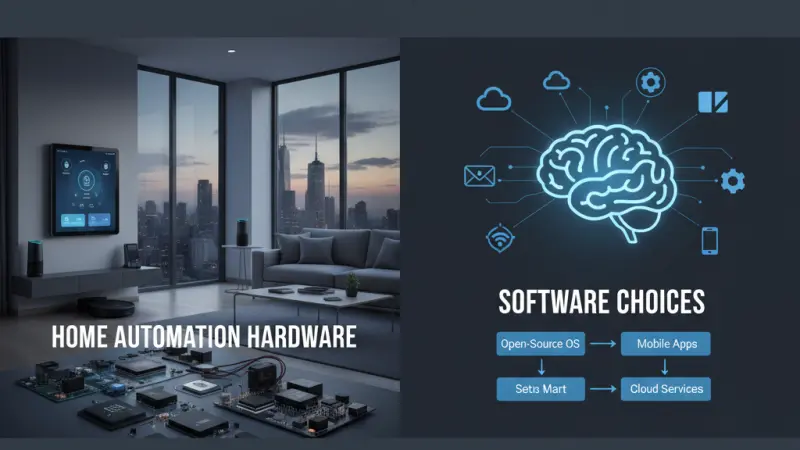
The transition from a traditional house to a fully integrated smart home is often fraught with technical hurdles and decision fatigue. With thousands of competing devices and an array of communication protocols, the challenge lies not just in buying gadgets, but in ensuring they work together as a cohesive ecosystem. Choosing the right hardware and software is a foundational step that dictates the long-term reliability and scalability of your automation. This guide is designed to help you navigate these choices objectively, focusing on interoperability, security, and user experience. By utilizing a structured approach to evaluation, you can build a system that enhances your lifestyle without becoming a constant source of maintenance.
Understanding the Home Automation Landscape
To make informed choices, one must first understand that home automation is split into two primary layers: the physical hardware (sensors, bulbs, locks) and the logical software (hubs, apps, automation engines). The success of your setup depends on the "handshake" between these two layers.
Hardware vs. Software Dependency
In many consumer-grade systems, hardware and software are "locked" together. For example, a proprietary smart plug might only work with its own app. However, more advanced users often look for "decoupled" systems, where a single software platform controls hardware from dozens of different manufacturers. Understanding whether you want an "out-of-the-box" experience or a highly customizable "agnostic" system is your first major decision.
Criteria for Selecting Smart Home Hardware
When selecting physical devices, it is easy to be swayed by aesthetic design or price. However, technical specifications are far more important for long-term stability.
Communication Protocols: The Language of Devices
Hardware communicates using different "languages." The most common are:
-
Wi-Fi: Convenient and requires no hub, but can congest your router if you have too many devices.
-
Zigbee and Z-Wave: Low-power mesh networks that are highly reliable and designed specifically for home automation. They require a central hub but offer superior stability.
-
Matter: The new industry standard designed to ensure that devices from different brands (Apple, Google, Amazon) work together seamlessly.
Power Management and Reliability
For sensors and locks, battery life is a critical hardware consideration. Devices using Zigbee typically last much longer than Wi-Fi counterparts. Furthermore, consider the "fail-state" of your hardware. If the internet goes down, can you still turn on your lights manually? Always prioritize hardware that offers local control over cloud-only dependency.
Evaluating Smart Home Software Platforms
The software is the "brain" of your home. It provides the interface you use daily and the logic that runs your automations.
User Interface (UI) and Experience (UX)
Software should be intuitive for every member of the household. If the app is too complex, the automation will be ignored.
Look for platforms that allow for "dashboarding"—the ability to create a simplified screen with only the most essential controls for common areas like the kitchen or living room.
Automation Complexity and Logic
Simple software allows for "Schedule" or "Timer" events. Advanced software (like Home Assistant or Hubitat) allows for complex conditional logic, such as: "If the motion sensor is triggered AND it is after sunset AND the TV is off, then turn the lights to 30%." Evaluate your own technical comfort level against the depth of logic offered by the platform.
A Step-by-Step Guide to Choosing Your Setup
Following a logical sequence prevents expensive mistakes and the dreaded "abandoned gadget drawer."
Step 1: Define Your "Core" Needs
Don't buy everything at once. Start with a specific problem you want to solve—perhaps security or energy efficiency. This focus will dictate whether you should prioritize cameras and locks or smart thermostats and TRVs (Thermostatic Radiator Valves).
Step 2: Choose Your "Primary" Ecosystem
Even if you plan to mix brands, choosing a primary "anchor" (such as Apple HomeKit or Amazon Alexa) helps narrow down hardware compatibility. Check for the "Works With" badge on any hardware you consider.
Step 3: Audit Your Local Infrastructure
Before buying 20 Wi-Fi bulbs, ensure your router can handle 20 additional IP addresses. If your home has thick stone walls, you will likely need a mesh-based protocol like Z-Wave rather than relying on a central Wi-Fi signal.
Step 4: Test the Software Interface
Most software platforms have a "demo mode" or can be explored via YouTube walkthroughs. Spend time looking at how the app handles groups, scenes, and device naming. If the software feels clunky during a demo, it will feel worse in daily use.
Essential Tips for a Future-Proof System
-
Prioritize Local Processing: Whenever possible, choose software and hardware that process commands locally rather than sending data to a remote server. This ensures faster response times and better privacy.
-
Standardize Your Protocols: Try to stick to one or two protocols. Mixing Wi-Fi, Bluetooth, Zigbee, and Z-Wave across different rooms leads to a fragmented and difficult-to-manage network.
-
Check for Firmware Longevity: Research the manufacturer’s history. Do they provide security updates for older devices, or do they force "planned obsolescence"?
-
Consider Physical Overrides: Ensure that "smart" upgrades don't remove "dumb" functionality. Your wall switches should still work even if the hub is unplugged.
Common Mistakes to Avoid
-
Buying Based on Price Alone: Cheap smart devices often have poor security encryption and lack long-term software support.
-
Ignoring Privacy Policies: Since home automation involves cameras and microphones, always read the software's data-sharing policy.
-
Over-Complicating Simple Tasks: If a "smart" light takes longer to turn on via an app than a physical switch, the automation has failed.
-
Neglecting the "Spouse/Roommate" Factor: If other people live in the home, the system must be accessible to them without requiring a technical degree.
Supporting Local Business Visibility Beyond Core Marketing Efforts
When choosing the right hardware and software, many homeowners turn to local installers or specialized tech boutiques for expert advice. For these professionals, maintaining a high level of business discoverability is essential in a crowded market. Utilizing a free company listing platform allows local technicians to establish a baseline of presence where customers are already looking. Consistency in local presence across different platforms serves as a credibility signal, reinforcing that the business is active and reliable.
By engaging with a business directory website, service providers can treat these entries as a supporting visibility layer rather than just a simple contact card. It is often a strategic move to list services uk directory to help with local discovery aid, particularly for niche services like smart home security calibration or bespoke IoT networking. Maintaining a profile on a business listings site ensures that trust reinforcement across platforms is maintained, giving the customer confidence before they even make the first call. Ultimately, platforms like Local Page UK provide the infrastructure for local experts to stay visible alongside the global hardware brands they install.
Journey of Improvements
Building a smart home is a journey of incremental improvements. By focusing on high-quality hardware protocols and intuitive software interfaces, you create a system that is resilient to change. The goal is to choose tools that fade into the background of your life, providing comfort and efficiency without demanding constant attention. Whether you are starting with a single bulb or a whole-home hub, the principles of compatibility, local control, and user simplicity remain the same. Take your time, research the technical specs, and build an ecosystem that truly serves your needs.
FAQs
1. Is Matter the only protocol I should look for now? While Matter is the future of interoperability, many excellent Zigbee and Z-Wave devices are still highly relevant and often offer more specific features than early Matter devices.
2. Can I mix different brands of smart software? It is possible, but not recommended for beginners. Using multiple "brains" often leads to conflicting commands and a confusing user experience.
3. Do I really need a hub for my home automation? If you want a truly automated home with
complex logic and high reliability, a hub is superior to a collection of individual Wi-Fi devices.
4. How do I know if my Wi-Fi is strong enough for smart devices? If you have more than 20 devices, you should consider a mesh Wi-Fi system or switching to Zigbee/Z-Wave hardware to reduce bandwidth strain.
5. What happens to my hardware if the manufacturer goes out of business? If the hardware is cloud-dependent, it may stop working. If it is local-control (like Zigbee), it will likely continue to work with third-party software.
6. Is smart home software difficult to set up? Consumer platforms like Apple Home or Amazon Alexa are very simple. Pro-sumer platforms like Home Assistant have a steeper learning curve but offer much more power.
7. Should I choose wired or wireless smart hardware? Wired is always more reliable for permanent fixtures (like light switches), while wireless is better for sensors and rental properties.
8. Are smart cameras a privacy risk? They can be. Look for cameras that offer "End-to-End Encryption" and local storage (SD card or NAS) rather than just cloud storage.
9. Can I automate my home if I live in a flat? Yes. Focus on "non-destructive" hardware like smart bulbs, plug-in sensors, and adhesive LED strips that don't require rewiring.
10. How often should I update my smart home software? You should enable automatic security updates, but for major platform changes, it is often wise to wait a few days to ensure the update is stable.
11. What is the most important hardware for energy saving? Smart Thermostats and Smart TRVs provide the fastest return on investment by optimizing your heating schedule based on occupancy.
12. Can smart hardware work without a smartphone? Yes, once configured, most systems can be controlled via voice assistants, physical smart buttons, or automated triggers like motion and time.
13. Does smart home software require a monthly subscription? Some do, especially for cloud storage of video. However, many of the best software platforms are free and open-source.
14. What is a "scene" in home automation software? A scene is a single command that controls multiple devices
at once—for example, a "Movie Night" scene that dims the lights and closes the blinds.
15. How do I start if I am on a budget? Start with a few smart plugs and a single voice assistant. This allows you to learn the software basics before investing in more expensive hardware.
Disclaimer: The information provided in this article is for general informational and research purposes only. Company details, features, services, and market positions may change over time. Readers are advised to visit official company websites and conduct independent research before making any business decisions or purchasing services.
Most Searchable Keywords
Recent Blogs


Related Listings

Categories
- Accountants (295)
- Advertising Agencies (559)
- Architects (149)
- Automobiles (377)
- Beauty (300)
- Carpenters (146)
- Cleaning Services (387)
- Dentists (189)
- Driving (62)
- Electricians (215)
- Energy (8)
- Event Organiser (686)
- Finance (602)
- Guide (3372)
- Health (2207)
- Information technology (206)
- Legal Services (353)
- Logistics (6)
- Maintenance (65)
- Manufacturing (35)
Sponsored Listings in Travel Agencies


Related Blogs

How Much Do UK Actors Really Earn Full Indust...
Read this insightful article "How Much Do UK Actors Really Earn Full Industry Breakdown" to expand your knowledge!

Blue Light Card UK 2026 Check Eligibility and...
Read this insightful article "Blue Light Card UK 2026 Check Eligibility and Claim" to expand your knowledge!

BBC Radio 1 DJs Net Worth Ranking Revealed
Read this insightful article "BBC Radio 1 DJs Net Worth Ranking Revealed" to expand your knowledge!
Questions & Answers – Find What
You Need, Instantly!
How can I update my business listing?
Is it free to manage my business listing?
How long does it take for my updates to reflect?
Why is it important to keep my listing updated?
