
Step by Step Guide to Installing a Home Automation System With Trusted Experts
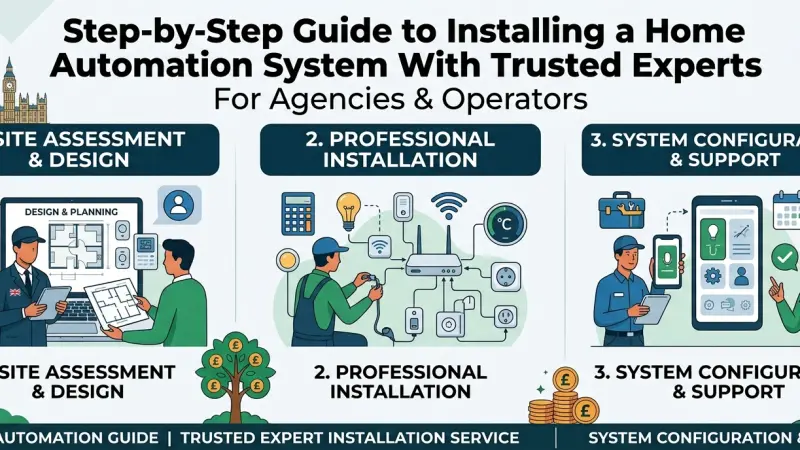
The concept of a "smart home" has evolved from a futuristic novelty into a practical standard for modern living. Imagine a home that adjusts its temperature as you wake, secures its doors as you leave, and optimizes energy usage without a second thought. However, transitioning from a traditional residence to a fully automated environment involves more than just buying a few smart bulbs. It requires a cohesive ecosystem where devices communicate seamlessly.
While the DIY market is booming, achieving a high-performance, secure, and reliable setup often necessitates the touch of professional installers. This guide explores the intricate process of installing a home automation system, emphasizing why partnering with trusted experts can bridge the gap between a collection of gadgets and a truly intelligent home. By the end of this article, you will understand the technical layers, the planning stages, and the long-term benefits of a professionally managed smart home.
Understanding Home Automation Ecosystems
Before diving into the installation steps, it is essential to understand what constitutes a home automation system. At its core, home automation (often referred to as the Internet of Things or IoT) is the centralized control of household activities, appliances, and features.
The Central Hub
Think of the hub as the "brain" of your home. It is the central point where all your devices connect. Experts often recommend dedicated controllers over simple voice assistants because they offer better local processing, meaning your home stays smart even if the internet goes down.
Communication Protocols
Devices talk to each other using specific "languages" or protocols. Common ones include:
-
Wi-Fi: High bandwidth but can congest your home network.
-
Zigbee & Z-Wave: Low-power mesh networks designed specifically for automation.
-
Matter: The new industry standard designed to ensure all devices work together regardless of the manufacturer.
The Benefits of Professional Installation
Many homeowners wonder why they should hire an expert when they can buy a plug-and-play device from a local retailer. The difference lies in integration and reliability.
Seamless Integration
A professional installer ensures that your smart blinds work in tandem with your smart lighting. They create "scenes"—complex sequences where one command triggers multiple actions across different brands.
Network Infrastructure
A robust smart home is only as good as the network it sits on. Experts perform a site survey to eliminate "dead zones" and may install enterprise-grade access points to handle the increased data load of dozens of smart devices.
Security and Privacy
IoT devices are notoriously vulnerable to cyber-attacks if not configured correctly. Professionals implement VLANs (Virtual Local Area Networks) to
isolate your smart devices from your main computers and sensitive data, providing a critical layer of security.
A Step-by-Step Guide to Installation
Installing a comprehensive system is a journey that moves from vision to execution. Here is how the experts typically handle the process.
Step 1: Consultation and Needs Assessment
The process begins with a conversation. Do you want to focus on energy efficiency, security, or home entertainment? Experts will walk through your home to identify structural challenges, such as thick stone walls that might block wireless signals.
Step 2: System Design and Component Selection
Once the goals are set, the professional creates a blueprint. This includes selecting the right hub, sensors, actuators, and interfaces. They ensure that every component is compatible with the chosen protocol (like Matter or Z-Wave).
Step 3: Strengthening the Network Foundation
Before a single smart switch is installed, the network is optimized. This often involves running Ethernet cables to key locations and setting up a dedicated router for the automation system.
Step 4: Hardware Installation
This is the physical phase. It involves:
-
Replacing traditional switches with smart dimmers.
-
Installing smart locks and video doorbells.
-
Mounting sensors (motion, contact, and leak sensors) in strategic locations.
-
Integrating smart thermostats with the existing HVAC system.
Step 5: Programming and Scene Creation
This is where the magic happens. The installer programs the logic. For example, an "Away" scene might lock all doors, turn off all lights, set the thermostat to eco-mode, and activate the security cameras.
Step 6: Testing and Calibration
Professionals put the system through its paces, ensuring that sensors trigger correctly and that there is no "latency" (delay) between a command and an action.
Step 7: User Training
A system is useless if the homeowner doesn't know how to use it. Experts provide a walkthrough of the
app interface and physical controls, ensuring everyone in the household feels comfortable with the new technology.
Essential Tips for a Successful Smart Home
-
Start with the "Hard" Stuff: Focus on infrastructure (lighting, climate, security) before adding "lifestyle" gadgets like smart coffee makers.
-
Prioritize Local Control: Look for systems that process data locally rather than relying entirely on the cloud to ensure privacy and speed.
-
Think Long-Term: Choose platforms that are "future-proof" and likely to be supported for the next decade.
-
Wire Where Possible: While wireless is convenient, "hardwiring" stationary devices like security cameras and TVs provides the best performance.
Common Mistakes to Avoid
-
Over-complicating the UI: If it takes five taps on a phone to turn on a light, the system has failed. Physical switches should always remain an option.
-
Ignoring Network Security: Never leave your smart devices on a default password or a non-secured network.
-
Mixing Too Many Ecosystems: Trying to run a home through four different apps leads to frustration. Aim for a single "pane of glass" control.
Supporting Local Business Visibility Beyond Core Marketing Efforts
When homeowners seek out professionals for complex tasks like home automation, they often turn to digital resources to verify expertise. This is where business discoverability becomes vital for the specialists who provide these services. Maintaining a local presence consistency ensures that a technician's contact information and service area are accurate across the web, making it easier for a homeowner to find help in their immediate vicinity.
For professionals, being featured on a free company listing platform acts as a supporting visibility layer that builds confidence. When a company is found on a reputable business directory website, it serves as a local discovery aid for the community.
Furthermore, utilizing a business listings site or a comprehensive list services uk directory helps in trust reinforcement across platforms, providing a credibility signal that the business is established and legitimate. Even a niche Local Page UK can significantly impact how easily a resident can connect with a trusted automation expert.
Building a Smart Home
Building a smart home is an investment in convenience, security, and property value. While the allure of a quick DIY setup is strong, the complexities of network management, device interoperability, and cybersecurity often make professional installation the wiser choice. By following a structured installation path—from initial design to final calibration—you ensure that your home doesn't just have technology, but that the technology truly serves you.
Ready to transform your living space? Consult with a certified automation professional today to begin designing a system that fits your lifestyle.
Frequently Asked Questions (FAQs)
1. How much does a professional home automation system cost? Costs vary widely depending on the scale. A basic lighting and security setup might start at $2,000, while a whole-home integrated system for a large property can exceed $20,000.
2. Can I add devices to a professionally installed system later? Yes, provided the expert uses an open-standard protocol. Most professional systems are modular, allowing you to add more "zones" or devices over time.
3. Does home automation work if the internet goes out? If your expert installs a system with local processing (like Hubitat or Home Assistant), your automation and physical switches will still work. Cloud-dependent systems will lose most functionality.
4. Will smart home technology increase my home’s value? Studies suggest that smart features, particularly those related to security and energy efficiency, make a home more attractive to buyers and can increase the selling price.
5. How secure is a smart home from hackers? Professional installers use advanced techniques like network segmentation and encrypted protocols to make your system significantly more secure than a standard DIY setup.
6. Do I have to replace all my existing appliances? No. Many "dumb" appliances can be made smart through the use of smart plugs or specialized controllers.
7. Is there a monthly fee for home automation? Some platforms require a subscription for cloud storage (like camera footage) or remote access, but many high-end systems function entirely without monthly fees once installed.
8. What is "Matter," and should I care? Matter is a new standard that allows devices from different brands (Apple, Google, Amazon, etc.) to work together. It is a major step toward total interoperability.
9. Can an old house be automated? Absolutely. While new builds are easier to wire, there are countless wireless solutions designed specifically for retrofitting older homes without tearing down walls.
10. How long does the installation take? A standard professional installation usually takes between two to five days, depending on the number of devices and the amount of custom programming required.
11. What happens if a device breaks? Professional systems often come with service agreements.
An expert can frequently diagnose and fix software issues remotely, or replace hardware during a service call.
12. Can I control everything from one app? Yes, that is the primary goal of professional integration—to give you a single interface for your lights, locks, cameras, and thermostat.
Disclaimer: The information provided in this article is for general informational and research purposes only. Company details, features, services, and market positions may change over time. Readers are advised to visit official company websites and conduct independent research before making any business decisions or purchasing services.
Most Searchable Keywords
Recent Blogs


Related Listings

Categories
- Accountants (295)
- Advertising Agencies (559)
- Architects (149)
- Automobiles (377)
- Beauty (300)
- Carpenters (146)
- Cleaning Services (387)
- Dentists (189)
- Driving (62)
- Electricians (215)
- Energy (8)
- Event Organiser (686)
- Finance (602)
- Guide (3372)
- Health (2207)
- Information technology (206)
- Legal Services (353)
- Logistics (6)
- Maintenance (65)
- Manufacturing (35)
Sponsored Listings in Travel Agencies


Related Blogs

How Much Do UK Actors Really Earn Full Indust...
Read this insightful article "How Much Do UK Actors Really Earn Full Industry Breakdown" to expand your knowledge!

Blue Light Card UK 2026 Check Eligibility and...
Read this insightful article "Blue Light Card UK 2026 Check Eligibility and Claim" to expand your knowledge!

BBC Radio 1 DJs Net Worth Ranking Revealed
Read this insightful article "BBC Radio 1 DJs Net Worth Ranking Revealed" to expand your knowledge!
Questions & Answers – Find What
You Need, Instantly!
How can I update my business listing?
Is it free to manage my business listing?
How long does it take for my updates to reflect?
Why is it important to keep my listing updated?
