
Top Business Meeting Tools & Apps
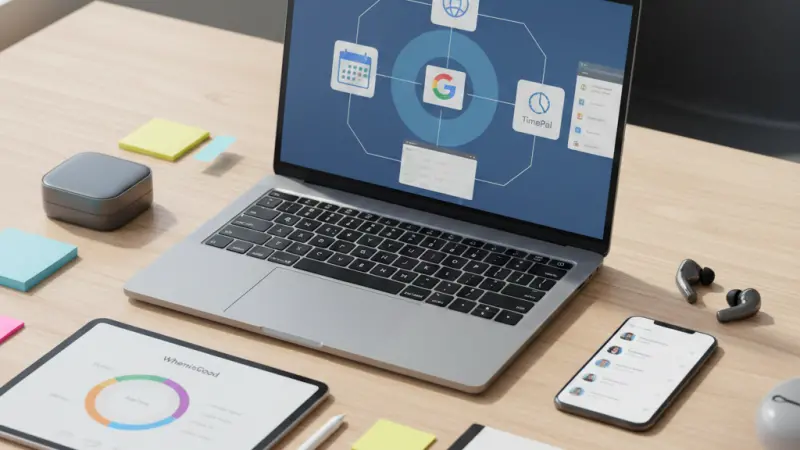
In the modern corporate landscape, especially for Small and Medium-sized Enterprises (SMEs), meetings are often described as a double-edged sword. When executed with precision, they are a powerful weapon for collaboration, decision-making, and strategic alignment. However, without the right structure, they can quickly devolve into a significant drain on time and resources.

The difference between a "calendar filler" and a high-impact session lies in the preparation. A well-organized meeting agenda is vital; it requires clarity on the objectives, the necessity of each participant, and a strict adherence to timeboxing. Fortunately, in 2026, the digital toolkit available to business owners has reached a peak of sophistication, making the daunting task of schedule management more intuitive than ever.
In this comprehensive guide, we explore the top tools and apps designed to transform your business meetings from time-wasters into engines of growth.
The Essentials of Meeting Preparation
Before diving into the software, it is crucial to understand the "why" behind your choice of tools. To maximize the worth of every minute spent in a boardroom or on a video call, SMEs must analyze:
The Objective: What is the specific goal? (Decision, Brainstorm, or Update).
The Participants: Who is essential to reaching that goal?
The Timeline: What is the maximum time that can be devoted to each agenda item?
Once these variables are defined, technology acts as the facilitator to ensure the plan is executed flawlessly.
Leading Tools to Set Up and Manage Meetings
1. Doodle: The King of Consensus
Doodle remains a staple for SMEs due to its simplicity. Its primary function is organizing the meeting calendar, but its versatility extends to social events and large-scale workshops.
Why it works: Instead of endless "back-and-forth" emails, you provide availability options, and participants vote on what suits them.
Best for: Finding a date that works for everyone without the headache of manual coordination.
2026 Update: Doodle now features an "Intuitive Booking Page" that syncs with personal calendars to prevent double-booking automatically.
2. GoTo Meeting: Professional Conferencing
GoTo Meeting is a powerhouse for those who conduct online meetings and conferences on a regular basis. It is a premium software choice that goes beyond simple video calls.
Key Features: It allows for large-group presentations, interactive training sessions, and even real-time online polls and surveys.
Security: Known for its robust encryption, it is a favorite for B2B interactions where data privacy is paramount.
Integration: It integrates seamlessly with productivity suites to set up meetings directly through its platform interface.
3. Google Calendar: The Integrated Powerhouse
For businesses operating within the Google ecosystem, Google Calendar is the undisputed leader. It has evolved significantly, offering a personal dashboard that manages everything from simple reminders to complex team schedules.
Connectivity: It synchronizes with Google Meet, allowing video conferences for up to 10 participants (on free tiers) or hundreds (on business tiers).
Mobility: Optimized for mobiles and tablets, it ensures you never miss an appointment while on the go.
Cost: The basic version is free, making it the most cost-effective solution for startups.
4. TimePal: Bridging the Global Gap
If your business deals with international partners, TimePal is an essential addition to your browser. It functions as a visual board that matches schedules across different regions.
Time Zone Management: It shows the overlapping "golden hours" where everyone is awake and available.
Duration Tracking: It includes a feature to set meeting lengths, alerting you if you are exceeding your allotted schedule.
5. TimeBridge: Sophisticated Group Coordination
TimeBridge mirrors some of the functionality of Google Calendar but offers deeper integration for those using mixed ecosystems (e.g., some staff on Outlook, others on Apple iCal).
Versatility: It handles one-on-one meetings as easily as large group sessions.
Collaboration: It includes phone and web conferencing opportunities directly within its management service.
6. WhenisGood: Simplicity in Feedback
Sometimes, you don't need a massive platform; you just need a quick answer. WhenisGood is a basic, online tool that generates a survey link for proposed dates.
The Voting System: Once all participants respond, you access a visual heat map to see which date received the most votes.
No Account Needed: It’s often used for quick external polls where you don't want to force participants to sign up for a new service.
7. Meetomatic: The Minimalist’s Choice
Similar to WhenisGood, Meetomatic focuses on establishing a consensus quickly.
Ease of Use: You choose possible dates and send them via email or social networks.
Speed: It is designed for those who want to fix an appointment in under 60 seconds.
8. UberConference (Dialpad AI Meetings): The "Who's Who" of Calls
UberConference, now often integrated into Dialpad, changed the game for conference calls by removing the need for annoying PINs.
Visual Interface: You can see exactly who is in the meeting and who is speaking at any given time.
Voice Intelligence: In 2026, its AI features allow for automated transcriptions and summaries, ensuring no action item is forgotten.
9. Attendium: Automating the Guest List
For businesses that hold mass events or large-scale seminars, Attendium is a specialized tool that automates invitee lists.
Efficiency: It manages RSVPs and guest tracking, though it is less suited for small, intimate team meetings.
Maximizing Meeting ROI: Best Practices
To get the most out of these tools, consider implementing these "Speedy Meeting" habits:
Use AI Summarizers: Tools like Otter.ai or the built-in AI in UberConference can save hours of manual note-taking.
Shorten the Default: Change your default meeting time from 60 minutes to 50, or 30 minutes to 25. This provides "buffer time" for employees to recharge.
Pre-Read Culture: Distribute materials via Google Calendar or TimeBridge 24 hours in advance. If the participants haven't read the briefing, the meeting cannot proceed effectively.
Promotional Section
When you are looking to grow your reach beyond the boardroom, your digital presence is your most valuable asset. For businesses operating in the United Kingdom, being visible to local customers is the first step toward success.
Whether you are a startup looking for a business listing uk or an established firm wanting to join a uk business directory website, having a presence on a reputable uk online business directory is essential. Using a local page uk business directory helps potential clients find local businesses uk with ease.
For service providers, being part of a uk service providers directory ensures you appear in local business listings uk when it matters most. You can start today with a business listing uk entry or a business listing uk to boost your SEO.
Explore the local businesses list uk to see where you stand among uk top rated local businesses. From a uk small business directory to specialized uk b2b business directory and uk b2c business directory options, Local Page UK offers a comprehensive business directory uk online.
Don’t miss out on uk business listings online. Secure your business listing uk slot or a business listing uk today. Whether you need a uk home services directory, uk professional services listings, or to be found in a uk local trades directory, our local page uk listings provide the uk verified business listings that customers trust for a uk local business search.
Join the most reliable uk business directory and get your business listing uk or business listing uk live now!
Questions Clients Commonly Ask
1. What is the best free meeting tool for a small team?
Google Calendar combined with Google Meet is generally the best free option due to its seamless integration and ease of use.
2. How do I prevent meeting fatigue?
Use "speedy meeting" settings to shorten calls and ensure every meeting has a mandatory agenda sent 24 hours in advance.
3. Is Doodle still relevant in 2026?
Yes, Doodle remains the most intuitive tool for polling large groups to find a consensus on meeting dates.
4. Can I use GoTo Meeting for webinars?
Absolutely. GoTo Meeting is specifically designed for high-capacity conferences and interactive training sessions.
5. How does TimePal handle multiple time zones?
It provides a visual grid that aligns different regional schedules, highlighting the best times for a global call.
6. Do these tools integrate with Slack?
Most major tools like Google Calendar, GoTo Meeting, and UberConference have direct Slack integrations for instant notifications.
7. Is there a tool that helps with "PIN-less" conference calls?
UberConference (Dialpad) is famous for its PIN-less entry, allowing users to join via a simple link or phone number recognition.
8. What is the benefit of using Attendium?
It automates guest lists for large events, saving hours of manual data entry for PR and event managers.
9. Can I sync TimeBridge with my Apple iCal?
Yes, TimeBridge is designed to bridge the gap between Outlook, Google, and Apple ecosystems.
10. Is WhenisGood better than Doodle?
WhenisGood is more "lightweight" and better for quick, casual polls, while Doodle offers more robust scheduling features for businesses.
11. Are there tools that provide AI transcripts?
UberConference and GoTo Meeting both offer AI-powered transcription services in their 2026 versions.
12. How many people can join a Google Meet call for free?
Currently, the free tier supports up to 10 participants, while business tiers allow for hundreds.
13. What is a "parking lot" in a meeting agenda?
It is a section where off-topic but important ideas are "parked" to be discussed at a later time, keeping the current meeting focused.
14. Can Meetomatic be used for social events?
Yes, its simple voting system makes it great for both business appointments and social gatherings.
15. Is it necessary to pay for a meeting tool?
For internal team chats, free tools are often enough. However, for client-facing webinars or global coordination, paid versions offer better security and features.

Disclaimer: The information provided in this article is for general informational and research purposes only. Company details, features, services, and market positions may change over time. Readers are advised to visit official company websites and conduct independent research before making any business decisions or purchasing services.
Most Searchable Keywords
Recent Blogs


Related Listings

Categories
- Accountants (295)
- Advertising Agencies (559)
- Architects (149)
- Automobiles (376)
- Beauty (300)
- Carpenters (146)
- Cleaning Services (386)
- Dentists (189)
- Driving (61)
- Electricians (215)
- Energy (8)
- Event Organiser (684)
- Finance (598)
- Guide (3363)
- Health (2205)
- Information technology (206)
- Legal Services (352)
- Logistics (6)
- Maintenance (65)
- Manufacturing (35)

Sponsored Listings in Health and Wellbeing


Related Blogs

Bristol Firework Displays Every Local Should...
Read this insightful article "Bristol Firework Displays Every Local Should Experience" to expand your knowledge!

Self Assessment Registration 2026 Common Erro...
Read this insightful article "Self Assessment Registration 2026 Common Errors and Rules" to expand your knowledge!
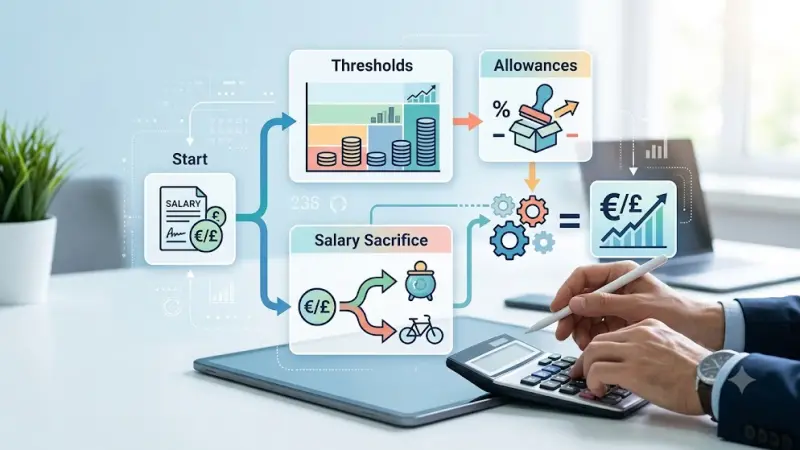
Calculate Your 2026 Employer National Insuran...
Read this insightful article "Calculate Your 2026 Employer National Insurance Bill Easily" to expand your knowledge!
Questions & Answers – Find What
You Need, Instantly!
How can I update my business listing?
Is it free to manage my business listing?
How long does it take for my updates to reflect?
Why is it important to keep my listing updated?
