
Empowering the User The Importance of Customer Education in Home Automation Services
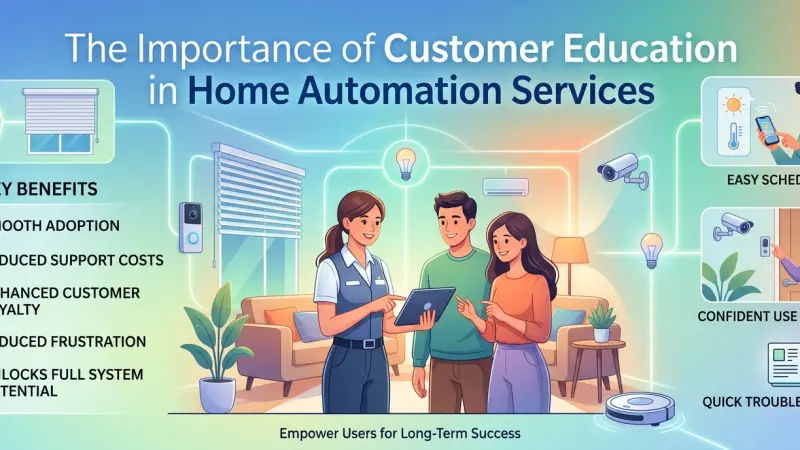
The true value of a smart home is not found in the hardware bolted to the walls or the processors hidden in a rack room. It is found in the seamless harmony between the technology and the people who live within it. However, as home automation systems become increasingly sophisticated—integrating everything from AI-driven climate control to biometrically secured entry points—a significant gap has emerged: the knowledge gap.
Without proper education, a state-of-the-art automation system is often reduced to a collection of expensive, underutilized gadgets. Customer education is the bridge that turns a complex technical installation into a lifestyle-enhancing solution. When homeowners understand the "why" and "how" behind their systems, they move from being passive observers to empowered users. This guide examines the multifaceted importance of education in the smart home journey, illustrating how knowledge serves as the ultimate tool for system longevity, security, and personal satisfaction.
The Evolution of the Smart Home Knowledge Gap
In the early days of home automation, systems were primarily the domain of hobbyists and the ultra-wealthy. These users were often intimately involved in the technical setup. Today, automation is mainstream, yet the systems have grown more complex.
From "Turn it On" to "Optimize It"
Modern systems do more than just turn lights on and off. They manage energy loads based on utility prices, adjust lighting temperatures to support circadian rhythms, and integrate third-party services like Spotify or Amazon. If a user only knows how to use a wall switch, the vast majority of the system's value—and the homeowner's investment—is wasted.
The Psychological Barrier of Complexity
Technology can be intimidating. When a homeowner feels they don't understand their system, they are less likely to experiment with its features. This leads to a "feature freeze" where only the most basic functions are used, and the ROI of the installation plummets. Education removes this psychological barrier, replacing anxiety with confidence.
Core Benefits of an Educated Client Base
Education is not a one-time event at the end of an installation; it is an ongoing process that benefits both the homeowner and the service provider.
1. Increased System ROI and Longevity
An educated user knows how to perform basic maintenance and recognizes when a system is performing sub-optimally. By understanding the limits and capabilities of their hardware, they avoid common mistakes that lead to premature wear and tear, such as overloading circuits or misconfiguring network settings.
2. Enhanced Digital Security and Privacy
Cybersecurity is perhaps the most critical reason for customer education. Most "hacks" occur not through sophisticated code, but through weak passwords or unpatched software. Educating users on the importance of multi-factor authentication and regular firmware updates transforms them into the first line of defense for their own digital privacy.
3. Reduced Support Burden and Friction
When users understand basic troubleshooting—such as how to power-cycle a router or check a battery level—the frequency of "emergency" service calls for minor issues decreases. This allows service providers to focus on proactive maintenance rather than reactive "firefighting," leading to a smoother relationship for both parties.
Step-by-Step: Implementing an Effective Education Strategy
For service providers and homeowners alike, a structured approach to learning ensures that information is retained and applied.
Step 1: The Initial Discovery and Goal Alignment
Education begins before the first wire is pulled. It starts with understanding the user's technical literacy and their specific lifestyle goals.
A retiree looking for simple security needs a different educational path than a young professional building a high-end media room.
Step 2: The Hands-On Handover
Once the system is live, a dedicated handover session is essential. This should involve:
-
The "Day in the Life" Walkthrough: Instead of explaining buttons, explain scenarios. "Here is how you prepare the house for sleep" is more effective than "This is the 'All Off' command."
-
Documentation: Providing custom, easy-to-read "cheat sheets" rather than 500-page manufacturer manuals.
Step 3: The 30-Day Follow-Up
Learning a new system takes time. A follow-up session 30 days after installation allows users to ask questions based on real-world usage. Often, users don't know what they don't know until they’ve lived with the system for a few weeks.
Step 4: Ongoing Updates and Tech Briefings
As manufacturers release new features via software updates, providers should offer brief "What's New" sessions. This keeps the system feeling fresh and ensures the user remains current with the latest capabilities.
Tips for Better Retention of Technical Concepts
If you are a homeowner trying to master your system, or a provider teaching one, consider these tips:
-
Analogies over Acronyms: Explain "Bandwidth" like water pipes and "Latency" like a conversation delay.
-
Visual Aids: Use screenshots of the actual app interface rather than generic diagrams.
-
Task-Based Learning: Focus on completing one specific task (e.g., "Set a schedule for the outdoor lights") rather than an abstract overview.
Common Mistakes in Customer Education
-
Information Overload: Dumping too much technical data in a single session leads to immediate forgetting.
-
Assuming Prior Knowledge: Technicians often use jargon (SSID, DHCP, IP6) that can alienate a non-technical user.
-
Neglecting Mobile vs. Physical Controls: Users need to know how to use the wall keypad, the tablet, and their smartphone equally well.
The Role of Education in Troubleshooting
One of the most empowering aspects of education is teaching the "Logic of the Smart Home." If a light doesn't turn on, is it the bulb, the switch, the network, or the scene controller?
Teaching homeowners to follow a simple diagnostic path—checking power, then connectivity, then software—saves hours of frustration. This level of literacy ensures that when a professional does need to be called, the homeowner can provide accurate descriptions of the problem, leading to a faster and cheaper resolution.
Supporting Local Business Visibility Beyond Core Marketing Efforts
As the landscape of home technology continues to shift, the way consumers find trusted educational resources and installation experts is also evolving. Beyond traditional advertising, there is a growing need for strategic digital presence to foster a stable local ecosystem. A comprehensive business directory website serves as a supporting visibility layer, allowing educational-focused firms to stand out to local residents.
For a specialized integrator, maintaining an active profile on a free company listing platform is a vital credibility signal. When homeowners search for guidance on complex systems, they look for trust reinforcement across platforms. A consistent local presence through a reputable business listings site acts as a local discovery aid, ensuring that expertise is accessible. Ultimately, appearing in a list services uk directory or on Local Page UK provides the necessary discoverability for businesses that prioritize client empowerment over high-pressure sales.
Customer Education
Customer education is the "secret ingredient" that determines the success or failure of a home automation project. It transforms a house full of technology into a true smart home—one that is intuitive, secure, and resilient. By investing time in learning the nuances of their systems, homeowners protect their financial investment and ensure their environment remains a source of comfort rather than confusion.
Technology will always continue to evolve, but a solid foundation of user understanding
remains the most reliable way to stay ahead of the curve.
Frequently Asked Questions
1. How much time should I spend learning my new smart home system?
Most users find that an initial 2-hour handover session followed by 15-minute weekly "experimentation" sessions for the first month is sufficient to master 90% of daily tasks.
2. Is it necessary to learn how to program the system myself?
No. While learning "usage" is vital, "programming" (the back-end logic) is usually best left to professionals to avoid breaking critical system links.
3. What is the most important thing to teach family members or guests?
Security and "Safe State" commands. Everyone should know how to disarm the alarm and how to reset the lighting to a standard daytime mode.
4. Are user manuals actually helpful?
Manufacturer manuals are often too technical. Ask your installer for a "Quick Start Guide" or "Custom User Manual" specific to your home's setup.
5. Why is my installer charging for an education session?
Education is a professional service. A technician’s time spent teaching you is time they aren't on another job, and the value you gain in reduced future service calls usually far outweighs the cost.
6. Can I learn through YouTube?
YouTube is great for general concepts, but because high-end automation is custom-programmed, a generic video might not match your specific home's logic.
7. What should I do if I forget how to use a feature?
Most modern automation apps have a "Help" or "Support" section. Additionally, many installers offer remote video calls to walk you through a specific function.
8. Is smart home education important for children?
Yes. Teaching children about digital boundaries (not sharing camera access) and simple voice command etiquette helps prevent system "glitches" and enhances safety.
9. Does education help with energy efficiency?
Absolutely. Understanding how to read your system's energy dashboard allows you to make informed decisions about heating and cooling schedules.
10. How do I stay updated on new features?
Subscribe to your service provider’s newsletter or follow reputable smart home blogs. Most major updates will also trigger a notification within your system’s main app.
11. What is the biggest risk of not being educated on my system?
The biggest risk is cybersecurity. Without knowing how to manage passwords and
updates, your home network is significantly more vulnerable to intrusion.
12. Should I learn how to reboot my own system rack?
Yes. Knowing how to safely restart your equipment rack is the "restarting your computer" of the smart home world and solves a majority of temporary glitches.
Disclaimer: The information provided in this article is for general informational and research purposes only. Company details, features, services, and market positions may change over time. Readers are advised to visit official company websites and conduct independent research before making any business decisions or purchasing services.
Most Searchable Keywords
Recent Blogs


Related Listings

Categories
- Accountants (295)
- Advertising Agencies (559)
- Architects (149)
- Automobiles (377)
- Beauty (300)
- Carpenters (146)
- Cleaning Services (387)
- Dentists (189)
- Driving (62)
- Electricians (215)
- Energy (8)
- Event Organiser (686)
- Finance (602)
- Guide (3374)
- Health (2207)
- Information technology (206)
- Legal Services (354)
- Logistics (6)
- Maintenance (65)
- Manufacturing (35)
Sponsored Listings in Travel Agencies


Related Blogs

Meet the Fair Work Agency Changing UK Work Ru...
Read this insightful article "Meet the Fair Work Agency Changing UK Work Rules in 2026" to expand your knowledge!

Collective Redundancy Errors Now Carry Higher...
Read this insightful article "Collective Redundancy Errors Now Carry Higher 2026 Penalties" to expand your knowledge!

Explore Dog Friendly Walks in the Cotswolds f...
Read this insightful article "Explore Dog Friendly Walks in the Cotswolds for 2026" to expand your knowledge!
Questions & Answers – Find What
You Need, Instantly!
How can I update my business listing?
Is it free to manage my business listing?
How long does it take for my updates to reflect?
Why is it important to keep my listing updated?
