
How to Advertise on Google Maps: The Ultimate Local SEO & Ads Guide
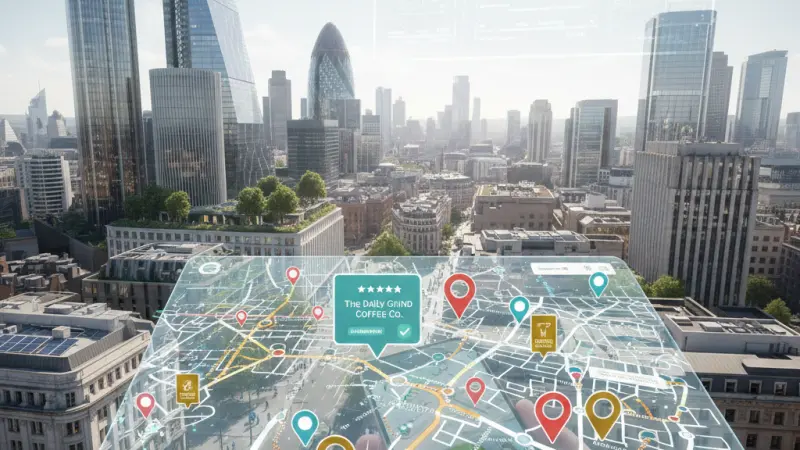
In the modern digital landscape, the "near me" search has become the primary bridge between digital discovery and physical sales. Whether someone is searching for a "third-wave coffee shop" in London or an "emergency plumber" in Manchester, their first destination is almost always Google Maps.

For local business owners, the struggle to generate consistent foot traffic is real. However, the solution isn't just "being online"—it’s being visible at the exact moment a customer is looking to buy. This is where Google Maps Advertising (specifically Local Search Ads and Local Services Ads) becomes your most powerful marketing asset.
In this detailed guide, we will break down everything you need to know about navigating the Google Maps ecosystem in 2026, from basic setup to advanced AI-driven strategies.
What is Google Maps?
Google Maps is far more than a simple navigation tool. In 2026, it serves as a sophisticated local discovery engine used by over a billion people every month. It provides detailed geographical information, real-time traffic updates, and—most importantly for you—a directory of hundreds of millions of businesses.
Key Features for Businesses:
360-Degree Views: High-quality street view imagery that lets customers "walk" into your shop virtually.
Real-Time Data: Users can see how busy your store is, your current opening hours, and even live transit updates to reach you.
Integrated Ecosystem: It works seamlessly across desktops, smartphones, wearables, and in-car navigation systems like Android Auto and Apple CarPlay.
Understanding Google Maps Ads (Local Search Ads)
Google Maps ads, commonly referred to as Local Search Ads, are paid placements that appear within the Google Maps interface and on Google Search results when local intent is detected.
Unlike traditional text ads that drive users to a website, Google Maps ads are designed to drive actions:
Get Directions: Encouraging the user to navigate to your physical location.
Click-to-Call: Allowing mobile users to ring your business with a single tap.
Location Details: Expanding your business profile to show photos, reviews, and amenities.
How Does Google Maps Work in 2026?
The core algorithm of Google Maps is built on three pillars: Relevance, Distance, and Prominence.
Relevance: How well a local business profile matches what someone is searching for.
Distance: How far each potential search result is from the location term used in a search or the user's GPS location.
Prominence: How well-known a business is. This is based on information that Google has about a business from across the web (like links, articles, and directories), Google review count, and score.
When a user types "best brunch spots" into their phone, Google calculates these factors in milliseconds to present the "Map Pack"—the top three organic results. Advertising allows you to "leapfrog" these organic rankings and appear at the very top.
How Google Maps Ads Function
Google Maps ads operate primarily through the Google Ads platform. They are triggered by location-based keywords and the user's physical proximity.
Placement Types:
The Promoted Pin: On the map itself, your business appears as a branded or square pin (unlike the standard circular red pins). This makes your location stand out as a user scrolls through an area.
Search Results List: Your business appears at the top of the list in the
left-hand sidebar (desktop) or at the top of the scrollable list (mobile).
In-Route Ads: If a user is navigating, Google may suggest your business as a relevant "stop" along their current route (e.g., a petrol station or a drive-thru coffee shop).
9 Revolutionary Benefits of Advertising on Google Maps
1. Unparalleled Ad Visibility
With billions of monthly users, Google Maps is the world’s most used navigation app. Placing your brand here ensures you aren't just a dot on a map—you are a destination.
2. High Intent, High Conversion
People using Google Maps aren't just "browsing"; they are usually in active search mode. When someone searches for a "hardware store" while they are already out driving, the intent to purchase is nearly 100%.
3. Frictionless Customer Journey
Traditional ads require a user to: Click Ad -> Visit Site -> Find Address -> Open Maps.
Google Maps Ads simplify this to: Click Ad -> Get Directions. By removing steps, you naturally increase the number of people who actually walk through your door.
4. Leveraging Social Proof (Google Reviews)
In 2026, 77% of consumers regularly read reviews. Your Maps ad automatically displays your star rating. A business with a 4.8-star rating appearing at the top of a search result gains instant competitive advantage.
5. The "Google Guaranteed" Trust Factor
For service-based businesses (like locksmiths or cleaners), passing Google’s screening allows you to display a "Google Guaranteed" badge. This insurance-backed endorsement makes users feel safe choosing you over an unverified competitor.
6. Cost-Efficiency (The Pay-Per-Lead Model)
In many local campaigns, especially Local Services Ads, you only pay when a customer actually contacts you—not just when they see the ad. This ensures your marketing budget is spent on tangible leads rather than empty impressions.
7. Real-Time Analytics and Tracking
Google provides deep insights into how people interact with your Map ads. You can track:
How many people clicked for directions.
How many people called your business from the ad.
Estimated "Store Visits" based on anonymised phone location data.
8. User-Friendly Dashboard
You don't need a PhD in data science to run these ads. The Google Ads "Smart" campaigns and Local Services dashboards are designed for small business owners, focusing on simple goals rather than complex technical configurations.
9. AI-Driven Automation
In 2026, Google’s AI handles the heavy lifting. You no longer need to spend hours on keyword research. Google analyzes your business profile and automatically shows your ad to users whose search intent matches your services and location.
How to Get Started: Step-by-Step
Step 1: Claim Your Google Business Profile (GBP)
This is your foundation. Without a verified GBP, you cannot effectively run Maps ads. Ensure your Name, Address, and Phone Number (NAP) are 100% accurate.
Step 2: Link GBP to Google Ads
Log into your Google Ads account and navigate to Assets. Add a Location Asset by linking your verified Business Profile. This allows your address to show up in your search ads.
Step 3: Enable Location Targeting
In your campaign settings, don't just target a whole country. Use radius targeting (e.g., a 5-mile radius around your shop) to ensure you aren't paying for clicks from people too far away to visit.
Step 4: Set Bids by Location
You can tell Google to bid more aggressively for users who are physically closer to your store. This "hyperlocal" bidding ensures you win the auction for the most valuable nearby customers.
Advanced Strategies for 2026
Performance Max for Store Goals: This AI-powered campaign type uses Google’s machine learning to show your ads across Maps, Search, YouTube, and Gmail, specifically optimized to drive physical foot traffic.
Inventory Integration: If you are a retailer, you can link your product feed.
Users can see that a specific item is "In Stock" at your location directly within the Maps interface.
Video in Maps: Using short, 6-second "Bumper" ads to showcase the atmosphere of your restaurant or the quality of your showroom.
Boost Your Presence with Local Page UK
While Google Maps is a powerhouse, a truly dominant local strategy requires presence across multiple high-authority directories. This creates the "Prominence" that Google's algorithm craves.
If you are looking to scale your reach in the United Kingdom, Local Page UK is your essential partner. By securing a business listing uk, you provide the consistent data signals that search engines use to verify your business.
Whether you are looking for a uk online business directory to boost your SEO or want to be found in a uk business directory that customers trust, Local Page UK delivers. From the uk local business directory to a specialized uk small business directory, being listed ensures you appear in every local businesses list uk.
Our platform serves as a comprehensive uk b2b business directory and uk b2c business directory, acting as the premier business directory uk online. Service-oriented companies can join the uk service providers directory to stand out, while any firm can benefit from uk business listings online.
Join the local page uk business directory today and make your mark on the most visited uk business directory website. We offer the best business listing uk options, including business listing uk and a high-authority business listing uk. Your journey to the top starts with a business listing uk or a business listing uk.
Small entrepreneurs love our business listing uk tools, making us the top business listing uk resource. Whether you need a business listing uk or a business listing uk, our local business listings uk have you covered. Explore uk service listings, uk verified business listings, and the uk top rated local businesses on our platform. From the uk home services directory to uk professional services listings and uk trade services listings, we are the ultimate uk local trades directory. Check out the local page uk listings to find local businesses uk and simplify your uk local business search.
Questions Clients Commonly Ask
1. Is advertising on Google Maps free?
No. While creating a Google Business Profile is free, appearing as a "Promoted Pin" or at the top of search results requires a paid Google Ads campaign.
2. How much do Google Maps ads cost?
Costs vary by industry and location. You can choose a Pay-Per-Click (PPC) model or a Pay-Per-Lead (PPL) model. Most small businesses start with a budget as low as £5–£10 per day.
3. Do I need a website to advertise on Google Maps?
Not necessarily. For Local Services Ads, Google uses your Business Profile as the "landing page." However, having a website is recommended for standard Search Ads.
4. What is a "Promoted Pin"?
It is a square-shaped, branded icon on the map that stands out from the
standard circular pins, designed to catch the eye of users browsing an area.
5. How long does it take for my ads to show?
Once your Google Ads account is set up and your Business Profile is linked, ads can start appearing within 24 to 48 hours.
6. Can I target specific postcodes?
Yes. Google Ads allows for very granular targeting, including specific postcodes, cities, or a custom radius around your shop.
7. How do I get the "Google Guaranteed" badge?
You must apply for Local Services Ads and pass Google’s background, license, and insurance verification process.
8. Will ads help my organic ranking?
Indirectly, yes. Increased traffic and reviews generated by ads can improve your business's overall "Prominence," which is a key organic ranking factor.
9. Can I see how many people visited my store because of an ad?
Yes, Google uses "Store Visit" conversions, which use anonymized GPS data to estimate how many people visited your physical location after seeing or clicking an ad.
10. What are "Location Assets"?
Previously called "Location Extensions," these are settings in Google Ads that pull your address and phone number from your GBP into your ads.
11. Why is my ad not showing up?
Common reasons include a low bid, your daily budget being exhausted, or your business being currently "closed" based on your listed hours.
12. Can I run ads only on the mobile app?
While you can’t exclusively target the app, the majority of Maps ad traffic naturally comes from mobile devices.
13. Do reviews affect my ad performance?
Absolutely. Higher ratings lead to higher Click-Through Rates (CTR) and can even lower your cost-per-click because Google views your ad as more "relevant."
14. What is the difference between Google Ads and Local Services Ads?
Google Ads is a broad platform for PPC (search, display, etc.), while Local Services Ads is a simplified, PPL platform specifically for service-based pros.
15. Can I stop my ads at any time?
Yes, Google Ads offers total flexibility. You can pause or stop your campaigns instantly with one click.

Disclaimer: The information provided in this article is for general informational and research purposes only. Company details, features, services, and market positions may change over time. Readers are advised to visit official company websites and conduct independent research before making any business decisions or purchasing services.
Most Searchable Keywords
Recent Blogs

Related Listings
Categories
- Accountants (295)
- Advertising Agencies (559)
- Architects (149)
- Automobiles (376)
- Beauty (300)
- Carpenters (146)
- Cleaning Services (386)
- Dentists (189)
- Driving (61)
- Electricians (215)
- Energy (8)
- Event Organiser (684)
- Finance (598)
- Guide (3363)
- Health (2205)
- Information technology (206)
- Legal Services (352)
- Logistics (6)
- Maintenance (65)
- Manufacturing (35)
Sponsored Listings in Health and Wellbeing

Related Blogs

Bristol Firework Displays Every Local Should...
Read this insightful article "Bristol Firework Displays Every Local Should Experience" to expand your knowledge!
Self Assessment Registration 2026 Common Erro...
Read this insightful article "Self Assessment Registration 2026 Common Errors and Rules" to expand your knowledge!
Calculate Your 2026 Employer National Insuran...
Read this insightful article "Calculate Your 2026 Employer National Insurance Bill Easily" to expand your knowledge!
Questions & Answers – Find What
You Need, Instantly!
How can I update my business listing?
Is it free to manage my business listing?
How long does it take for my updates to reflect?
Why is it important to keep my listing updated?
