
How to Change Business Opening Hours on Google, Yelp, Facebook & Bing
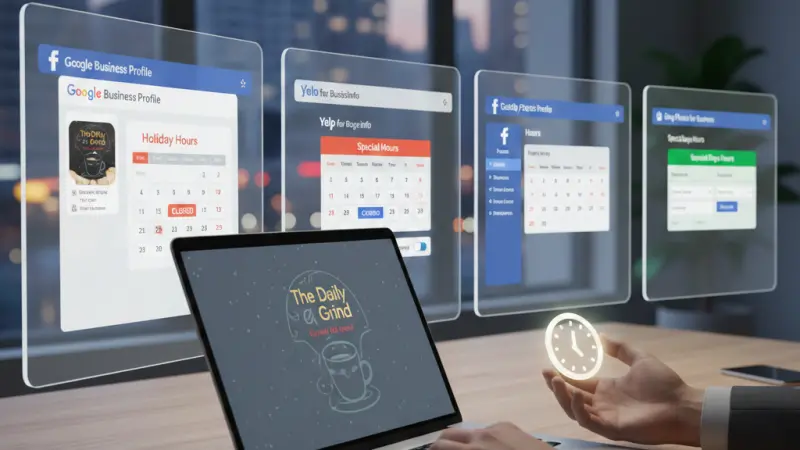
In the modern digital landscape, your business’s "Open" sign isn't just hanging on your front door—it’s glowing on smartphone screens across the country. Whether it’s a bank holiday, a seasonal shift, or a one-off special event, your opening hours are often the first thing a potential customer looks for.
As we move through 2026, the stakes for accuracy have never been higher. With the rise of AI-driven search and voice assistants, providing "approximate" hours is no longer enough. If Google’s AI or a customer's Siri suggests you’re open when you’re actually closed, you don’t just lose a sale; you lose trust and potentially gain a one-star review before the customer even speaks to you.
In this comprehensive guide, we will walk you through exactly how to manage your holiday and temporary opening hours across the "Big Four" platforms: Google, Yelp, Facebook, and Bing.
Why Accurate Online Hours are the Backbone of Local SEO
Before we dive into the "how," let’s look at the "why." Why does Google care so much about whether you close at 5:00 PM or 6:00 PM on a Tuesday?
1. The "Open Near Me" Search Surge
Search intent in 2026 is hyper-local and hyper-immediate. "Open now" filters are among the most used features on Google Maps and Yelp. If your hours are not updated, you are effectively invisible to customers ready to spend money right now.
2. Building Brand Authority and Trust
Accuracy is a trust signal. When a business takes the time to set "Special Hours" for a holiday—even if those hours are the same as their regular ones—it tells the consumer: "We are active, we are professional, and you can rely on this information." ### 3. Avoiding the "Google Reversion" Bug
In early 2026, many businesses reported a bug where Google Business Profile edits wouldn't "stick." This often happens because Google’s AI cross-references your hours with other platforms like your website, Facebook, or Yelp. If your hours are inconsistent across the web, Google may automatically revert your changes to what it perceives as the "most likely" correct data. Consistency is key to winning the local SEO game.
How to Update Google Business Profile (GBP) Holiday Hours
Google remains the most critical platform for local discovery. In 2026, the interface has shifted slightly to be managed directly through Google Search and Maps rather than a separate dashboard.
Step-by-Step: Setting Special Hours
Search for Your Business: Sign into the Google account associated with your business and type your business name into the search bar.
Access the Edit Menu: You will see a management menu. Click on Edit Profile, then select Business Information.
Navigate to Hours: Click the Hours tab at the top.
Select Special Hours: Locate the "Special Hours" section and click the pencil icon.
Choose Your Dates: Google will often suggest upcoming public holidays (like Easter, Christmas, or Bank Holidays).
To confirm a suggested holiday, click Review.
To add a custom date (like a staff training day), click Add a date.
Adjust the Status: * If you are Closed, ensure the "Closed" box is checked.
If you have Amended Hours, uncheck "Closed" and enter your specific open and close times.
Save: Click Save. Note that in 2026, Google may take up to 24–48 hours to fully propagate these changes across all users.
Pro Tip: Use the "More Hours" feature if you offer specific services like "Senior Hours," "Delivery Only," or "Online Service Hours" that differ from your physical storefront.
Updating Your Opening Hours on Yelp
Yelp is a powerhouse for the hospitality and service industries. Their "Special Hours" feature is designed to be highly visible to users.
How to Adjust Availability on Yelp:
Log into the Yelp for Business app or website.
Go to the Business Information section.
Look for Special Hours (often found under "Amenities and More" or directly under "Hours").
Select the specific date you wish to modify.
Mark the business as Closed or enter Specific Hours.
Yelp will display a "Holiday Hours" banner on your profile, which provides peace of mind to cautious customers.
Changing Hours on Your Facebook Business Page
Facebook (Meta) remains a primary discovery tool for B2C businesses. Because Facebook is a social platform, your hours should ideally be paired with a post for maximum reach.
How to Modify Facebook Hours:
Navigate to your Professional Dashboard or Page.
Select Edit Page Info and scroll to the Hours section.
Select Open on Selected Hours to modify specific days.
For temporary closures, you can use the Temporary Service Changes option. This is particularly useful if you are moving to "Delivery Only" or "Appointment Only" for a short period.
Important: If your business hours aren't showing up, check your Page Category.
Some categories (like "Community") do not support hour listings.
Managing Hours on Bing Places for Business
Bing powers a significant portion of voice search (via Alexa) and desktop search for corporate environments. Ignoring Bing is a common mistake for UK businesses.
Steps for Bing:
Sign in at bingplaces.com.
Select your listing and click Edit.
Click through to the Hours page.
Tick the box: "Yes, I want to provide working hours for special days."
Add your modified hours and click Submit.
Bing typically highlights these hours in green, signaling to the user that the data is fresh.
Managing Multi-Location Hours: The Bulk Update Challenge
If you manage 10, 50, or 100 locations, manual updates are a nightmare.
Google's Bulk Upload: You can use a .csv spreadsheet to upload "Special Hours" in bulk. However, ensure your Store Codes are 100% accurate, or you risk creating duplicate listings.
Third-Party Tools: In 2026, tools like Semrush, Yext, or specialized local SEO platforms are the standard for multi-location brands. These tools allow you to "Sync" holiday hours across Google, Bing, Facebook, and Yelp simultaneously.
Boost Your UK Presence with Local Page UK
Managing multiple listings can be overwhelming, but you don't have to do it alone. Ensuring your business is found by the right people at the right time is the core of a successful digital strategy. Whether you are looking for a business listing uk to get started or want to dominate the uk online business directory space, visibility is everything.
By joining the local page uk business directory, you place your brand in a trusted uk business directory that caters to both uk b2b business directory and uk b2c business directory needs. Our platform is designed to help users find local businesses uk with ease, making it the perfect uk local business directory for companies of all sizes.
If you are a small enterprise, our uk small business directory features and business listing uk options ensure you can compete with the big players.
For service-based companies, being part of a uk service providers directory or a uk home services directory is essential for capturing high-intent leads.
Don't miss out on being part of the local businesses list uk. Explore our local business listings uk to see how we showcase uk top rated local businesses and uk verified business listings. From uk trade services listings to a comprehensive uk local trades directory, we provide the uk business listings online that matter.
Take advantage of our business listing uk and secure your business listing uk today. Whether you need a business listing uk or a business listing uk, Local Page UK is your premier business directory uk online destination.
Questions Clients Commonly Ask
1. How long does it take for Google to update my hours? Usually, it takes a few minutes to 24 hours. However, during major holidays, approval times can increase to 48–72 hours due to high volume.
2. What happens if I don't update my holiday hours? Google may display a warning saying "Hours may differ" or "Public holiday might affect these hours." This creates uncertainty and may lead customers to choose a competitor with "Confirmed" hours.
3. Can I set special hours for just one afternoon? Yes. In the "Special Hours" section, you can enter specific time blocks (e.g., 9:00 AM – 1:00 PM) for any specific date.
4. Does changing my hours affect my SEO ranking? Indirectly, yes. Accurate information improves user engagement and reduces "bounce" rates (people leaving your profile quickly), which are positive signals to search engines.
5. Why did Google revert my hours back to the old ones? This is usually caused by "data conflict." If your website or other directories like Yelp still show the old hours, Google’s algorithm might think your edit was a mistake and revert it.
6. Is there a way to set hours for a whole week? On Google, if you are closed for more than 6 days, you should mark the business as "Temporarily Closed" rather than using Special Hours.
7. Do I need to update Bing if I already updated Google? Yes. Many users use Windows search, Alexa, or DuckDuckGo, all of which pull data from Bing.
8. Can I add a break (lunch hour) in my Google hours? Yes, you can add two sets of hours for a single day (e.g., 09:00–12:00 and 13:00–17:00).
9. What is the difference between "Special Hours" and "More Hours"? Special Hours are for specific dates (holidays). "More Hours" are for recurring specific services like "Brunch" or "Happy Hour."
10. Can I update my hours via the Google Maps app? Yes, you can manage your Business Profile directly through the Google Maps app on iOS or Android.
11. Does Yelp charge to change business hours? No, updating your hours on Yelp is a free feature for all claimed business profiles.
12. How do I let customers know why I'm closed? While "Special Hours" show the time, it’s best to create a "Update" or "Post" on Google and Facebook to explain the reason (e.g., "Closed for Renovations").
13. What if my business is online only? Online-only businesses should generally not set physical hours unless they have specific customer support availability.
14. Will voice assistants like Siri know my new hours? Siri pulls data from various sources including Apple Maps and Yelp. Updating your Yelp and Apple Business Connect profiles is essential for Siri accuracy.
15. How do I manage hours for a franchise? Franchises should use a centralized management tool or
a "Business Group" in Google Business Profile to ensure brand consistency across all locations.
Disclaimer: The information provided in this article is for general informational and research purposes only. Company details, features, services, and market positions may change over time. Readers are advised to visit official company websites and conduct independent research before making any business decisions or purchasing services.
Most Searchable Keywords
Recent Blogs


Related Listings
Categories
- Accountants (295)
- Advertising Agencies (559)
- Architects (149)
- Automobiles (377)
- Beauty (300)
- Carpenters (146)
- Cleaning Services (387)
- Dentists (189)
- Driving (62)
- Education (1)
- Electricians (215)
- Energy (8)
- Event Organiser (687)
- Finance (602)
- Guide (3383)
- Health (2207)
- Information technology (206)
- Legal Services (361)
- Logistics (6)
- Maintenance (65)
Sponsored Listings in Health and Wellbeing


Related Blogs

UK Event Calendar — Complete Full-Year Guide
Read this insightful article "UK Event Calendar — Complete Full-Year Guide" to expand your knowledge!

SMCR Phase One 2026 New Rules for Checks and...
Read this insightful article "SMCR Phase One 2026 New Rules for Checks and References" to expand your knowledge!

UK Comedians With the Highest Net Worth in 20...
Read this insightful article "UK Comedians With the Highest Net Worth in 2026" to expand your knowledge!
Questions & Answers – Find What
You Need, Instantly!
How can I update my business listing?
Is it free to manage my business listing?
How long does it take for my updates to reflect?
Why is it important to keep my listing updated?
