
The Ultimate Guide to Microsoft Advertising: Master Bing Ads & AI Search
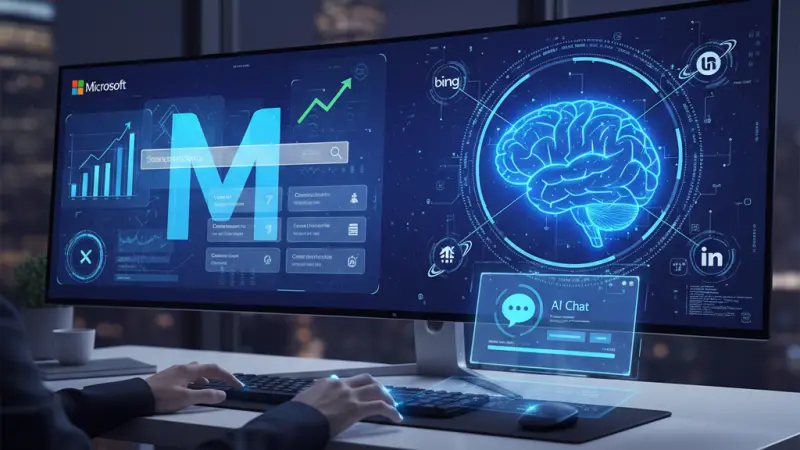
In the high-stakes world of digital marketing, Google is often treated as the only game in town. However, savvy marketers know that putting all your eggs in one basket is a risky strategy. While Google dominates the headlines, Microsoft Advertising (formerly Bing Ads) has quietly evolved into a powerhouse platform that offers unique demographics, lower costs, and cutting-edge AI integration.

If you are looking to diversify your traffic sources and tap into a market that is often wealthier and less saturated than Google’s, this comprehensive guide will walk you through everything you need to know about advertising on Bing. What is Microsoft Advertising?
Microsoft Advertising is the platform used to manage Pay-Per-Click (PPC) ads across the Microsoft Search Network. While many people still refer to it as "Bing Ads," Microsoft rebranded the service in 2019 to reflect its expanding reach.
When you run an ad on this platform, you aren't just appearing on Bing. Your reach extends to:
Yahoo!
AOL
DuckDuckGo
MSN
Ecosia
Microsoft currently holds a significant portion of the desktop search market. In a world where mobile is king, many forget that B2B transactions and high-intent shopping often happen on desktops—the native environment of the Microsoft ecosystem.
The "New Bing" and the AI Revolution
In February 2023, Microsoft changed the search landscape forever by introducing the "New Bing." By integrating GPT-4 technology, Bing transformed from a standard search engine into an AI-powered research assistant.
Why the AI Transition Matters for Advertisers
The New Bing allows users to engage in complex, conversational queries. Instead of searching for "best hotels London," a user might ask: "I'm planning a 10th-anniversary trip to London in May; I need a boutique hotel near the West End with a spa."
Bing’s AI synthesizes information from across the web to provide a conversational answer. For advertisers, this creates new opportunities:
High-Intent Queries: Users asking complex questions are often further along in the buying journey.
Conversational Placements: Microsoft is increasingly integrating ads directly into the chat interface, allowing brands to appear as "recommendations" within the AI’s response.
Creative Inspiration: The tool helps users write poems, plan itineraries, and generate ideas, providing a fertile ground for "lifestyle" and "experience" based advertising.
Top 8 Advantages of Advertising on Bing
If you are still on the fence about whether Microsoft Ads is worth your time, consider these eight data-driven benefits.
1. Reach the "Invisible" Audience
Google may have the volume, but Microsoft Ads reaches approximately 63 million searchers that Google cannot touch. These are users who exclusively use Bing due to corporate defaults or personal preference. Furthermore, the demographic leans older (45–54) with a higher average household income (exceeding $100,000), making them a prime target for high-ticket items and professional services.
2. Desktop Dominance
Bing is the default search engine for Microsoft Windows. With over a billion Windows devices globally, Bing is baked into the operating system, the Edge browser, and Microsoft Office. For B2B companies, this is a goldmine, as most office environments operate on Windows.
3. The Power of the Partner Network
Microsoft’s partnerships with Yahoo and AOL mean your ads appear on some of the most visited web portals on the planet.
Additionally, Bing powers the search functions for Amazon’s Kindle, Apple’s Siri, and Microsoft’s Cortana.
4. Lower Competition
Because most amateur marketers flock to Google, the "auction" for keywords on Bing is significantly less crowded. Fewer competitors mean you don't have to bid as aggressively to land the top spot on the page.
5. Higher Click-Through Rates (CTR)
Data from Wordstream and other industry leaders suggest that Bing often enjoys a higher CTR than Google. Specifically, Bing Shopping ads have shown a 45% higher CTR than Google Shopping. This is likely because the ads are more prominent on a less cluttered results page.
6. Reduced Cost-Per-Click (CPC)
On average, the CPC on Microsoft Advertising can be up to 42% cheaper than on Google. This lower entry price allows small businesses to stretch their budget much further, achieving a significantly higher Return on Investment (ROI).
7. Advanced Ad Extensions
Microsoft offers unique extensions, such as Social Extensions, which allow you to link directly to your Instagram, Facebook, or X (Twitter) profiles. They also offer Image Extensions that are often more visually striking than Google’s equivalent, helping your ad "pop" on the screen.
8. Seamless Google Ads Integration
Perhaps the best feature for busy marketers is the Import Tool. You can literally "copy and paste" your existing Google Ads campaigns into Microsoft Advertising. The system automatically maps your keywords, bids, and creative, allowing you to launch on Bing in minutes.
How to Set Up Your Microsoft Advertising Account
Getting started is straightforward. Follow these steps to join the network:
Visit ads.microsoft.com: Click on the "Sign up now" button.
Create/Link a Microsoft Account: You can use an existing Outlook or Hotmail account, or create a new one using your business email.
Basic Setup: You will be asked for your business name, phone number, and currency.
Verification: Verify your email address to unlock the full dashboard.
Step-by-Step Guide: Creating Your First Campaign
Once your account is live, it’s time to build your first campaign. Here is the workflow:
Step 1: Set Your Goal
Do you want website visits, phone calls, or physical store visits? Selecting the right goal helps the Microsoft AI optimize your bidding strategy.
Step 2: Define Your Target Audience
Choose your geographic locations. You can target by country, city, or even a specific radius around your business. You can also set "bid adjustments" for specific times of day or days of the week.
Step 3: Keyword Research
Use the Microsoft Keyword Planner. Since Bing users search differently than Google users (often using longer, more formal queries), don't just copy your Google list—explore what works specifically on the Microsoft Search Network.
Step 4: Write Compelling Copy
Your ad should include:
A Clear Headline: Include your primary keyword.
Unique Selling Point (USP): Why choose you? (e.g., "Free Shipping," "24/7 Support").
Call to Action (CTA): "Shop Now," "Get a Quote," or "Learn More."
Step 5: Set Your Budget
Decide on a daily limit. Microsoft will provide an estimated performance range based on your spend. Start conservative, analyze the data, and scale what works.
Optimization Strategies for 2026
To truly succeed on Bing, you need to go beyond the basics:
Leverage LinkedIn Profile Targeting: Since Microsoft owns LinkedIn, you can target users based on their Job Function, Industry, and Company. This is a game-changer for B2B marketers.
Monitor Search Terms Regularly: Use "Negative Keywords" to filter out irrelevant traffic and save money.
Test Responsive Search Ads: Provide multiple headlines and descriptions, and let Microsoft’s AI determine the best combination for each user.
Boost Your UK Presence Today
While Bing helps you capture search intent, maintaining a strong local presence is equally vital for long-term growth. If you are a business owner in the United Kingdom, you need to be where your customers are looking.
Whether you are looking for a uk online business directory or a comprehensive uk business directory, Local Page UK is the premier platform to elevate your brand. By securing a uk local business directory listing, you ensure that your company is visible to thousands of potential clients daily. Users who want to find local businesses uk rely on our extensive local businesses list uk to make informed decisions.
For smaller ventures, our uk small business directory provides the perfect launchpad, while our specialized uk b2b business directory and uk b2c business directory sections cater to specific market needs. As a leading business directory uk online, we pride ourselves on being the most reliable uk service providers directory. Join the uk business listings online on the local page uk business directory and see why we are the top uk business directory website in the region.
Looking for cost-effective growth? You can start with a business listing uk today. Our business listing uk allows you to claim your spot without any upfront cost. Getting a business listing uk is the fastest way to improve your local SEO. We are known as a top-tier business listing uk, offering a business listing uk that actually delivers results. Whether you need a business listing uk or a business listing uk, we have you covered. Our business listing uk service is perfect for startups, and we even offer specialized business listing uk options for capital-based businesses. Secure your business listing uk now.
Explore our local business listings uk to see how competitors are positioning themselves. From uk service listings to uk verified business listings, we ensure high-quality data. Our platform highlights uk top rated local businesses and features a dedicated uk home services directory. Whether you are searching for uk professional services listings, uk trade services listings, or a uk local trades directory, our local page uk listings provide the best uk local business search experience available.
Service-Related Questions & Answers
1. Is Microsoft Advertising better than Google Ads?
Neither is "better," but they serve different purposes. Google offers more volume, while Microsoft offers lower costs and unique demographics.
2. Can I import my Google Ads campaigns directly?
Yes, Microsoft has a built-in tool that allows you to sync your Google Ads account directly to Microsoft Advertising.
3. What is the minimum budget for Bing Ads?
There is no strict minimum, but a daily budget of at least $10-$20 is recommended to gather enough data for optimization.
4. Does Bing use AI in its advertising?
Yes, the "New Bing" integrates AI into search results, and Microsoft uses
machine learning to optimize ad placements and bidding.
5. How do I track conversions on Bing?
You should install the Universal Event Tracking (UET) tag on your website to track actions like purchases or sign-ups.
6. Who owns Bing?
Bing is owned and operated by Microsoft.
7. Is Bing Ads the same as Microsoft Advertising?
Yes, Microsoft Advertising is the current official name, rebranded from Bing Ads in 2019.
8. Can I target specific industries on Bing?
Yes, thanks to Microsoft’s integration with LinkedIn, you can target users by industry, company, and job title.
9. Are Bing ads shown on Yahoo?
Yes, the Microsoft Search Network includes Yahoo! and AOL.
10. What are ad extensions?
Ad extensions are extra pieces of information like phone numbers, site links, or images that make your ad larger and more clickable.
11. Why is my CPC lower on Bing?
Generally, there is less competition from other advertisers, which keeps the auction prices lower.
12. Can I run video ads on Microsoft Advertising?
Yes, Microsoft has expanded its offerings to include video ads and native advertising across its network.
13. Does Bing work for B2B businesses?
Absolutely. Because Bing is the default on most office computers, it is often more effective for B2B than Google.
14. How long does it take for ads to be approved?
Most ads are reviewed and approved within 24 hours.
15. Can I target mobile users on Bing?
Yes, you can adjust your bids specifically for mobile, tablet, and desktop devices.

Disclaimer: The information provided in this article is for general informational and research purposes only. Company details, features, services, and market positions may change over time. Readers are advised to visit official company websites and conduct independent research before making any business decisions or purchasing services.
Most Searchable Keywords

Recent Blogs


Related Listings

Categories
- Accountants (295)
- Advertising Agencies (559)
- Architects (149)
- Automobiles (377)
- Beauty (300)
- Carpenters (146)
- Cleaning Services (386)
- Dentists (189)
- Driving (62)
- Electricians (215)
- Energy (8)
- Event Organiser (685)
- Finance (599)
- Guide (3365)
- Health (2207)
- Information technology (206)
- Legal Services (353)
- Logistics (6)
- Maintenance (65)
- Manufacturing (35)
Sponsored Listings in Locksmith Services


Related Blogs

Gen Z Political Reporters and News Creators i...
Read this insightful article "Gen Z Political Reporters and News Creators in the UK" to expand your knowledge!

Famous Female Social Media Influencers Across...
Read this insightful article "Famous Female Social Media Influencers Across the UK" to expand your knowledge!

Your UK Sponsor Licence 2026 Step by Step Gui...
Read this insightful article "Your UK Sponsor Licence 2026 Step by Step Guide" to expand your knowledge!
Questions & Answers – Find What
You Need, Instantly!
How can I update my business listing?
Is it free to manage my business listing?
How long does it take for my updates to reflect?
Why is it important to keep my listing updated?
