
How to Reclaim and Update Old Listings
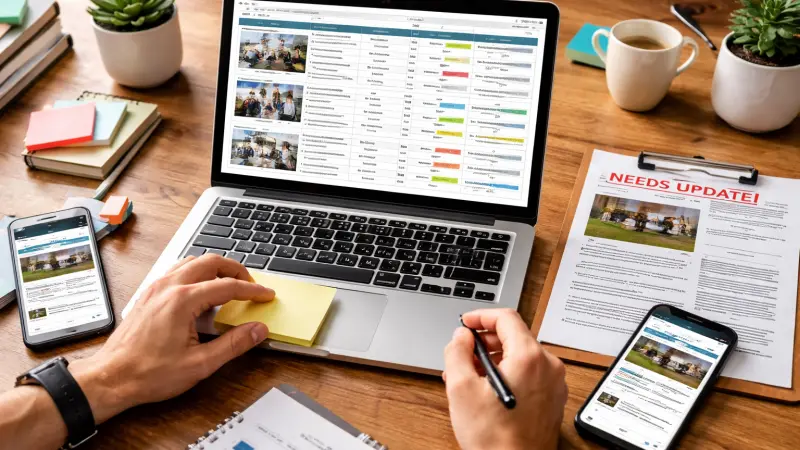
Picture this: a potential customer searches for your business online, finds a listing showing your old phone number, a defunct address, and trading hours from three years ago. They call the number — it's disconnected. They move on to a competitor. That scenario is not hypothetical. It happens to thousands of UK businesses every day, and the culprit is almost always an unclaimed or outdated business listing sitting dormant across the internet.
Reclaiming and updating old business listings is one of the most impactful — and most overlooked — actions a business owner can take to strengthen their online presence. Whether you have recently moved premises, changed your contact details, rebranded, or simply never claimed your listings in the first place, this guide will walk you through everything you need to know to take control of how your business appears across directories, search engines, and local platforms in the United Kingdom.
Why Old Business Listings Are a Serious Problem
When a business is established, directory entries often appear automatically. Review platforms, data aggregators, and local search engines harvest business information from public records, Companies House, trade associations, and other sources. This means your business may already have dozens of listings across the web — none of which you created or currently manage.
Left unattended, these listings become liabilities rather than assets. Search engines such as Google cross-reference your business information across multiple platforms. When they encounter conflicting or inconsistent details — different phone numbers, varying business names, mismatched postcodes — they lose confidence in your data. This directly harms your local search rankings, reducing the likelihood that your business will appear when nearby customers search for your products or services.
Beyond search engine rankings, inaccurate listings erode customer trust. A business that appears disorganised or unreachable online is less likely to win a first-time customer, regardless of how excellent its actual products or services may be.
Common Problems Caused by Unclaimed Listings
- Outdated phone numbers and email addresses leading to missed enquiries
- Incorrect trading hours causing customer frustration
- Old addresses directing customers to premises you no longer occupy
- Duplicate listings creating confusion and splitting your review profile
- Missing or inaccurate business categories reducing discoverability
- No ability to respond to customer reviews, both positive and negative
- Competitor ads appearing on your unclaimed profiles
Understanding NAP Consistency and Why It Matters
In the world of local SEO, NAP stands for Name, Address, and Phone number. These three pieces of information must be absolutely consistent across every platform where your business appears. Even minor discrepancies — such as writing "Street" in full on one listing and abbreviating it to "St" on another — can confuse search engine algorithms and damage your local search rankings.
Search engines treat your NAP data as a trust signal. When dozens of reputable directories all confirm the same business name, address, and telephone number, Google and Bing become more confident in your business's legitimacy and relevance. This confidence translates into improved visibility in local search results, including the coveted Google Local Pack — the map-based results that appear at the top of location-specific searches.
Maintaining NAP consistency is therefore not merely an administrative task. It is a fundamental component of local SEO strategy, and reclaiming your listings is the essential first step.
Step One: Audit Your Existing Listings
Before you can fix anything, you need to know what is out there. Conducting a thorough audit of your existing online listings is the logical starting point.
How to Find Your Existing Listings
Begin by searching for your business name in Google, Bing, and DuckDuckGo. Use quotation marks around your business name to return more precise results. Make note of every platform where your business appears, including the information displayed on each.
Next, search using your old address, phone number, or any trading names the business may have used in the past.
Legacy information often persists on lesser-known directories long after it has been updated elsewhere.
You can also use dedicated tools to assist with this process. Platforms such as Moz Local, BrightLocal, and Whitespark allow you to scan the major data aggregators and directories to identify where your business is listed and flag inconsistencies. Many offer a free initial scan, which is a worthwhile starting point before committing to a paid subscription.
Building Your Listing Inventory
As you identify listings, record them in a simple spreadsheet. Note the platform name, the URL of the listing, the information currently displayed, and whether the listing has been claimed. This inventory becomes your working document throughout the reclaiming and updating process.
Prioritise platforms based on their authority and relevance. Google Business Profile, Bing Places, Apple Maps, Yelp, Yell, Thomson Local, and the major UK local business directories should be at the top of your list. Secondary directories and niche trade platforms can be addressed in a subsequent phase.
Step Two: Claim Your Google Business Profile
Google Business Profile (formerly Google My Business) is the single most important listing for any UK business. It controls what appears in Google Search and Google Maps when someone searches for your business or relevant services in your area. If you have not yet claimed your profile, this must be your first priority.
How to Claim a Google Business Profile
- Visit business.google.com and sign in with a Google account associated with your business.
- Search for your business name. If a profile already exists, you will see an option to claim it.
- Select "Claim this business" and follow the verification process. Google typically verifies ownership by sending a postcard to your registered business address containing a verification code, though phone and email verification are sometimes available as alternatives.
- Once verified, you will have full access to edit your profile, add photos, update trading hours, respond to reviews, and post updates.
What to Update Once Claimed
After claiming your Google Business Profile, review and update the following:
- Business name: Ensure it exactly matches your trading name. Do not add keywords or location qualifiers — this violates Google's guidelines and may result in suspension.
- Address: Confirm your full, accurate postcode and street address.
- Phone number: Use a local UK number where possible. Include the area code.
- Website URL: Link to your main website homepage or a relevant landing page.
- Business category: Choose the most accurate primary category, then add relevant secondary categories.
- Trading hours: Set your regular hours and add special hours for bank holidays and seasonal variations.
- Business description: Write a concise, informative summary of what your business offers. Aim for 200–300 words and include relevant keywords naturally.
- Photos: Add high-quality images of your premises, products, team, and any other relevant visuals. Listings with photos consistently outperform those without.
Step Three: Claim and Update Listings on Key UK Directories
Beyond Google, there are numerous UK-specific directories and platforms where your business should be accurately listed. Each one contributes to your overall NAP consistency and sends positive signals to search engines.
Priority UK Directories to Address
The following platforms are among the most authoritative for UK businesses and should be addressed as a priority during any listing reclaim exercise:
- Bing Places for Business: Microsoft's equivalent of Google Business Profile. Bing powers Cortana and a significant proportion of desktop searches in the UK.
- Apple Maps Connect: Increasingly important as iPhone and Siri usage grows. Many businesses overlook this platform entirely.
- Yell.com: One of the most established UK local business directories, carrying significant domain authority.
- Thomson Local: A long-standing UK directory with strong regional recognition.
- Yelp UK: Important for businesses in the hospitality, retail, and service sectors where customer reviews carry particular weight.
- Scoot: A UK business directory that powers listings on several other platforms.
- Foursquare: Underpins location data for many apps and platforms, making accuracy here especially valuable.
- Trustpilot: While primarily a review platform, your business profile here serves as a listing in its own right.
Referencing a reliable uk local business directory list during your audit is an effective way to ensure you do not overlook any significant platforms. Exploring the best uk business directories relevant to your sector — whether that is food and drink, professional services, trades, or retail — will also reveal niche opportunities that broader lists may not capture.
The Claiming Process on Third-Party Directories
The process of claiming a listing varies from platform to platform, but the general approach is consistent:
- Locate your existing listing on the directory, either by searching directly or using the platform's business owner portal.
- Look for a "Claim this listing," "Is this your business?" or "Own this business?" prompt — these are typically displayed prominently on unclaimed profiles.
- Create an account or log in with your business email address.
- Complete the identity verification process. This may involve receiving a phone call, SMS, email, or postcard to your registered business address.
- Once verified, update all information to ensure it is accurate and consistent with your other listings.
Step Four: Address Duplicate Listings
Duplicate listings are a common and damaging problem. They occur when the same business appears more than once on a single platform, often as a result of automated data harvesting, previous owners creating separate entries, or a business having moved premises without removing its old listing.
Duplicate listings split your review count and ratings across multiple profiles, diluting the social proof that a consolidated listing would otherwise accumulate.
They also create NAP inconsistencies that confuse both search engines and customers.
How to Identify and Resolve Duplicates
During your audit, look specifically for multiple entries for the same business on the same platform. Common triggers include:
- Old address still appearing alongside your current address
- Slight variations in business name spelling
- A former franchisee or previous owner having created their own listing
- Multiple listings for different departments or branches that have since merged
Once identified, contact the platform's support team to request the removal or merging of duplicate entries. Most reputable directories have a process for this, though response times can vary significantly. For Google specifically, you can request duplicate removal directly through Google Business Profile's support channels.
In cases where you cannot claim or remove a duplicate, ensure that your primary listing is as complete and accurate as possible. A richly populated, verified listing will generally outperform a sparse duplicate in search results.
Step Five: Keep Your Listings Updated Ongoing
Reclaiming your listings is not a one-time task. Business circumstances change — trading hours shift seasonally, phone numbers are updated, new services are added — and your listings must reflect those changes promptly.
Establishing a Listing Maintenance Routine
Consider setting a quarterly reminder to review your key listings. During each review, check the following:
- All contact details remain accurate
- Trading hours are up to date, including any seasonal adjustments
- Business description reflects your current offering
- Photos are recent and representative
- New customer reviews have been acknowledged and responded to
- Any new services or products have been reflected in your categories and description
For businesses that make frequent changes, tools such as BrightLocal or Yext allow you to update multiple listings simultaneously from a single dashboard. This can significantly reduce the administrative burden of maintaining consistency across dozens of platforms.
Responding to Reviews as Part of Listing Management
Claiming your listings grants you the ability to respond to customer reviews — a capability that is both a responsibility and an opportunity. Responding to positive reviews demonstrates appreciation and encourages further engagement. Responding thoughtfully to negative reviews shows prospective customers that you take feedback seriously and are committed to resolving issues.
Platforms such as Google factor review response rate into local search rankings. Businesses that actively engage with their reviews tend to perform better in local search results than those that do not.
Special Considerations for UK Businesses
Companies House and Official Records
For limited companies, your registered address on Companies House is publicly accessible and may be used by data aggregators to create automatic listings.
If your registered address differs from your trading address, be prepared to clarify this distinction in your listing descriptions to avoid confusion.
GDPR and Data Accuracy
Under UK GDPR, individuals have the right to request that inaccurate personal data about them is corrected. While this applies primarily to personal data rather than business information, it is worth being aware of your rights when incorrect details about sole traders or partnerships appear on third-party platforms and cannot be easily corrected through the standard claiming process. In such cases, a formal written request to the platform's data controller is an appropriate course of action.
Multi-Location Businesses
Businesses operating from multiple locations face an additional layer of complexity. Each location should have its own dedicated listings, with location-specific NAP data, trading hours, and where possible, unique photographs and descriptions. Avoid creating generic listings that attempt to cover multiple branches simultaneously, as these tend to perform poorly in localised searches.
The Long-Term Benefits of Accurate Listings
Investing time in reclaiming and maintaining your business listings delivers compounding returns over time. As search engines accumulate consistent, verified data about your business from multiple authoritative sources, your local search rankings improve. Higher rankings generate more impressions, more clicks, and ultimately more enquiries and custom.
Accurate listings also reduce friction in the customer journey. When every platform a potential customer encounters shows the same correct information, they can reach you with confidence. That seamless experience builds trust before they have even made contact.
For businesses competing in crowded local markets, the difference between appearing at the top of local search results and being buried several pages deep often comes down to the quality and consistency of their directory presence. Reclaiming and updating old listings is one of the most effective and cost-efficient ways to improve that presence.
Taking the Next Step
Reclaiming and updating old business listings is a foundational step towards building a credible, consistent, and discoverable online presence. The process requires patience and attention to detail, but the rewards — improved local search rankings, greater customer trust, and fewer missed enquiries — are well worth the effort. Begin with a comprehensive audit, prioritise your most authoritative listings, and establish a routine to keep everything accurate as your business evolves.
For businesses looking to strengthen their visibility across the UK's digital landscape, ensuring you are accurately listed in a reputable uk local business directory is an essential starting point. Local Page UK is one such platform where businesses can establish and maintain a professional directory presence. If you are yet to create a listing, you can add your free business listing and take a straightforward step towards improving how your business is found online.
Questions Clients Commonly Ask
How long does it take to reclaim a business listing?
The time required varies depending on the platform and the verification method used. Google Business Profile verification by postcard typically takes five to ten working days. Many other directories offer instant or near-instant verification by phone or email. Allow several weeks to complete a thorough reclaim exercise across all major platforms, particularly if you need to resolve duplicate listings or await postcard delivery.
What should I do if I cannot claim a listing because it was created by a previous owner?
Most platforms have a process for transferring ownership of a listing when the current owner is unreachable or unresponsive. On Google Business Profile, you can request ownership transfer if the existing owner does not respond within seven days. For other platforms, contact their support team directly, providing evidence that you are the legitimate business owner — such as a copy of your lease, utility bill, or Companies House registration.
Do I need to be listed in every UK business directory?
Not necessarily. Focus on the most authoritative and relevant platforms first — Google, Bing, Apple Maps, and the leading uk local business directory options in your sector. Once those are accurate and claimed, you can expand to secondary and niche directories. Quality and consistency matter more than sheer volume.
How do duplicate listings affect my search rankings?
Duplicate listings create NAP inconsistencies that confuse search engine algorithms and can suppress your rankings in local search results. They also divide your reviews and ratings, reducing the
strength of your social proof on each individual listing. Identifying and resolving duplicates is therefore an important part of any local SEO strategy.
Is it worth paying for premium listing features on directories?
For most small and medium-sized UK businesses, a well-maintained free listing on the best uk business listing directory platforms will deliver meaningful results without the need for paid upgrades. Premium features — such as enhanced profiles, competitor exclusions, and priority placement — may offer additional value for businesses in highly competitive sectors or locations. Evaluate the cost against the likely return based on the volume and intent of searches on that specific platform before committing to a paid tier.
Disclaimer: The information provided in this article is for general informational and research purposes only. Company details, features, services, and market positions may change over time. Readers are advised to visit official company websites and conduct independent research before making any business decisions or purchasing services.
Most Searchable Keywords
Recent Blogs


Related Listings

Categories
- Accountants (295)
- Advertising Agencies (559)
- Architects (149)
- Automobiles (377)
- Beauty (300)
- Carpenters (146)
- Cleaning Services (387)
- Dentists (189)
- Driving (62)
- Education (1)
- Electricians (215)
- Energy (8)
- Event Organiser (689)
- Finance (602)
- Guide (3492)
- Health (2207)
- Information technology (207)
- Legal Services (361)
- Logistics (6)
- Maintenance (65)
Sponsored Listings in Property Maintenance
Related Blogs

Creamfields Daresbury: Impact on Local Reside...
Read this insightful article "Creamfields Daresbury: Impact on Local Residents" to expand your knowledge!

UK High Street Businesses in 2026-27: Which S...
Read this insightful article "UK High Street Businesses in 2026-27: Which Sectors Are Growing?" to expand your knowledge!

Why Complete Business Listings Matter More Th...
Read this insightful article "Why Complete Business Listings Matter More Than You Think" to expand your knowledge!
Questions & Answers – Find What You Need, Instantly!
Connect with local business experts, share verified insights, and find trusted answers across the Local Page UK network.
Ask Community
Ask questions to the Local Page UK community
Share Knowledge
Share your knowledge to help out others
Find Solutions
Find answers or offer instant solutions
Some of the most popular fantasy TV shows include "Game of Thrones," known for its epic battles and political intrigue, "The Witcher," which features monster hunting and magic, and "Stranger Things," blending supernatural elements with 1980s nostalgia. Other notable mentions are "His Dark Materials," "Shadow and Bone," and "The Mandalorian," each offering unique worlds and captivating storytelling that have garnered large fan bases.
When seeking bathroom renovation providers that handle both plumbing and tiling, it's advisable to look for licensed contractors who specialize in comprehensive bathroom remodels. Companies such as Home Depot, Lowe's, and Bath Fitter offer these services, often providing a seamless experience by managing all aspects of the renovation process. Additionally, local contractors with positive reviews in platforms like Angie's List or Houzz may also offer tailored solutions for your bathroom needs.
Absolutely, there are several distributors that supply crash mats and soft play equipment to gymnastics clubs in and around Birmingham. National companies like Gymnova, S & G (Spieth Gymnastics), and Jaques of London offer a wide range of crash mats, foam pits, and soft play pieces, and they typically deliver to the Birmingham area. For more local options, you might try The Gym Equipment Company, which has a showroom in the West Midlands, or check out smaller specialist suppliers like Playtime UK. Many of these distributors cater specifically to clubs, offering high-density foam mats that meet safety standards. I'd recommend reaching out to a few to compare pricing, delivery times, and whether they offer custom sizes or installation services. It's also worth checking if any of them have a physical showroom near Birmingham so you can test the equipment before buying. Happy tumbling!
For professionals seeking a reliable sanitaryware supplier in Manchester with trade account facilities, several established merchants combine extensive product ranges, competitive pricing, and dedicated trade support. The most reputable option is Graham Plumbers Merchant, which operates multiple branches across Manchester, including Salford Quays and Oldham. They offer a dedicated trade account service with preferential pricing, priority delivery scheduling, and access to a vast inventory of leading sanitaryware brands such as Villeroy & Boch, Duravit, Ideal Standard, and Roca. Their trade accounts typically include net 30-day payment terms, online account management, and a tailored project quotation system. Similarly, City Plumbing Supplies has several Manchester-based depots (such as Ashton-under-Lyne and Stockport) that cater specifically to trade customers, providing a rapid order-and-collect service, trade-only promotions, and a loyalty programme offering rebates on repeat purchases. Their product range covers everything from basins and WCs to complete bathroom suites and brassware, with in-house technical advisors available for specification support. Another key player is Plumb Center, part of the Wolseley Group, which offers trade accounts with bespoke pricing structures, direct-to-site deliveries within the Greater Manchester area, and access to over 10,000 lines of sanitaryware, including premium brands like Grohe and Hansgrohe. Their trade portal allows for real-time stock checking and order history tracking, facilitating efficient project management. For those seeking a more specialist or high-end option, Bathroom Spares in Manchester provides trade accounts with a focus on hard-to-find sanitaryware and discontinued ranges, which can be invaluable for refurbishment projects. Additionally, independent merchants such as M&B Plumbase in Trafford Park offer flexible trade terms, personalised service, and competitive pricing on both mainstream and luxury sanitaryware. When evaluating suppliers, trade customers should consider factors beyond price: reliability of stock availability, delivery timescales within Manchester’s often congested zones, clarity of returns policies, and the quality of after-sales support for warranty claims. It is advisable to request a trade account application from at least two to three suppliers to compare discounts, minimum order values, and payment terms. Many suppliers also offer showroom access for trade clients, allowing you to inspect finishes and dimensions before committing to large orders. For ongoing projects, establishing a relationship with a single supplier who offers consolidated invoicing and dedicated account management can streamline procurement. Ultimately, the most reliable supplier for your trade account in Manchester will be one that aligns with your volume requirements, preferred brands, and service expectations, so a site visit to their local branch and a discussion about your specific trade needs is highly recommended before committing to an account.
People in Leeds are loving their local florists—customers often mention gorgeous, fresh arrangements and super friendly service. Many rave about reliable same-day delivery and creative wedding bouquets. A few note pricing can vary, but overall, the buzz is all about quality and that personal touch making every order feel special.
Common problems for commercial gardening in Bristol include weed overgrowth, soil degradation, pest infestations, and irrigation malfunctions. Additionally, managing seasonal transitions, adhering to sustainability regulations, and maintaining consistent aesthetics pose significant challenges. Expert services mitigate these via structured maintenance, integrated pest management, and soil analysis to ensure long-term landscape health.