
The Future of Living Top Home Automation Devices to Integrate in Your Smart Home
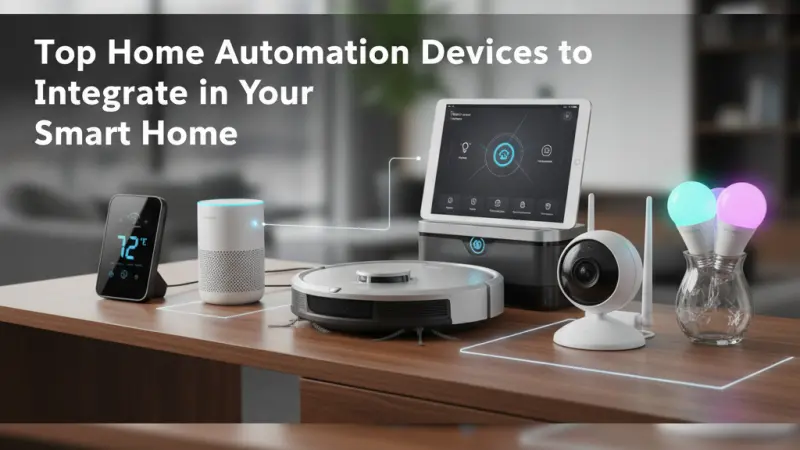
The concept of a "smart home" has transitioned from a futuristic novelty seen in science fiction to a practical, everyday reality for millions. Home automation is no longer just about showing off a voice-controlled light bulb to your neighbors; it is about creating an ecosystem that enhances security, optimizes energy consumption, and provides a level of convenience that was previously unimaginable. Whether you are a tech enthusiast or a homeowner looking to shave a few dollars off your utility bills, the right automation tools can fundamentally change how you interact with your living space.

Integrating these devices requires a thoughtful approach. It’s not just about buying the most expensive gadgets on the shelf; it’s about choosing devices that communicate effectively with one another to create a seamless experience. In this comprehensive guide, we will explore the essential categories of home automation, the benefits of a connected home, and the specific devices that offer the best balance of performance and reliability.
The Evolution of Home Automation
Before diving into the hardware, it is helpful to understand the shift in the industry. Early home automation relied on complex, hardwired systems that required professional installation and hefty maintenance fees. Today, the "Internet of Things" (IoT) and standardized protocols like Zigbee, Z-Wave, and Matter have democratized the technology. Most modern devices are "plug-and-play," allowing you to build your smart home one room at a time.
Core Benefits of Integrating Smart Devices
While the "cool factor" is undeniable, the true value of home automation lies in its functional advantages:
-
Enhanced Security: Real-time alerts and remote monitoring provide peace of mind whether you are at work or on vacation.
-
Energy Efficiency: Smart thermostats and lighting systems can reduce energy waste by adapting to your habits.
-
Accessibility: For elderly individuals or those with mobility issues, voice commands and automated routines offer increased independence.
-
Property Value: A well-integrated smart home system is increasingly seen as a premium feature in the real estate market.
Essential Smart Home Categories and Top Devices
1. The Central Hub: The Brain of Your Home
The first step in any automation journey is choosing a central ecosystem. This hub allows different devices from various manufacturers to "talk" to each other.
-
Smart Speakers and Displays: Devices like the Amazon Echo or Google Nest Hub act as the primary interface. They use AI assistants (Alexa or Google Assistant) to process your voice commands.
-
Dedicated Hubs: For those who want more local control without relying entirely on the cloud, dedicated hubs like Samsung SmartThings or Apple HomePod (for HomeKit) offer robust stability and faster response times.
2. Intelligent Climate Control
Heating and cooling typically account for the largest portion of a household's energy bill.
Smart thermostats are the solution to this inefficiency.
-
Adaptive Learning: Top-tier thermostats learn your schedule. If you leave for work at 8:00 AM, the system lowers the heat automatically and begins warming the house 30 minutes before you return.
-
Zoned Heating: By using smart radiator valves or remote sensors, you can heat specific rooms rather than the entire house, ensuring you aren't wasting energy on empty guest rooms.
3. Smart Lighting Systems
Lighting is often the "gateway drug" into home automation because of its immediate impact on ambiance and utility.
-
Smart Bulbs vs. Smart Switches: Smart bulbs (like Philips Hue) offer millions of colors and dimming capabilities. However, smart switches are often more practical for large installations, as they allow you to control existing "dumb" bulbs via your smartphone.
-
Automated Routines: You can program your lights to mimic your presence while you are away (Vacation Mode) or gradually brighten in the morning to wake you up naturally.
4. Advanced Home Security
Security is the primary motivator for many homeowners entering the smart space.
-
Video Doorbells: These allow you to see and speak with visitors from anywhere in the world. They act as both a deterrent to package thieves and a convenient way to manage deliveries.
-
Smart Locks: Forget your keys? Smart locks allow for keyless entry via a keypad, fingerprint, or smartphone app. You can also issue temporary digital "keys" to guests or service providers.
-
Sensors: Motion sensors, window/door contact sensors, and water leak detectors provide a comprehensive safety net against both intruders and environmental hazards.
Step-by-Step Guide to Setting Up Your Smart Home
Starting a smart home project can feel overwhelming. Follow these steps to ensure a smooth integration:
Step 1: Audit Your Wi-Fi Network
A smart home is only as good as the network it sits on. Ensure you have a robust router, preferably a Mesh Wi-Fi system, to eliminate dead zones. Each device you add will consume a small amount of bandwidth.
Step 2: Choose Your Ecosystem
Decide if you are an "Apple House," a "Google House," or an "Amazon House." While many devices
work across all three, staying within one ecosystem usually provides a more cohesive user experience.
Step 3: Start with the "Quick Wins"
Begin with a smart speaker and a few smart bulbs or a plug. This allows you to get a feel for the app interfaces and voice commands without a major financial investment.
Step 4: Automate Based on Logic
The goal is "automation," not just "remote control." Instead of just turning a light on with your phone, set a rule: "If the front door opens after 6:00 PM, turn on the hallway lights."
Common Mistakes to Avoid
-
Buying Based on Price Alone: Cheap, generic smart devices often have poor security protocols and may stop receiving software updates after a year.
-
Over-complicating Routines: If it takes five voice commands to do something that a physical switch could do in one second, you’ve over-engineered the solution.
-
Ignoring Privacy Settings: Always change default passwords and enable two-factor authentication (2FA) on your smart home accounts.
-
Neglecting Manual Overrides: Ensure that your house is still functional if the internet goes down. Your family should still be able to turn on a light manually.
Strategic Tips for a Future-Proof Home
To ensure your investment lasts, look for devices that support Matter. Matter is a new industry standard that ensures devices from different brands work together seamlessly and will continue to be supported as technology evolves. Additionally, consider the "wife/husband/partner test"—if your family members find the system frustrating to use, it isn't a successful automation.
Supporting Local Business Visibility Beyond Core Marketing Efforts
When building a smart home, many consumers prefer to source their components or installation services from local experts who understand regional electrical standards and home styles. This highlights a broader trend: the importance of a strong local presence for specialized service providers. For businesses in the tech and home improvement sectors, being found by local customers is vital for long-term growth. Utilizing a local page UK can serve as a significant advantage in this regard.
Establishing a profile on a free company listing platform acts as a supporting visibility layer that reinforces trust. When a homeowner searches for a local smart home installer, seeing that business on a reputable list services uk directoryprovides a credibility signal that often outweighs traditional advertising.
A well-maintained business directory websiteor a dedicated business listings site ensures that a company’s local presence remains consistent across the web, acting as a discovery aid for those seeking niche expertise. This strategic approach to visibility ensures that when a neighbor looks for the latest automation tech, your local business is the first one they encounter.
Journey
The journey to a fully integrated smart home is a marathon, not a sprint. By focusing on the top home automation devices—starting with a central hub and moving into climate, lighting, and security—you can create a living environment that is more efficient, secure, and comfortable. Remember to prioritize compatibility and security as you expand your ecosystem.
Frequently Asked Questions (FAQs)
1. Do I need a hub for every smart device? No. Many modern devices connect directly to your Wi-Fi or use Bluetooth. However, a hub is recommended if you have dozens of devices, as it reduces the strain on your Wi-Fi router.
2. What happens to my smart home if the internet goes out? Most devices will still function via manual controls (like a standard light switch). However, remote access and voice commands usually require an active internet connection.
3. Are smart homes easy to hack? Like any internet-connected device, there is a risk. You can minimize this by using strong, unique passwords, enabling 2FA, and sticking to reputable brands that provide regular security patches.
4. Can smart home devices actually save me money? Yes. Smart thermostats and lighting can significantly reduce energy bills by ensuring utilities are only used when someone is actually in the room or according to efficient schedules.
5. Which is better: Alexa, Google Assistant, or Siri? It depends on your lifestyle. Alexa has the most device compatibility, Google has the best search and AI logic, and Siri/HomeKit offers the highest level of privacy and integration for iPhone users.
6. Can I install these devices myself? Most smart bulbs, plugs, and cameras are DIY-friendly. However, smart switches and thermostats involve working with your home's electrical wiring, so hiring a professional is recommended if you aren't comfortable with basic DIY.
7. Does home automation require a monthly subscription? Most hardware works without a subscription. However, features like cloud video storage for cameras often require a monthly fee.
8. What is "Matter" in smart homes? Matter is a new unifying standard that allows devices from different brands (like Apple, Google, and Amazon) to work together easily.
9. Will smart devices slow down my Wi-Fi? If you have 50+ devices on a basic router, yes. Upgrading to a Mesh Wi-Fi system is usually necessary for larger smart home setups.
10. Can I take my smart home devices with me when I move? Yes, most devices like bulbs, plugs, and cameras are easily portable. Only hardwired items like smart switches or built-in appliances would typically stay with the house.
11. Are there smart devices for pets? Absolutely. There are smart feeders, automated ball
launchers, and even GPS-tracked collars that integrate into your home system.
12. How do I start if I'm on a tight budget? Start with a single smart plug. It’s the cheapest way to make a "dumb" appliance (like a lamp or a coffee maker) smart and get used to the automation interface.

Disclaimer: The information provided in this article is for general informational and research purposes only. Company details, features, services, and market positions may change over time. Readers are advised to visit official company websites and conduct independent research before making any business decisions or purchasing services.
Most Searchable Keywords

Recent Blogs



Related Listings


Categories
- Accountants (295)
- Advertising Agencies (559)
- Architects (149)
- Automobiles (377)
- Beauty (300)
- Carpenters (146)
- Cleaning Services (386)
- Dentists (189)
- Driving (62)
- Electricians (215)
- Energy (8)
- Event Organiser (685)
- Finance (599)
- Guide (3365)
- Health (2207)
- Information technology (206)
- Legal Services (353)
- Logistics (6)
- Maintenance (65)
- Manufacturing (35)

Sponsored Listings in Locksmith Services


Related Blogs

Gen Z Political Reporters and News Creators i...
Read this insightful article "Gen Z Political Reporters and News Creators in the UK" to expand your knowledge!

Famous Female Social Media Influencers Across...
Read this insightful article "Famous Female Social Media Influencers Across the UK" to expand your knowledge!

Your UK Sponsor Licence 2026 Step by Step Gui...
Read this insightful article "Your UK Sponsor Licence 2026 Step by Step Guide" to expand your knowledge!
Questions & Answers – Find What
You Need, Instantly!
How can I update my business listing?
Is it free to manage my business listing?
How long does it take for my updates to reflect?
Why is it important to keep my listing updated?
