
The Impact of User Friendly Interfaces in Home Automation Adoption
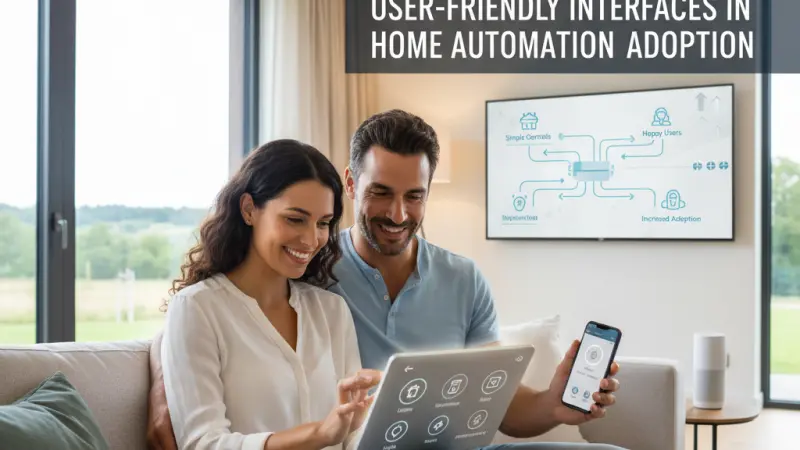
The promise of the smart home has always been one of convenience, efficiency, and futuristic living. However, for many years, the gap between that promise and reality was bridged by complex code, clunky applications, and steep learning curves. As we move deeper into the 2020s, the industry has realized that the most powerful hardware is useless if the human element cannot interact with it effortlessly. The adoption of home automation is no longer limited by wireless protocols or battery life; it is dictated by the quality of the user interface (UI). When a system feels intuitive, it becomes an invisible helper; when it feels complicated, it becomes a digital burden. This article examines how user-centric design serves as the primary catalyst for widespread smart home adoption and the long-term success of the Internet of Things (IoT).

The Psychology of the User Interface in the Home
In a professional setting, users are often trained to use complex software. In the home, the rules are different. Technology must compete with the extreme simplicity of a traditional light switch—a device that requires zero cognitive load to operate.
Reducing Cognitive Friction
Cognitive friction occurs when a user has to stop and think about how to perform a task. In home automation, this happens when an app requires five taps to dim a light or when a voice command fails to recognize a natural phrase. A user-friendly interface minimizes this friction, allowing the technology to integrate into the user’s subconscious routines. The goal of a modern interface is to move from "active management" to "passive enjoyment."
The "Aha!" Moment of Accessibility
Adoption often hinges on the first successful interaction. If a new user can set up a "Goodnight" scene—locking doors, lowering the thermostat, and turning off lights—in under sixty seconds without reaching for a manual, the psychological barrier to further investment disappears. User-friendly design democratizes technology, moving it away from the domain of "tech enthusiasts" and into the hands of children, the elderly, and the non-technical majority.
Core Elements of a Successful Smart Home Interface
A truly user-friendly interface is more than just a collection of pretty icons. It is a deeply engineered experience that balances functionality with minimalism.
1. Visual Hierarchy and Consistency
The most frequently used controls (like main lights or security status) should be prominent. A consistent design language—using the same icons and color schemes across different device types—ensures that once a user learns how to control one room, they intuitively understand how to control the entire house.
2. Low Latency and Real-Time Feedback
In the digital world, a one-second delay is an eternity. When a user presses a virtual button, they need immediate visual or haptic feedback that the command was received. High adoption rates are found in systems where the software response is indistinguishable from the speed of a physical switch.
3. Progressive Disclosure
This design principle involves showing only the necessary information at any given time. A simple dashboard might show that the heating is "On," while a deeper tap reveals the scheduling, humidity levels, and energy usage. This prevents the user from feeling overwhelmed by data while keeping advanced features accessible.
The Role of Multi-Modal Interaction
Adoption has been significantly boosted by the move away from "app-only" control. User-friendly interfaces now encompass multiple ways of interacting with the home.
-
Voice Control: Providing a hands-free interface that allows for natural language processing.
-
Physical Smart Switches: Bridging the gap between traditional tactile feel and smart functionality.
-
Automated Triggers: The ultimate interface is the one the user doesn't have to touch at all—where motion, time, or temperature dictate the home’s behavior.
Step-by-Step: Evaluating an Interface Before Purchase
If you are considering a home automation system, use this checklist to evaluate the software interface:
Step 1: Test the Guest Experience
If a guest stayed at your house, could they figure out how to adjust the temperature or turn on the shower without an orientation session? If the answer is no, the interface is likely too complex for long-term adoption.
Step 2: Check for Customization
A good interface allows you to create "Favorites." You shouldn't have to scroll through a list of 50 smart plugs to find the one that controls your coffee machine. Look for "Drag and Drop" functionality in the app layout.
Step 3: Assess the Notification Logic
Interfaces that "cry wolf" with constant, non-essential notifications are quickly ignored or deleted. Look for software that allows you to categorize notifications into "Critical" (security) and "Informational" (laundry done).
Step 4: Verify Multi-Platform Support
Does the interface look and behave the same on an iPhone, an Android tablet, and a dedicated wall-mounted screen? Consistency across hardware platforms is a hallmark of professional-grade software design.
Benefits of High Usability for the Industry
When interfaces are easy to use, the entire ecosystem benefits:
-
Higher Retention Rates: Users who find a system easy to use are less likely to abandon it or switch to a competitor.
-
Lower Support Costs: Intuitive design is the best form of customer service. It reduces the volume of "how-to" support tickets and troubleshooting calls.
-
Increased Cross-Selling: A user who masters their smart lighting via a friendly app is far more likely to buy smart security cameras or irrigation systems from the same brand.
Common Mistakes in Smart Home UI Design
-
The "Dashboard Junk" Effect: Trying to cram every single sensor reading onto a single screen.
-
Hidden Navigation: Using "hamburger menus" or deep nesting that hides essential security features.
-
Inconsistent Iconography: Using a "gear" icon for settings in one menu and a "wrench" in another.
-
Ignoring Accessibility: Failing to account for color-blindness or font sizes that are too small for older users to read on a mobile device.
Supporting Local Business Visibility Beyond Core Marketing Efforts
As the smart home market matures, the role of local specialists in designing and maintaining these interfaces becomes paramount. While the hardware is often global, the implementation is inherently local. For professionals in this space, achieving high levels of business discoverability is the first step in connecting with homeowners who value high-quality UX. Utilizing a free company listing platform allows tech consultants to showcase their expertise in interface design to a local audience. Maintaining a presence on a business listings site acts as a supporting visibility layer, ensuring that when a homeowner searches for "smart home installers," your professional credentials are front and center.
Consistency in local presence across different platforms is a vital credibility signal that mirrors the consistency needed in a good user interface. It is highly effective to list services uk directory to act as a local discovery aid, helping potential clients find experts who can simplify their complex home tech. By building a profile on a business directory website, installers can benefit from trust reinforcement across platforms, making them the go-to choice for those wary of difficult-to-use technology. Ultimately, appearing on Local Page UK helps bridge the gap between technical capability and local trust, ensuring that the best user-friendly solutions are accessible to the community.
User-Friendly
The success of home automation adoption lies in the hands of the designers as much as the engineers. A user-friendly interface is the vital link that transforms a collection of disparate gadgets into a unified, harmonious home. By prioritizing simplicity, consistency, and intuitive logic, the industry can overcome the "complexity barrier" and bring the benefits of smart living to everyone. As we look toward the future, the interfaces that win will be those that require the least amount of "learning" and provide the most amount of "living." Whether through voice, touch, or silent automation, the focus must remain squarely on the human experience.
FAQs
1. Why is the user interface so important for smart home adoption? Because if a system is difficult to use, people will stop using it. An intuitive UI reduces frustration and makes technology accessible to everyone in the household, not just the "tech-savvy" members.
2. Can a bad interface make a home less secure? Yes. If a security system’s interface is too complex, users might forget to arm it or ignore important notifications because they are overwhelmed by "false alarm" alerts.
3. Is voice control considered part of the user interface? Absolutely. Voice is a "natural user interface"
(NUI) and is one of the most significant drivers of smart home adoption today.
4. What should I look for in a smart home app? Look for speed, a clean layout, the ability to create custom scenes, and a "favorites" section for your most-used devices.
5. How do smart home interfaces accommodate older users? Good interfaces use large, clear icons, high-contrast colors, and simple navigation paths that don't require complex gestures or deep menu searching.
6. Does every device need its own app? In a well-designed system, no. The goal is to have a single, unified interface (like Apple Home, Google Home, or a professional hub app) that controls everything.
7. What is "haptic feedback" in an interface? It is the physical vibration or "click" feeling you get when pressing a button on a touchscreen, which helps confirm that your command was registered.
8. Can a good interface help save energy? Yes, by providing clear, visual data on energy usage and making it easy to set up "Eco" schedules and automations.
9. Why do some apps feel "slow"? This is often due to "cloud dependency," where a command has to travel to a server and back. Locally controlled systems usually have much faster interfaces.
10. What is "progressive disclosure" in design? It is a design technique that keeps the interface simple by only showing advanced options when the user specifically asks for them.
11. Is a wall-mounted tablet better than a phone app? A wall-mounted tablet provides a "central command" that is always in the same place, making it easier for everyone in the family to use than a personal phone.
12. How often do smart home interfaces update? Professional apps update regularly to add new features, improve security, and refine the design based on user feedback.
13. What makes an interface "intuitive"? An interface is intuitive when it uses symbols and logic that the user already understands from their daily life or other popular apps.
14. Can I customize the interface for my kids? Many advanced systems allow you to create "restricted" profiles where
kids can control their bedroom lights but can't access the front door locks or security cameras.
15. Does the interface affect the resale value of a smart home? Yes. A home with an easy-to-use, integrated interface is far more attractive to buyers than one with a fragmented, confusing setup.

Disclaimer: The information provided in this article is for general informational and research purposes only. Company details, features, services, and market positions may change over time. Readers are advised to visit official company websites and conduct independent research before making any business decisions or purchasing services.
Most Searchable Keywords

Recent Blogs



Related Listings


Categories
- Accountants (295)
- Advertising Agencies (559)
- Architects (149)
- Automobiles (377)
- Beauty (300)
- Carpenters (146)
- Cleaning Services (386)
- Dentists (189)
- Driving (62)
- Electricians (215)
- Energy (8)
- Event Organiser (685)
- Finance (599)
- Guide (3365)
- Health (2207)
- Information technology (206)
- Legal Services (353)
- Logistics (6)
- Maintenance (65)
- Manufacturing (35)

Sponsored Listings in Locksmith Services


Related Blogs

Gen Z Political Reporters and News Creators i...
Read this insightful article "Gen Z Political Reporters and News Creators in the UK" to expand your knowledge!

Famous Female Social Media Influencers Across...
Read this insightful article "Famous Female Social Media Influencers Across the UK" to expand your knowledge!

Your UK Sponsor Licence 2026 Step by Step Gui...
Read this insightful article "Your UK Sponsor Licence 2026 Step by Step Guide" to expand your knowledge!
Questions & Answers – Find What
You Need, Instantly!
How can I update my business listing?
Is it free to manage my business listing?
How long does it take for my updates to reflect?
Why is it important to keep my listing updated?
