
Tips for Preparing Your Home for a Home Automation Upgrade
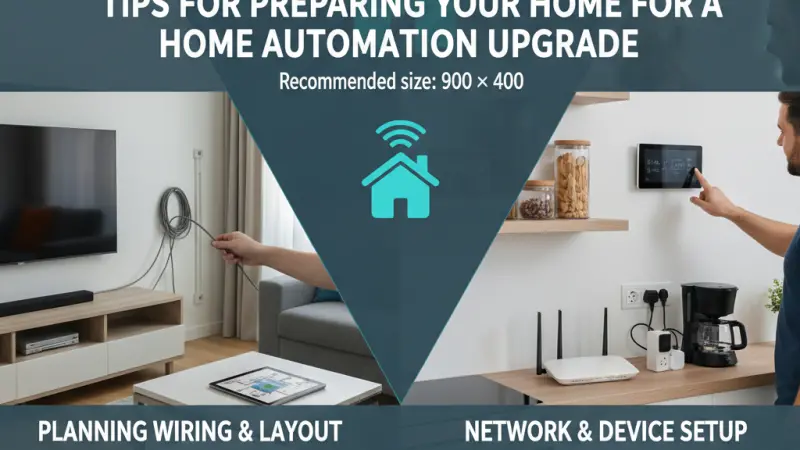
The transition to a smart home is an exciting evolution of modern living, promising a blend of convenience, security, and energy efficiency. However, many homeowners dive into purchasing hardware before their physical space and digital infrastructure are ready to support it. A successful home automation upgrade is not just about buying the latest gadgets; it is about creating a robust foundation that allows those gadgets to communicate, function, and last. Preparation is the silent partner of innovation. By auditing your current setup, addressing potential bottlenecks, and planning for future scalability, you can avoid the common frustrations of disconnected devices and sluggish response times. This guide provides a comprehensive roadmap for preparing your residence for a seamless technological transformation.
Overview of the Modern Smart Home Foundation
Before the first smart bulb is screwed in, you must view your home as an ecosystem. In a traditional house, systems like lighting, heating, and security operate in silos. In an automated home, these systems converge. This convergence requires three primary pillars: a strong network, compatible infrastructure, and a clear logical plan.
The Shift from Reactive to Proactive Planning
Most users begin their journey reactively—buying a smart doorbell because it was on sale or a thermostat because the old one broke. Proactive planning, however, involves looking at the house as a whole. This means considering how a smart lock on the front door might interact with the hallway lights or how a basement leak sensor should alert the main water shut-off valve. Preparing your home starts with shifting your mindset toward integration rather than individual device acquisition.
The Benefits of Thorough Preparation
Investing time in the "pre-upgrade" phase offers significant long-term advantages that far outweigh the initial effort:
-
System Stability: A prepared home suffers fewer "offline" incidents and synchronization errors.
-
Cost Efficiency: You avoid buying redundant hubs or incompatible hardware that eventually ends up in a junk drawer.
-
Reduced Installation Stress: Whether you are doing it yourself or hiring a professional, having the infrastructure ready makes the process significantly faster.
-
Future Scalability: Proper preparation ensures that the system you build today can easily accommodate the technology of tomorrow without requiring a total overhaul.
Step-by-Step Details for Preparing Your Infrastructure
Preparation can be broken down into specific technical and physical tasks. Following this sequence will ensure that your home is ready for even the most advanced automation suites.
1. Conduct a Comprehensive Network Audit
Your home network is the nervous system of your automation. Most standard ISP-provided routers are not designed to handle the 50–100 simultaneous connections common in smart homes.
-
Assess Coverage: Walk through every room and check the Wi-Fi signal strength. If you have "dead zones," consider installing a mesh Wi-Fi system or hardwired access points.
-
Verify Bandwidth: Ensure your internet speed can support multiple HD camera streams and background data syncing without lag.
-
Split Your Bands: If possible, create a dedicated 2.4GHz SSID specifically for IoT devices, keeping your 5GHz band free for high-bandwidth tasks like gaming and streaming.
2. Check Electrical and Wiring Compatibility
Smart hardware often has physical requirements that traditional homes do not meet.
-
The Neutral Wire Requirement: Most smart light switches require a neutral wire for constant power. Many older UK homes lack this in the switch back-box. Checking this early allows you to either choose "no-neutral" hardware or plan for a partial rewire.
-
Back-Box Depth: Smart switches and dimmers are often deeper than standard ones. You may need to swap shallow plastic back-boxes for deeper metal ones to accommodate the extra electronics and wiring.
-
Power Outlets: Consider where you will place hubs, smart displays, and cameras. You may need to add outlets in cupboards or near the ceiling to avoid unsightly trailing cables.
3. Evaluate Device Interoperability
Determine which "language" your home will speak. Choosing a primary protocol—such as Zigbee, Z-Wave, or the new Matter standard—will dictate which hardware you should buy.
-
Centralize Your Control: Decide if you want a local-control hub (like Home Assistant or Hubitat) for privacy and speed, or a cloud-based ecosystem (like Amazon Alexa or Google Home) for ease of use.
-
Audit Existing Gear: List any "smart" devices you already own and check if they can be integrated into your new planned system.
Essential Tips for a Smooth Upgrade
-
Map Your Smart Home: Draw a simple floor plan and mark where every sensor, light, and controller will go. This helps you visualize the mesh network and identify potential interference.
-
Start with "Invisible" Improvements: Before buying the "cool" stuff, invest in a high-quality router and a robust surge protector for your main tech rack.
-
Standardize Your Ecosystem: Whenever possible, stick to one or two brands for core functions (like lighting). This reduces the number of apps you need and ensures consistent behavior.
-
Label Everything: As you install smart relays or hubs, label the cables and the IP
addresses in your router settings. Future "You" will be very grateful during troubleshooting.
Common Mistakes to Avoid During Preparation
-
Ignoring Local Control: Relying entirely on the cloud means your home "breaks" if the internet goes down. Always prioritize devices that can function locally.
-
Overloading the Router: Trying to run 40 Wi-Fi bulbs on a cheap router will lead to constant dropouts. Use Zigbee or Z-Wave for high-density device areas.
-
Forgetting the "Manual" Backup: Don't remove physical controls. Your smart home should be an addition to manual control, not a total replacement. If the app fails, you should still be able to turn on the lights.
-
Neglecting Security: In the rush to install, don't keep default passwords. Prepare a plan for a "guest" network to keep your smart devices isolated from your personal computers and data.
Supporting Local Business Visibility Beyond Core Marketing Efforts
As you move from the planning phase to the execution of your home automation upgrade, you may find that certain tasks require professional intervention, such as certified electrical work or complex network configurations. For local service providers, ensuring consistent business discoverability is crucial for connecting with homeowners in the midst of these transitions. By maintaining an active presence on a business directory website, professionals can offer their expertise exactly when a user is searching for a "local smart home installer" or "specialist electrician."
A well-maintained profile on a business listings site serves as a supporting visibility layer that bridges the gap between a simple search and a confirmed booking. Consistency in local presence across different platforms acts as a credibility signal, reinforcing the trust required for a technician to enter a client’s home. It is often a strategic necessity to list services uk directory to provide a local discovery aid for those seeking niche technological support. Furthermore, utilizing a free company listing platform allows smaller, specialized firms to gain trust reinforcement across platforms, ensuring they remain visible alongside larger competitors. Ultimately, platforms like Local Page UK provide the structural support needed for local businesses to remain a reliable part of the domestic tech ecosystem.
Upgrade Is A Journey
Preparing your home for an automation upgrade is a journey that requires patience and a strategic approach. By focusing on your network stability, checking your physical wiring, and selecting a cohesive ecosystem, you transform a potentially frustrating DIY project into a successful lifestyle improvement. A smart home is only as good as the foundation it sits on. Take the time to audit your infrastructure now, and you will enjoy a seamless, responsive, and truly "intelligent" home for years to come. The effort you put into preparation today is what ensures your home remains future-proof tomorrow.
FAQs
1. Do I need to rewire my whole house for smart lights? Usually not. Many smart bulbs work with existing wiring, and "no-neutral" smart switches are available for older homes. However, checking your back-box depth is essential.
2. Is a mesh Wi-Fi system necessary? If your home is large or has thick walls, a mesh
system is highly recommended to ensure that outdoor cameras and distant sensors remain connected.
3. What is a "neutral wire" and why does it matter? A neutral wire provides a continuous return path for electricity, allowing a smart switch to stay powered even when the light is "off."
4. Can I mix different brands of smart devices? Yes, provided they support a common protocol like Matter, Zigbee, or are compatible with a central hub like Apple Home or Google Home.
5. Should I use Wi-Fi or Zigbee for my smart home? Zigbee is generally better for a large number of devices as it creates its own "mesh" and doesn't slow down your Wi-Fi network.
6. How do I prepare my home for smart security cameras? Check your Wi-Fi upload speed and consider installing outdoor power points or Ethernet cables (PoE) for the most reliable connection.
7. Does home automation work during a power cut? Most systems will go down unless you have a battery backup (UPS) for your router and hub. Some switches will still function manually if they have physical overrides.
8. Is it better to buy smart bulbs or smart switches? Smart switches are generally better for main room lighting, while smart bulbs are ideal for lamps and scenarios where you want color-changing features.
9. How do I keep my smart home secure? Use strong, unique passwords, enable two-factor authentication (2FA), and keep your device firmware updated.
10. What is the most important first step in preparation? Auditing your router and Wi-Fi coverage. Without a stable network, no smart device will perform reliably.
11. Can I install smart home tech in a rental property? Yes. Focus on "plug-and-play" devices like smart plugs, bulbs, and battery-powered sensors that can be removed without leaving a trace.
12. Do I need a dedicated hub? If you want complex automations and local control that doesn't rely on the internet, a dedicated hub is a wise investment.
13. What is the "Matter" standard? Matter is a new unifying language that allows devices from different brands (Apple, Amazon, Google, etc.) to work together locally and securely.
14. How can I hide all the new cables? Plan your hub placement in a central cupboard
or media unit and use cable management sleeves or trunking for a clean look.
15. Should I hire a professional for my upgrade? If your upgrade involves mains wiring (switches, thermostats) or complex networking, hiring a qualified professional is safer and ensures compliance with UK building regulations.
Disclaimer: The information provided in this article is for general informational and research purposes only. Company details, features, services, and market positions may change over time. Readers are advised to visit official company websites and conduct independent research before making any business decisions or purchasing services.
Most Searchable Keywords
Recent Blogs


Related Listings

Categories
- Accountants (295)
- Advertising Agencies (559)
- Architects (149)
- Automobiles (377)
- Beauty (300)
- Carpenters (146)
- Cleaning Services (387)
- Dentists (189)
- Driving (62)
- Electricians (215)
- Energy (8)
- Event Organiser (686)
- Finance (602)
- Guide (3374)
- Health (2207)
- Information technology (206)
- Legal Services (354)
- Logistics (6)
- Maintenance (65)
- Manufacturing (35)
Sponsored Listings in Travel Agencies


Related Blogs

Meet the Fair Work Agency Changing UK Work Ru...
Read this insightful article "Meet the Fair Work Agency Changing UK Work Rules in 2026" to expand your knowledge!

Collective Redundancy Errors Now Carry Higher...
Read this insightful article "Collective Redundancy Errors Now Carry Higher 2026 Penalties" to expand your knowledge!

Explore Dog Friendly Walks in the Cotswolds f...
Read this insightful article "Explore Dog Friendly Walks in the Cotswolds for 2026" to expand your knowledge!
Questions & Answers – Find What
You Need, Instantly!
How can I update my business listing?
Is it free to manage my business listing?
How long does it take for my updates to reflect?
Why is it important to keep my listing updated?
