
How SMBs Are Replacing 10 Tools With One Unified Platform
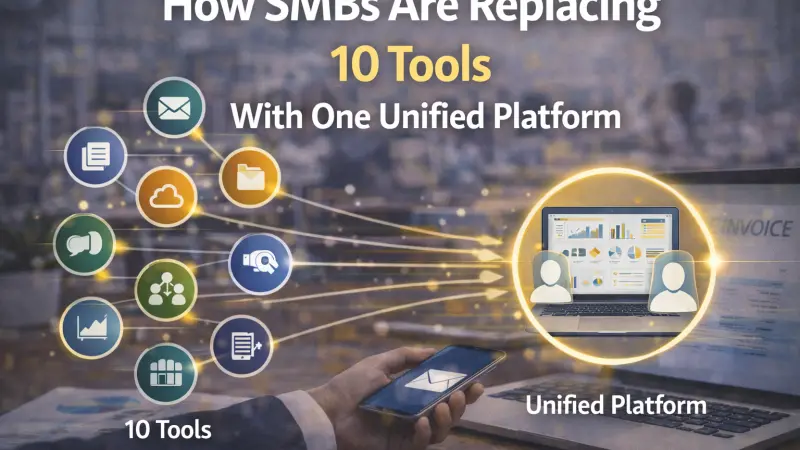
If you run a small or mid-sized business, your screen probably looks like a digital junkyard. There's one app for invoicing, another for scheduling, a third for email marketing, and four more for customer communication, project tracking, and social media. Sound familiar? This is exactly why unified business management platforms are becoming the go-to solution for SMBs in 2025. Business owners are done juggling dozens of disconnected tools — and they're fighting back with consolidation.
What Is the Anti-App Movement?
The "Anti-App" movement isn't about abandoning technology. It's about rejecting the chaos of tool overload. Over the past decade, the SaaS boom gave businesses access to hundreds of specialized tools — each one promising to solve a single problem perfectly. And they did, in isolation. But when you string 10, 12, or 15 of them together, you don't get a smooth operation. You get a fragmented, expensive, time-consuming mess.
The Anti-App movement is the natural correction to that overcorrection. SMBs are now actively seeking platforms that bring core business functions under one roof — one login, one dashboard, one bill.
Why Tool Overload Is a Real Problem for SMBs
The Hidden Costs of Too Many Apps
Every individual app has a subscription fee. At first, $12 here and $29 there feels manageable. But according to research by Blissfully, the average SMB spends over $130,000 annually on SaaS tools, much of it on overlapping or underused software. That's not a technology investment — that's a technology leak.
Beyond money, there's the time cost. Employees switching between tools lose an average of 23 minutes of focus time every time they're interrupted, according to a study by the University of California, Irvine. When your team has to toggle between six platforms just to complete one workflow, productivity doesn't just dip — it collapses.
Data Silos Kill Decision-Making
When your customer data lives in your CRM, your sales data lives in your invoicing tool, and your marketing data lives in a separate analytics dashboard, you never get the full picture. These disconnected data silos make it nearly impossible to make smart, timely business decisions.
A report by MuleSoft found that 89% of IT leaders say data silos negatively impact digital transformation. For SMBs without a dedicated IT team, the impact is even worse. You're flying blind — and guessing instead of growing.
The Rise of Unified Business Management Platforms
What Makes a Platform Truly "Unified"?
A unified business management platform isn't just a bundle of apps crammed into one interface. A true all-in-one platform integrates your core business operations so that data flows seamlessly between functions. Think CRM, scheduling, invoicing, reporting, team communication, and customer management all talking to each other in real time.
Key characteristics of a real unified platform include:
- A single centralized dashboard for all operations
- Shared data that updates across every function automatically
- One subscription that replaces multiple separate tools
- Consistent user experience across all modules
- Built-in reporting that pulls from every area of your business
Why SMBs Are Driving This Shift
Large enterprises have long relied on integrated ERP systems. But SMBs have historically been underserved by those expensive, complex solutions. The good news? Modern unified platforms are built specifically with smaller businesses in mind — affordable, easy to set up, and designed to scale as you grow.
According to a 2024 survey by Capterra, 74% of small business owners said they planned to reduce the number of software tools they use in the next 12 months. That's not a trend. That's a movement.
The Real Benefits of Consolidating Your Business Tools
Time Savings That Actually Add Up
When your team stops switching between apps, they get more done. A business with five employees saving just one hour each per day reclaims 25 hours of productive work every week. That's more than half a full-time employee's weekly output — recovered simply by eliminating tool-switching.
Lower Operating Costs
Replacing ten $25-per-month tools with one $99-per-month platform doesn't just save $151 a month. It also reduces the time your team spends
on onboarding, troubleshooting, and managing vendor relationships. The true ROI is almost always larger than the sticker-price savings suggest.
Better Customer Experience
When your customer data, communication history, and billing records all live in one place, your team delivers faster, more personalized service. Customers notice when a business knows their history without them having to repeat it. That consistency builds trust — and trust drives loyalty.
Reduced Security Risk
Every additional tool your business uses is another potential entry point for a data breach. According to IBM's Cost of a Data Breach Report, the average cost of a data breach for SMBs now exceeds $3.3 million. Consolidating to fewer platforms means fewer vulnerabilities, fewer passwords to manage, and a dramatically reduced attack surface.
Common Challenges When Switching to a Unified Platform
The Fear of Losing Specialized Features
One of the biggest objections SMB owners raise is: "But my current invoicing tool does X really well, and I don't want to lose that." This is a fair concern. Unified platforms are built for breadth, not always depth. Before switching, audit which specialized features you actually use daily versus which ones just sound nice in a product demo.
Pro tip: List your true non-negotiables. You'll often find the list is much shorter than expected.
Data Migration Anxiety
Moving years of customer data, transaction history, and documents from multiple tools to a new platform feels daunting. But most modern unified platforms offer guided migration support, import tools, or dedicated onboarding teams. The pain of migration is almost always temporary — the pain of staying fragmented is permanent.
Team Resistance to Change
Employees get comfortable with familiar tools. Introducing a new platform requires clear communication about why the change is happening, proper training, and a transition period. Businesses that include their team in the evaluation process — asking for input and feedback — see significantly faster adoption rates.
A Step-by-Step Guide to Consolidating Your Business Tools
Step 1: Conduct a Full Tool Audit List every software subscription your business currently pays for. Note what each tool does, who uses it, how often, and what it costs. Many businesses discover duplicate functionality they didn't even realize they had.
Step 2: Identify Your Core Workflows Map out the five to ten core workflows that run your business — from lead capture to customer onboarding to invoicing and follow-up. These workflows will define what your unified platform must be able to handle.
Step 3: Evaluate Platforms Against Your Workflows Don't evaluate platforms based on feature lists alone. Test them against your actual workflows. Request demos that mirror your real business scenarios, not scripted showcases.
Step 4: Plan Your Migration Choose a go-live date with enough runway for data migration and training. Consider running the new platform in parallel with your old tools for two to four weeks before fully cutting over.
Step 5: Train Your Team and Monitor Adoption Invest in proper onboarding. Track adoption metrics in the first 60 days. Identify team members who are struggling and provide targeted support early — it prevents the bad habit of reverting to old tools.
What to Look for in a Unified Business Management Platform
Not all all-in-one platforms are created equal. Here's what genuinely matters when evaluating your options:
- Ease of use: If your team won't actually use it, it doesn't matter how many features it has
- Core feature coverage: CRM, scheduling, invoicing, reporting, and communication at a minimum
- Scalability: Can it grow with you from 5 employees to 50 without a painful platform switch?
- Customer support: Is help available when something breaks — and does it actually help?
- Integration flexibility: Even in consolidation, some niche tools may need to connect via API
- Transparent pricing: Hidden fees and per-feature upsells undermine the cost savings you're seeking
Real-World Scenario: What Consolidation Looks Like in Practice
Consider a home services company running eight separate tools — one each for scheduling, quoting, invoicing, customer reviews, email campaigns, team chat, time tracking, and reporting.
The owner spends two hours every Friday manually exporting data from multiple platforms to build a weekly performance report.
After switching to a unified business management platform, that same report generates automatically in real time. The owner reclaims those two hours weekly — more than 100 hours per year. The team stops logging into eight systems and works from a single dashboard. Customer response times improve because communication history is always visible. And the business saves over $400 per month in combined subscription fees.
This isn't a hypothetical. It's the experience thousands of SMBs are having right now.
The Future of Business Software for SMBs
AI Is Accelerating the Consolidation Trend
Unified platforms are increasingly embedding AI features directly into their core workflows. AI-powered scheduling, automated follow-ups, predictive reporting, and smart invoicing are no longer enterprise-only luxuries. They're becoming standard features in modern SMB platforms — but only when data from across the business feeds a single intelligent system.
According to McKinsey, businesses that adopt AI into unified workflows see productivity gains of up to 40%. That number is only achievable when your data isn't fragmented across a dozen disconnected tools.
The All-in-One Platform Market Is Growing Fast
The global business management software market is projected to reach $947 billion by 2027, according to Statista. A significant portion of that growth is being driven by SMBs demanding integrated solutions rather than point products. Vendors are responding — and the quality and affordability of unified platforms are improving rapidly.
The Anti-App movement isn't a passing trend. It's a fundamental shift in how small businesses think about technology — from a collection of tools to a single, intelligent operating system for their business.
Things People Want to Know
1. What is a unified business management platform? A unified business management platform is an all-in-one software solution that combines multiple core business functions — such as CRM, invoicing, scheduling, and reporting — into a single integrated system. It eliminates the need for multiple separate tools by centralizing your operations and data.
2. How many tools does the average SMB use? Research suggests the average small business uses between 8 and 15 separate software tools. Many of these overlap in functionality, creating unnecessary costs and workflow complexity.
3. Is switching to a unified platform risky? Like any technology change, there's a transition period. However, most modern unified platforms offer migration support, onboarding resources, and customer service to minimize disruption. The long-term benefits consistently outweigh the short-term adjustment.
4. Will I lose specialized features by switching to an all-in-one platform? You may lose some niche features from specialized tools. However, most SMBs find they only regularly use a fraction of those advanced features.
A unified platform covering 90% of your needs with seamless data flow typically delivers more value than 10 specialized tools that don't communicate.
5. How much can I realistically save by consolidating tools? Savings vary by business size and current tool stack, but many SMBs report saving between $200 and $600 per month in direct subscription costs alone, not counting the indirect savings from improved productivity and reduced IT burden.
6. How long does it take to migrate to a new platform? Most SMB migrations take between two and eight weeks depending on data volume and complexity. Running new and old systems in parallel during the transition reduces risk significantly.
7. What business functions should a unified platform cover at minimum? At a minimum, look for CRM, scheduling, invoicing, customer communication, and business reporting. Depending on your industry, you may also need project management, team collaboration, or industry-specific features.
8. Is a unified platform suitable for a very small business with just two or three employees? Absolutely. Even micro-businesses benefit from having all their data in one place. Many unified platforms offer affordable entry-level plans designed specifically for very small teams.
9. How do I convince my team to adopt a new platform? Involve your team in the evaluation process early. Show them specifically how the new platform makes their daily work easier. Provide structured training and allow a reasonable transition window before fully retiring old tools.
10. What's the difference between a unified platform and a platform bundle? A true unified platform shares data natively across all functions in real time. A bundle is a collection of separate tools sold together but not deeply integrated. The difference matters significantly for reporting accuracy and workflow efficiency.
11. Can a unified platform replace my accounting software? Many unified platforms include invoicing and basic financial tracking, but may not fully replace dedicated accounting software like QuickBooks for complex tax and compliance needs. Evaluate what your specific accounting requirements are before making that decision.
12. Are unified business management platforms secure? Reputable platforms invest heavily in security, including encryption, role-based access controls, and regular audits. Consolidating to fewer platforms actually reduces your overall security risk compared to managing credentials and data across many separate tools.
13. What questions should I ask during a platform demo? Ask how data migrates from your current tools, what the onboarding process looks like, what happens to your data if you cancel, what support is available and at what cost, and whether pricing changes as you add users or features.
14. How do I know if my business is ready to consolidate? If your team regularly switches between more than five tools, if you struggle to get a clear picture of business performance, or if your monthly SaaS spend feels disproportionate to the value you're getting, you're ready.
15. What industries benefit most from unified platforms? Home services, healthcare, professional services, retail, and hospitality are among the industries that benefit most — largely because they have high customer-interaction volume, scheduling complexity, and invoicing needs that unified platforms handle very well.
It's Time to Simplify and Scale
The Anti-App movement is a direct response to a problem that has quietly drained SMB productivity, budgets, and sanity for years. Tool overload isn't just inconvenient — it's expensive, risky, and a genuine obstacle to growth. Unified business management platforms offer a smarter way forward: one system, one source of truth, and one clear path to running a tighter, more responsive business.
The data is clear. The trend is accelerating. And the platforms available today are more capable and affordable than ever before.
Whether you're running a five-person operation or managing a growing team of 50, consolidation isn't a downgrade — it's an upgrade to how your entire business operates.
The best time to simplify your tech stack was two years ago. The second-best time is right now. Audit your tools, map your workflows, and take the first step toward running your business from a single, powerful platform. Your team, your customers, and your bottom line will thank you.
Disclaimer: The information provided in this article is for general informational and research purposes only. Company details, features, services, and market positions may change over time. Readers are advised to visit official company websites and conduct independent research before making any business decisions or purchasing services.
Most Searchable Keywords
Recent Blogs


Related Listings

Categories
- Accountants (295)
- Advertising Agencies (559)
- Architects (149)
- Automobiles (377)
- Beauty (300)
- Carpenters (146)
- Cleaning Services (387)
- Dentists (189)
- Driving (62)
- Electricians (215)
- Energy (8)
- Event Organiser (686)
- Finance (602)
- Guide (3374)
- Health (2207)
- Information technology (206)
- Legal Services (354)
- Logistics (6)
- Maintenance (65)
- Manufacturing (35)
Sponsored Listings in Travel Agencies


Related Blogs

Meet the Fair Work Agency Changing UK Work Ru...
Read this insightful article "Meet the Fair Work Agency Changing UK Work Rules in 2026" to expand your knowledge!

Collective Redundancy Errors Now Carry Higher...
Read this insightful article "Collective Redundancy Errors Now Carry Higher 2026 Penalties" to expand your knowledge!

Explore Dog Friendly Walks in the Cotswolds f...
Read this insightful article "Explore Dog Friendly Walks in the Cotswolds for 2026" to expand your knowledge!
Questions & Answers – Find What
You Need, Instantly!
How can I update my business listing?
Is it free to manage my business listing?
How long does it take for my updates to reflect?
Why is it important to keep my listing updated?
