
Mastering Google Analytics 4 (GA4): The Ultimate Migration & Optimization Guide
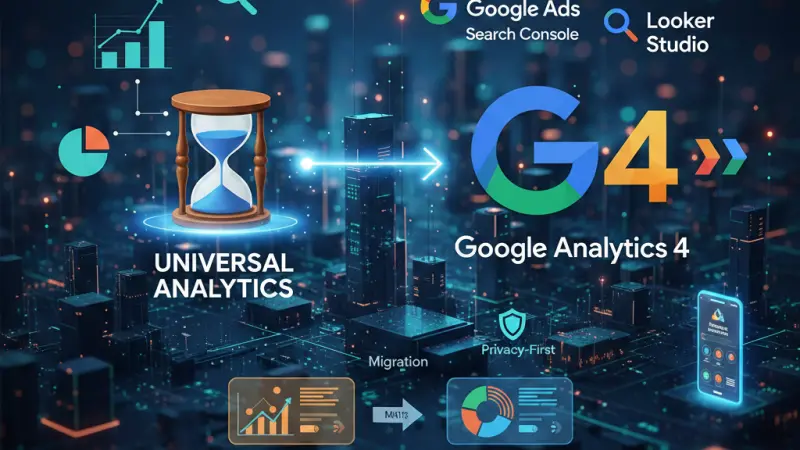
In the ever-evolving landscape of digital marketing, staying ahead of the curve isn't just an advantage—it’s a necessity. The transition from Universal Analytics (UA) to Google Analytics 4 (GA4) represents the most significant shift in the platform's history. While UA relied on a session-based model, GA4 introduces a flexible, event-driven architecture designed for a privacy-first world.
Whether you are a small business owner, a marketing professional, or a charity coordinator, understanding how to harness the power of GA4 is critical for measuring success. This guide expands on our recent webinar to provide you with a deep dive into the nuances of GA4.
The Urgent Case for GA4 Migration
One of the most frequent questions we receive is: "Should I make the switch now?" The answer is a resounding yes. Unlike Universal Analytics, GA4 does not "backfill" data. It only begins recording information from the moment you create the property. By setting up GA4 today, you allow the platform's machine-learning algorithms to begin learning your users' behaviors. This historical data is the backbone of "Predictive Metrics," which can help you forecast future revenue and churn rates.
The Learning Curve: GA4 vs. Universal Analytics
It is important to acknowledge that GA4 is not just an update; it is a complete rebuild.
Interface: The layout is streamlined, focusing more on the "Lifecycle" of a user rather than isolated sessions.
Data Collection: UA tracked "Hits," while GA4 tracks everything as an "Event." This means a page view, a click, and a scroll are all weighted with the same architectural importance, giving you a more granular view of user intent.
Advanced Features: Audience Triggers and User Definitions
Understanding your audience is the first step toward conversion. GA4 introduces Audience Triggers, a powerful tool that allows you to trigger a specific event when a user enters a predefined audience segment.
Example: You can create an audience for "High-Value Users" (people who have spent more than £500). Once a user hits that threshold, an audience trigger can fire a "high_value_customer" event, which you can then import into Google Ads for hyper-targeted remarketing.
Redefining "The User"
GA4 categorizes users into four primary buckets to help you understand retention:
New Users: Those visiting your site for the very first time.
Total Users: The unique count of individuals who interacted with your site.
Active Users: The primary metric in GA4. This counts users who had an "engaged session" (lasted longer than 10 seconds or had a conversion event).
Returning Users: Those who have previously visited and are coming back for more.
Integrating the Ecosystem: Google Ads and Search Console
Data silos are the enemy of efficiency. GA4 is designed to play nicely with the rest of the Google marketing suite.
Google Ads Integration
Connecting GA4 to Google Ads allows you to see the full customer journey—from the first click on an ad to the final checkout on your site. By linking these accounts, you can export your GA4 audiences and conversions directly into your Ads campaigns.
Search Console Integration
For SEO enthusiasts, linking Google Search Console to GA4 is a game-changer. It allows you to view organic search queries and landing page performance alongside your engagement metrics.
This helps you identify which keywords are driving not just traffic, but engaged traffic.
Measuring Marketing Impact and Conversions
GA4 is built to answer the question: Is my marketing working?
The Shift in "Bounce Rate"
In Universal Analytics, a "bounce" was simply a one-page session. In GA4, the definition is more helpful. A bounce is now defined as a session that was not engaged (lasted less than 10 seconds, had no conversions, and fewer than 2 page views). This provides a more accurate reflection of whether your content is actually capturing attention.
Micro-Conversions
Not every interaction is a sale. Micro-conversions, such as clicking a "Tel:" link to call your business or downloading a PDF brochure, are vital indicators of interest. In GA4, you can track these by creating custom events and marking them as "Conversions" in the admin panel.
Reporting and Data Visualization
Many users find GA4’s built-in reports a bit sparse compared to UA. This is where Google Data Studio (now Looker Studio) comes in. You can connect your GA4 data stream to Looker Studio to create beautiful, customized dashboards that are easy to share with stakeholders.
Dealing with Historical Data
A common pain point is that UA data cannot be merged into GA4. To maintain your legacy records, you must manually export your UA data into CSV, Excel, or PDF formats. We recommend doing this sooner rather than later, as Google will eventually sunset access to old UA properties entirely.
GA4 for Charities and Schools
For non-profits, GA4 is a treasure trove of insight. It allows charities to:
Track donation funnels to see where potential donors drop off.
Measure the impact of social media campaigns across Twitter, Facebook, and Instagram.
Understand which "Awareness" articles are leading to "Action" (volunteering or donating).
By using Funnel Explorations, charities can visualize the path a user takes from landing on the homepage to completing a recurring donation.
Grow Your Presence with Local Page UK
While mastering your data with Google Analytics 4 is essential for understanding your audience, being discoverable is the first step in any successful marketing funnel. Whether you are looking to find new customers or establish your brand's authority in the United Kingdom, listing your business on a reputable directory is key.
If you want to boost your online visibility, you should consider a business listing uk on the local page uk business directory. As a premier uk online business directory, Local Page UK helps bridge the gap between service providers and customers.
Businesses of all sizes can benefit from a business listing uk entry, making it an ideal uk small business directory for those just starting out. For more established firms, appearing in a uk business directory or a uk b2b business directory ensures you stay competitive.
Whether you are looking for uk service listings, uk verified business listings, or simply want to find local businesses uk, Local Page UK offers a comprehensive uk local business directory. You can explore the local businesses list uk to see uk top rated local businesses and specialized sections like the uk home services directory or uk trade services listings.
Don't miss out on the opportunity to be part of a leading uk business directory website. From business listing uk options to appearing in the uk professional services listings, getting your uk business listings online is a strategic move for any business directory uk online strategy.
Sign up for a business listing uk today and ensure your company is found in the uk local business search.
Questions Clients Commonly Ask
1. Is GA4 free to use?
Yes, Google Analytics 4 is a free tool provided by Google, though there is an enterprise version (GA4 360) for very large corporations.
2. How do I know if I am already using GA4?
Check your Property ID. Universal Analytics IDs look like UA-XXXXX-Y, while GA4 IDs consist only of numbers (e.g., 123456789).
3. Will GA4 delete my old Universal Analytics data?
Eventually, yes. Google has stated that UA data will no longer be accessible after a certain period. You should export your historical data now.
4. Can I use Google Tag Manager with GA4?
Absolutely. In fact, using Google Tag Manager (GTM) is the recommended way to deploy GA4 as it offers more flexibility for event tracking.
5. What is an "Engaged Session"?
A session is considered "engaged" if it lasts longer than 10 seconds, has at least one conversion event, or has at least two page or screen views.
6. Can I track phone calls in GA4?
Yes, by tracking clicks on "Tel:" links. This is most effective for mobile users who can "click-to-call."
7. Why does my Acquisition report only show traffic and not users?
By default, you should see both. If one is missing, check your "Library" settings in GA4 to ensure the report hasn't been customized to hide certain metrics, or contact Google Support.
8. How many audience triggers can I have?
You can set up a maximum of 20 audience triggers per GA4 property.
9. Does GA4 track social media traffic?
Yes, GA4 categorizes traffic from social platforms automatically. You can see this under the "Traffic Acquisition" report by filtering for "Session source/medium."
10. What is the difference between a "Lead" and a "Conversion" in GA4?
A lead is usually an event you’ve created (like a form submission). A conversion is simply any event that you have toggled "on" as a conversion in the Admin settings.
11. Can I exclude my own IP address from GA4?
Yes. You can define internal traffic in the Data Stream settings by entering your IP address to prevent your own visits from skewing the data.
12. How do I delete a conversion I no longer need?
Navigate to Admin > Conversions and toggle the switch off. To delete the underlying event, go to Admin > Events.
13. What is "Enhanced Measurement" in GA4?
This is a feature that automatically tracks common interactions like scrolls, outbound clicks, site search, and video engagement without needing extra code.
14. Can I see real-time data in GA4?
Yes, GA4 has a "Realtime" report that shows you activity on your site from the last 30 minutes.
15. How do I calculate my exit rate in GA4?
Exit rate is calculated by taking the number of exits from a page and dividing it by the number of sessions that included that page.
Disclaimer: The information provided in this article is for general informational and research purposes only. Company details, features, services, and market positions may change over time. Readers are advised to visit official company websites and conduct independent research before making any business decisions or purchasing services.
Most Searchable Keywords
Recent Blogs


Related Listings

Categories
- Accountants (295)
- Advertising Agencies (559)
- Architects (149)
- Automobiles (377)
- Beauty (300)
- Carpenters (146)
- Cleaning Services (387)
- Dentists (189)
- Driving (62)
- Electricians (215)
- Energy (8)
- Event Organiser (686)
- Finance (602)
- Guide (3373)
- Health (2207)
- Information technology (206)
- Legal Services (353)
- Logistics (6)
- Maintenance (65)
- Manufacturing (35)
Sponsored Listings in Travel Agencies


Related Blogs

Explore Dog Friendly Walks in the Cotswolds f...
Read this insightful article "Explore Dog Friendly Walks in the Cotswolds for 2026" to expand your knowledge!

How Much Do UK Actors Really Earn Full Indust...
Read this insightful article "How Much Do UK Actors Really Earn Full Industry Breakdown" to expand your knowledge!

Blue Light Card UK 2026 Check Eligibility and...
Read this insightful article "Blue Light Card UK 2026 Check Eligibility and Claim" to expand your knowledge!
Questions & Answers – Find What
You Need, Instantly!
How can I update my business listing?
Is it free to manage my business listing?
How long does it take for my updates to reflect?
Why is it important to keep my listing updated?
