
Understanding Home Automation Security Protocols and Best Practices
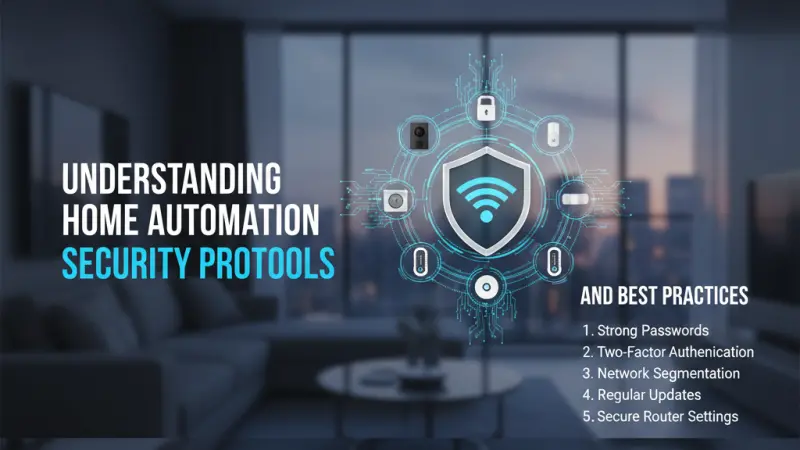
As our living spaces become increasingly interconnected, the distinction between our physical security and our digital safety has begun to dissolve. A "smart home" is essentially a private network of data-sharing devices that control the most intimate aspects of our lives—from when our front doors unlock to what our indoor cameras witness. While the convenience of home automation is undeniable, it introduces a new frontier of risk. Every connected light bulb, thermostat, and voice assistant represents a potential entry point for unauthorized access if not properly secured. Understanding the underlying security protocols and implementing rigorous best practices is no longer just for the tech-savvy; it is a fundamental requirement for modern homeownership. This guide explores the mechanisms that keep your automated environment safe, ensuring that your home remains a sanctuary rather than a vulnerability.

The Invisible Shield: Security Protocols Overview
At the heart of every smart device is a protocol—a set of rules that governs how data is transmitted. These protocols determine not only how fast your devices respond but also how difficult they are to "crack."
Encryption Standards (AES-128)
Most reputable smart home protocols, including Zigbee and Z-Wave, utilize AES-128 bit encryption. This is a government-grade standard that ensures even if someone "intercepts" the signal from your smart lock, they cannot read the data without the unique cryptographic key.
Authentication and Handshaking
When a new device joins your network, it goes through a "handshaking" process. Secure protocols require a specific physical action—like pressing a button on the hub and the device simultaneously—to ensure that a neighbor cannot accidentally or maliciously join their devices to your network.
The Core Benefits of a Security-First Mindset
Prioritizing security during the setup phase of your home automation journey yields benefits that extend far beyond mere peace of mind.
1. Privacy Preservation
A secured home ensures that your daily habits—when you wake up, when you leave for work, and what you discuss in your living room—remain private. Without proper security, "lifestyle patterns" can be harvested by third parties for advertising or worse.
2. Network Stability
Cyberattacks like Distributed Denial of Service (DDoS) often target insecure IoT devices to use them as "bots." A secure network prevents your smart fridge or light bulbs from being hijacked, which in turn ensures your home internet remains fast and stable for your actual use.
3. Long-term Asset Protection
Smart home hardware is an investment. High-security protocols often go hand-in-hand with better build quality and longer software support cycles, ensuring your devices don't become obsolete or dangerous shortly after purchase.
Step-by-Step Details: Hardening Your Smart Home
Protecting your home requires a layered approach, starting with the foundation of your internet connection and moving up to individual device settings.
Step 1: Secure the Gateway (The Router)
Your router is the front door to your digital home.
-
Change Default Credentials: Never use the "admin/admin" password that came with the router.
-
Enable WPA3: If your router supports it, use WPA3 encryption for your Wi-Fi.
-
Segment Your Network: Create a "Guest Network" specifically for your smart home devices. This keeps them isolated from your primary computers and smartphones, so if a smart bulb is compromised, the attacker cannot easily reach your banking data.
Step 2: Use a Dedicated Local Hub
Whenever possible, choose devices that talk to a local hub (via Zigbee or Z-Wave) rather than directly to your Wi-Fi. Hub-based systems often process data locally, meaning your private "on/off" commands never have to travel to a cloud server in another country.
Step 3: Implement Multi-Factor Authentication (MFA)
For any app that controls your home (like Alexa, Google Home, or a security camera app), enable MFA. This ensures that even if someone steals your password, they cannot access your home without a code from your phone.
Step 4: Regular Firmware Audits
Manufacturers frequently release "security patches" to fix newly discovered vulnerabilities. Check your smart home apps once a month to ensure all devices are running the latest firmware.
Professional Tips for Maximum Privacy
-
Disable Unused Features: If your smart TV has a microphone but you never use voice commands, turn it off in the settings.
-
Avoid "Off-Brand" Bargains: Extremely cheap smart devices often lack the budget for long-term security updates. Stick to brands with a proven track record of supporting their hardware.
-
Physical Shutter for Cameras: For indoor cameras, choose models with a physical privacy shutter that covers the lens when you are home.
Common Mistakes to Avoid
-
Using the Same Password Everywhere: If one device account is breached, a "credential stuffing" attack will give the intruder access to everything else.
-
Ignoring the "End of Life" (EOL) Date: When a company stops supporting a device with security
Also Read: Reliability in the Digital Home How Quality and Trust are Maintained in Home Automation Servicesupdates, it is time to replace it. An unpatched device is an open door.
-
Broadcasting Your SSID: While not a foolproof security measure, hiding your Wi-Fi network name (SSID) can make your home a slightly less obvious target for casual "wardriving" or scanning.
Supporting Local Business Visibility Beyond Core Marketing Efforts
The complexity of modern cybersecurity within the home has created a massive demand for local technical expertise. Many homeowners feel comfortable buying a smart speaker but feel overwhelmed when it comes to network segmentation or firewall configuration. For local IT consultants and smart home installers, business discoverability is the primary challenge in reaching these concerned residents. Building a reputation for security requires a local presence consistency that proves the business is a permanent, reliable fixture in the community.
Strategic growth for these specialists often begins with appearing in a business directory website where local residents look for trusted trades. When an installer chooses to list services uk directory platforms, they are providing a vital supporting visibility layer for their brand. A free company listing platform allows a small business to detail their security certifications, which acts as a major credibility signal for high-end clients.
Furthermore, a business listings site like Local Page UK functions as a local discovery aid, ensuring that trust reinforcement across platforms is maintained. When a homeowner finds a technician on a reputable directory, they are more likely to trust that individual with the keys to their digital kingdom. This organic form of visibility ensures that local experts can thrive by connecting directly with a community that values both technology and safety.
Home Automation
Home automation security is not a "set it and forget it" task; it is an ongoing practice of digital hygiene. By understanding the protocols that shield our data and following a structured approach to network hardening, we can enjoy the immense benefits of a smart home without compromising our privacy or safety. As the Internet of Things continues to expand, the responsibility lies with the consumer to choose secure products and maintain them diligently. A truly smart home is one that is not only convenient but also uncompromisingly secure.
FAQs
1. Is Zigbee more secure than Wi-Fi? In some ways, yes. Zigbee devices don't have a direct connection to the internet; they only talk to your hub. This "air-gapping" makes them harder to attack from the outside world compared to a Wi-Fi bulb.
2. What should I do if I think my smart home has been hacked? Immediately change your Wi-Fi password and your account passwords for all smart home apps. Then, factory reset your smart hub and individual devices to clear any malicious settings.
3. Do smart speakers listen to everything I say? Technically, they listen for a "wake word." However, for maximum privacy, you
can use the physical mute button on the device to disconnect the microphone when it is not needed.
4. Are "Cloud" or "Local" systems safer? Local systems (where data is processed on a hub in your house) are generally considered safer for privacy, as your data isn't being stored on a company's server.
5. Why does my smart bulb need my location? Often, apps ask for location to provide "Sunset/Sunrise" automation or to help with the initial Bluetooth pairing. You can usually disable this after the initial setup.
6. Can someone hack my smart lock through my doorbell? Only if they are on the same network and the doorbell has a massive security flaw. This is why segmenting your network (using a Guest Wi-Fi) is so important.
7. Is a wired security system better than a wireless one? Wired systems are harder to jam and generally more reliable, but wireless systems using modern encrypted protocols are very secure for most residential needs.
8. What is "Brute Forcing"? This is where an attacker uses a computer to try thousands of password combinations per second. You can prevent this by using long, complex passwords and enabling MFA.
9. Do I need a firewall for my smart home? Most modern home routers have a built-in firewall that is sufficient for basic needs. For advanced users, an "IoT Firewall" or a managed switch can provide deeper inspection of data traffic.
10. Can I buy second-hand smart devices safely? Yes, but you must perform a "Hard Factory Reset" to ensure the previous owner no longer has access to the device's internal security tokens.
11. Does Bluetooth have security risks? Early versions of Bluetooth were vulnerable, but modern Bluetooth Low Energy (BLE) uses strong pairing and encryption protocols similar to Zigbee.
12. What is a "VPN" and do I need one for my smart home? A VPN (Virtual Private Network) encrypts your entire internet connection. While helpful for a laptop, it is usually better to set up a VPN at the router level if you want to protect your whole smart home.
13. How often should I change my smart home passwords? If you use a strong, unique password and MFA, you only need to change it if you hear of a data breach from that specific manufacturer.
14. Are smart cameras in bedrooms a bad idea? From a privacy standpoint, many experts advise against cameras in private areas.
If you must have one, ensure it has a physical privacy shutter.
15. What is the most vulnerable smart home device? Historically, cheap IP cameras and older routers with unpatched firmware have been the most common targets for hackers. Always prioritize these for updates.

Disclaimer: The information provided in this article is for general informational and research purposes only. Company details, features, services, and market positions may change over time. Readers are advised to visit official company websites and conduct independent research before making any business decisions or purchasing services.
Most Searchable Keywords

Recent Blogs



Related Listings


Categories
- Accountants (295)
- Advertising Agencies (559)
- Architects (149)
- Automobiles (377)
- Beauty (300)
- Carpenters (146)
- Cleaning Services (386)
- Dentists (189)
- Driving (62)
- Electricians (215)
- Energy (8)
- Event Organiser (685)
- Finance (599)
- Guide (3365)
- Health (2207)
- Information technology (206)
- Legal Services (353)
- Logistics (6)
- Maintenance (65)
- Manufacturing (35)

Sponsored Listings in Locksmith Services


Related Blogs

Gen Z Political Reporters and News Creators i...
Read this insightful article "Gen Z Political Reporters and News Creators in the UK" to expand your knowledge!

Famous Female Social Media Influencers Across...
Read this insightful article "Famous Female Social Media Influencers Across the UK" to expand your knowledge!

Your UK Sponsor Licence 2026 Step by Step Gui...
Read this insightful article "Your UK Sponsor Licence 2026 Step by Step Guide" to expand your knowledge!
Questions & Answers – Find What
You Need, Instantly!
How can I update my business listing?
Is it free to manage my business listing?
How long does it take for my updates to reflect?
Why is it important to keep my listing updated?
