
Companies House Authentication Code Guide: Get, Change & Reset
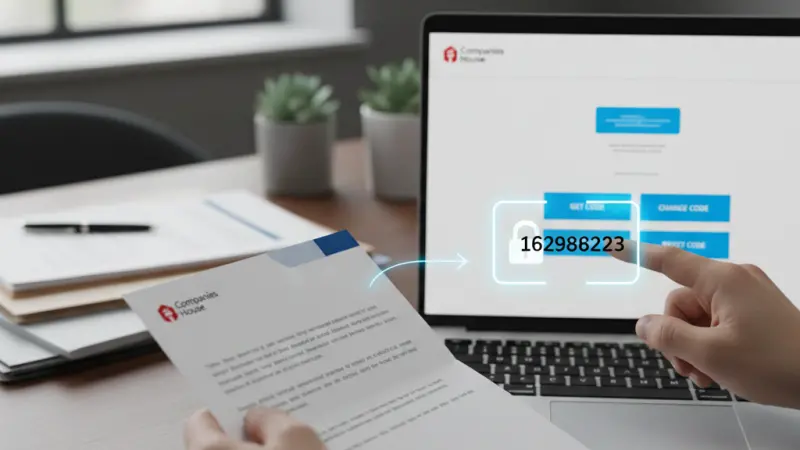
In the modern landscape of UK business administration, digital efficiency isn't just a luxury—it’s a legal necessity. If you are a director, shareholder, or company secretary of a UK limited company, the Companies House Company Authentication Code is arguably the most important six-digit string of characters you will ever own.
As we move through 2026, Companies House has significantly modernized its systems.With the full implementation of the Economic Crime and Corporate Transparency Act, the way we interact with the UK's registrar has changed. This guide provides an exhaustive deep dive into everything you need to know about the Company Authentication Code, how to manage it, and why it is the "digital key" to your business’s corporate identity.
What is a Company Authentication Code?
The Company Authentication Code is a unique six-digit alphanumeric code issued by Companies House to every limited company and Limited Liability Partnership (LLP) registered in the United Kingdom.
Think of this code as your company’s official digital signature. Just as a handwritten signature authorizes a paper document, this code authorizes digital filings.Without it, you cannot update your company's records online.
Why Does Your Company Need One?
Under current UK law, companies must maintain an accurate public record. The authentication code allows authorized individuals to:
Verify their identity (now a mandatory requirement in 2026).
Submit annual accounts and confirmation statements.
Update director details or change the registered office address.
Ensure the business remains in "Good Standing" with the Registrar.
Where and How is the Code Used?
The code isn't just for the standard Companies House WebFiling portal. In 2026, its utility extends across several critical platforms:
Companies House WebFiling: The primary portal for most small to medium-sized businesses to file documents directly.
Find and Update Company Information (Service): Used for real-time updates and public record management.
Third-Party Software: Many businesses use accounting software (like Xero, FreeAgent, or Sage) to file directly.These platforms require your authentication code to "bridge" the data to Companies House.
Formation Agents: If you used an agent to incorporate, their software uses this code to manage your company’s secretarial duties.
How to Get Your Company Authentication Code
Whether you are a new startup or an established firm that has misplaced its credentials, obtaining a code is a structured process.
1. For Newly Incorporated Companies
If you recently registered your company through Companies House, the code is automatically generated.It is sent via physical post to your registered office address and usually arrives within 5 working days of incorporation.
2. For Companies Formed via Agents
If you used a formation agent, the process is even faster. Most agents provide the code immediately within your online client dashboard. Log in to your agent's portal and look for a section labeled "Company Credentials" or "Auth Code."
3. Requesting a Code via WebFiling
If you don't have your code, follow these steps to have one posted to you:
Step 1: Visit the Companies House WebFiling site.
Step 2: Sign in or create a WebFiling account (this requires an email and password).
Step 3: Click on "File for a company."
Step 4: Enter your 8-digit Company Registration Number (CRN).
Step 5: Select the link "Help with authentication code" and then choose "I do not have an authentication code."
Step 6: Confirm the request. Companies House will post the code to your registered office address.
Security Note: For privacy reasons, Companies House will never give out an authentication code over the phone or via email.It must be sent to the registered office address on record.
Requesting a Code to a Director's Home Address
While the standard procedure is delivery to the registered office, a legacy service from the COVID-19 era remains active for specific circumstances. This allows a director to receive the code at their residential address listed on the register.
Eligibility Criteria
You cannot use the home-delivery service if:
The company has filed any document online in the last 30 days.
The company is based outside the UK.
The company is dissolved or in liquidation.
The entity is not a Limited Company or LLP.
How to Request
Access the "Request an authentication code to a home address" service on GOV.UK.
Sign in with your Companies House account (Note: This is often different from your WebFiling login).
Provide the company number and select the director who should receive the code.
Wait approximately 5–10 working days for postal delivery.
Filing Online: The Benefits of Using Your Code
By 2026, Companies House has moved toward a "digital first" mandate. Using your code to file online is no longer just a convenience; it is the most secure way to operate.
What Can You File?
Confirmation Statements: The annual "snapshot" of your company's data.
Annual Accounts: Including micro-entity and dormant accounts.
Director Changes: Appointing new officers or notifying the registrar of resignations.
Share Allotments: Issuing new shares to investors.
Address Changes: Moving your registered office or SAIL address.
Online vs. Paper Filing
| Feature | Online Filing (With Code) | Paper Filing (By Post) |
|---|---|---|
| Speed | Instant or same-day processing | Can take weeks |
| Cost | Lower fees (e.g., £34 for Confirmation Statement) | Significantly higher fees |
| Accuracy | Built-in error checking | High rejection rate due to manual errors |
| Environmental Impact | Paperless and sustainable | Heavy reliance on physical resources |
How to Change or Reset Your Code
Is your current code too hard to remember? Or perhaps an employee who knew the code has left the company? You can change your code at any time.
Log In: Access WebFiling with your email and password.
Select Company: Enter your company number and country of registration.
Enter Current Code: You must provide the existing code to authorize a change.
Access Settings: Look for "Company Authentication" on the left-hand menu.
Choose New Code: Enter a new 6-digit alphanumeric code.
Confirm: Once changed, the update is immediate. A confirmation letter will still be sent to the registered office for security audit purposes.
Security Best Practices for Your Company Code
Your authentication code is as sensitive as your bank's PIN.If a fraudster gains access to it, they could potentially "hijack" your company by changing directors or even changing the registered office to redirect mail.
Need-to-Know Basis: Only share the code with your accountant, company secretary, or a trusted formation agent.
Regular Updates: Change the code annually or whenever there is a change in your management structure.
Verify Identity: In 2026, remember that the Company Authentication Code is for the entity, but you also have a Personal Code for your identity. Do not confuse the two.
Avoid Phishing: Companies House will never call you to ask for your code.
If someone asks for it over the phone, hang up.
What to Do if You Lose Your Code
Losing your code is a common issue, but it can be stressful if a filing deadline is approaching.
Check with your Agent: If you used a formation service, they likely have it on file.
Search your Emails: Look for your "Incorporation Documents" or "Welcome Pack" if you are a relatively new business.
Request a Reminder: Use the WebFiling "Help" section. Companies House will usually send a reminder of the existing code rather than generating a new one, unless you specifically request a reset.
Strategic Growth: Promoting Your UK Business
Managing your corporate compliance with Companies House is just the first step in running a successful UK enterprise. Once your filings are in order and your company is verified, it's time to focus on visibility and growth.
Why List Your Business on Local Page UK?
In a competitive market, being found by local customers is vital. Whether you are a service provider in London or a small business in Manchester, having a digital presence beyond the Companies House register is essential for lead generation.
Local Page UK is the premier uk online business directory designed to bridge the gap between businesses and consumers. By utilizing a uk business directory, you enhance your local SEO and build trust with your audience.
Boost Visibility: Join a comprehensive uk local business directory to ensure customers can find local businesses uk with ease.
B2B and B2C Growth: Our platform serves as both a uk b2b business directory and a uk b2c business directory, making it the ultimate business directory uk online.
Verified Listings: Appear in a uk service providers directory where your business is showcased alongside uk business listings online.
Small Business Support: We pride ourselves on being a leading uk small business directory, helping startups climb the ranks.
Get Started for Free
We believe in supporting the UK economy. That’s why we offer a business listing uk for all eligible companies.
Our business listing uk allows you to claim your spot without upfront costs.
Increase your reach with a business listing uk on a high-traffic business listing uk.
A business listing uk or a business listing uk is the most cost-effective way to improve your digital footprint.
Whether you need a business listing uk or a business listing uk, we have the tools to help you succeed.
Explore Our Listings
Browse our extensive local business listings uk to see how other successful firms are positioned.
From uk service listings to uk verified business listings, we host the uk top rated local businesses.
If you are in the trades, our uk home services directory and uk local trades directory are perfect for you.
Professional firms can benefit from our uk professional services listings and uk trade services listings.
The local page uk business directory is more than just a list; it is a uk business directory website built for the 2026 digital economy.
Questions Clients Commonly Ask
1. Does the company authentication code expire?
No, the code remains valid indefinitely unless you manually change it or the company is dissolved.
2. Can I have multiple authentication codes for one company?
No, there is only one active authentication code per company at any given time.
3. Is the authentication code the same as my UTR number?
No. The authentication code is for Companies House (filing), whereas the Unique Taxpayer Reference (UTR) is for HMRC (tax).
4. Can my accountant file for me without the code?
No. Even if an accountant uses their own professional software, they will require your company's authentication code to link the filing to your record.
5. What happens if I enter the wrong code too many times?
For security, Companies House may temporarily "lock" your ability to file online if multiple incorrect attempts are made. You may need to wait or request a new code.
6. Is the code case-sensitive?
Yes, the alphanumeric code is case-sensitive. Always enter it exactly as it appears on your official letter.
7. Can I change my code to something with special characters?
No, it must be a six-digit alphanumeric code (a mix of letters and numbers only).
8. Do I need a new code if I change my company name?
No, the code is linked to your Company Registration Number (CRN), which never changes, even if the name does.
9. Why can't Companies House just email the code?
To prevent digital identity theft and ensure the code reaches a verified physical location associated with the business.
10. How long does the code take to arrive by post?
Typically 5 working days, though it can take up to 10 days during peak periods.
11. Can I use the code for HMRC filings?
While some joint filing services exist, HMRC generally uses its own Government Gateway credentials.
12. What is the PROOF scheme?
The Protected Online Filing (PROOF) scheme is a free service that prevents paper filings from being accepted, ensuring only those with the authentication code can make changes.
13. Do LLPs have authentication codes?
Yes, Limited Liability Partnerships are issued authentication codes just like limited companies.
14. Can I see my code on the public Companies House register?
No. The code is private. Only the company registration number and office address are public.
15. What is the "Personal Code" I keep hearing about in 2026?
The Personal Code is part of the new Identity Verification rules. It identifies you as an individual, whereas the Authentication Code identifies the company.
Disclaimer: The information provided in this article is for general informational and research purposes only. Company details, features, services, and market positions may change over time. Readers are advised to visit official company websites and conduct independent research before making any business decisions or purchasing services.
Most Searchable Keywords
Recent Blogs



Categories
- Accountants (295)
- Advertising Agencies (559)
- Architects (149)
- Automobiles (377)
- Beauty (300)
- Carpenters (146)
- Cleaning Services (387)
- Dentists (189)
- Driving (62)
- Education (1)
- Electricians (215)
- Energy (8)
- Event Organiser (689)
- Finance (602)
- Guide (3492)
- Health (2207)
- Information technology (207)
- Legal Services (361)
- Logistics (6)
- Maintenance (65)
Sponsored Listings in Educational Services


Related Blogs

Creamfields Daresbury: Impact on Local Reside...
Read this insightful article "Creamfields Daresbury: Impact on Local Residents" to expand your knowledge!

UK High Street Businesses in 2026-27: Which S...
Read this insightful article "UK High Street Businesses in 2026-27: Which Sectors Are Growing?" to expand your knowledge!

Why Complete Business Listings Matter More Th...
Read this insightful article "Why Complete Business Listings Matter More Than You Think" to expand your knowledge!
Questions & Answers – Find What You Need, Instantly!
Connect with local business experts, share verified insights, and find trusted answers across the Local Page UK network.
Ask Community
Ask questions to the Local Page UK community
Share Knowledge
Share your knowledge to help out others
Find Solutions
Find answers or offer instant solutions
Some of the most popular fantasy TV shows include "Game of Thrones," known for its epic battles and political intrigue, "The Witcher," which features monster hunting and magic, and "Stranger Things," blending supernatural elements with 1980s nostalgia. Other notable mentions are "His Dark Materials," "Shadow and Bone," and "The Mandalorian," each offering unique worlds and captivating storytelling that have garnered large fan bases.
When seeking bathroom renovation providers that handle both plumbing and tiling, it's advisable to look for licensed contractors who specialize in comprehensive bathroom remodels. Companies such as Home Depot, Lowe's, and Bath Fitter offer these services, often providing a seamless experience by managing all aspects of the renovation process. Additionally, local contractors with positive reviews in platforms like Angie's List or Houzz may also offer tailored solutions for your bathroom needs.
Absolutely, there are several distributors that supply crash mats and soft play equipment to gymnastics clubs in and around Birmingham. National companies like Gymnova, S & G (Spieth Gymnastics), and Jaques of London offer a wide range of crash mats, foam pits, and soft play pieces, and they typically deliver to the Birmingham area. For more local options, you might try The Gym Equipment Company, which has a showroom in the West Midlands, or check out smaller specialist suppliers like Playtime UK. Many of these distributors cater specifically to clubs, offering high-density foam mats that meet safety standards. I'd recommend reaching out to a few to compare pricing, delivery times, and whether they offer custom sizes or installation services. It's also worth checking if any of them have a physical showroom near Birmingham so you can test the equipment before buying. Happy tumbling!
For professionals seeking a reliable sanitaryware supplier in Manchester with trade account facilities, several established merchants combine extensive product ranges, competitive pricing, and dedicated trade support. The most reputable option is Graham Plumbers Merchant, which operates multiple branches across Manchester, including Salford Quays and Oldham. They offer a dedicated trade account service with preferential pricing, priority delivery scheduling, and access to a vast inventory of leading sanitaryware brands such as Villeroy & Boch, Duravit, Ideal Standard, and Roca. Their trade accounts typically include net 30-day payment terms, online account management, and a tailored project quotation system. Similarly, City Plumbing Supplies has several Manchester-based depots (such as Ashton-under-Lyne and Stockport) that cater specifically to trade customers, providing a rapid order-and-collect service, trade-only promotions, and a loyalty programme offering rebates on repeat purchases. Their product range covers everything from basins and WCs to complete bathroom suites and brassware, with in-house technical advisors available for specification support. Another key player is Plumb Center, part of the Wolseley Group, which offers trade accounts with bespoke pricing structures, direct-to-site deliveries within the Greater Manchester area, and access to over 10,000 lines of sanitaryware, including premium brands like Grohe and Hansgrohe. Their trade portal allows for real-time stock checking and order history tracking, facilitating efficient project management. For those seeking a more specialist or high-end option, Bathroom Spares in Manchester provides trade accounts with a focus on hard-to-find sanitaryware and discontinued ranges, which can be invaluable for refurbishment projects. Additionally, independent merchants such as M&B Plumbase in Trafford Park offer flexible trade terms, personalised service, and competitive pricing on both mainstream and luxury sanitaryware. When evaluating suppliers, trade customers should consider factors beyond price: reliability of stock availability, delivery timescales within Manchester’s often congested zones, clarity of returns policies, and the quality of after-sales support for warranty claims. It is advisable to request a trade account application from at least two to three suppliers to compare discounts, minimum order values, and payment terms. Many suppliers also offer showroom access for trade clients, allowing you to inspect finishes and dimensions before committing to large orders. For ongoing projects, establishing a relationship with a single supplier who offers consolidated invoicing and dedicated account management can streamline procurement. Ultimately, the most reliable supplier for your trade account in Manchester will be one that aligns with your volume requirements, preferred brands, and service expectations, so a site visit to their local branch and a discussion about your specific trade needs is highly recommended before committing to an account.
People in Leeds are loving their local florists—customers often mention gorgeous, fresh arrangements and super friendly service. Many rave about reliable same-day delivery and creative wedding bouquets. A few note pricing can vary, but overall, the buzz is all about quality and that personal touch making every order feel special.
Common problems for commercial gardening in Bristol include weed overgrowth, soil degradation, pest infestations, and irrigation malfunctions. Additionally, managing seasonal transitions, adhering to sustainability regulations, and maintaining consistent aesthetics pose significant challenges. Expert services mitigate these via structured maintenance, integrated pest management, and soil analysis to ensure long-term landscape health.