
How to Use Facebook Business Manager
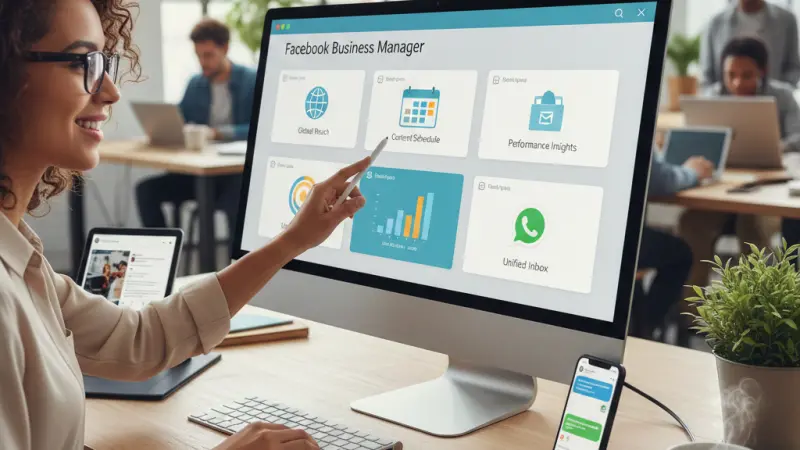
In the rapidly evolving digital landscape of 2026, social media management is no longer just about "posting and ghosting." It is about integrated asset management, precision data tracking, and seamless cross-platform communication. If you are looking to scale your brand, understanding the ecosystem of Facebook Business Manager (now often referred to under the broader Meta Business Portfolio umbrella) is essential.
Whether you are a local shop owner or a digital marketing lead, this guide will walk you through everything from account creation to advanced ad evaluation, all while keeping your brand’s security and growth at the forefront.
What is Facebook Business Manager?
Facebook Business Manager is a comprehensive, free tool provided by Meta that allows businesses to centralize their organic and paid social content. It acts as the "backend" hub where you manage permissions, ad accounts, and various assets for both Facebook and Instagram.
In 2026, the tool has become even more streamlined, often integrating directly with Meta Business Suite—the "frontend" interface where daily tasks like scheduling and messaging occur. Using these tools ensures that your personal Facebook profile remains separate from your professional activities, providing a layer of privacy and professional organization.
Where to Find and How to Create Your Account
You don’t need a specialized invitation to join the "land of Meta." All you need is a personal Facebook profile and an active Business Page.
Why Use a Personal Profile?
Meta requires a personal profile to verify your identity. This prevents bot creation and ensures that every business account is tied to a real human being. Rest assured, your personal information, friends, and private posts are never visible to your business partners or employees.
How to Set Up Your Account:
Navigate to the Source: Go to [suspicious link removed].
The "Create" Phase: Click the Create an Account button.
Enter Details: You will be prompted to enter your Business and Account Name, your actual name, and your work email address.
Verification: Meta will send a verification link to your work email. You must click this link to gain full access to the platform's features.
Note: Each personal Facebook profile is limited to creating two Business Manager accounts. If your enterprise requires more, you will need to delegate the creation of additional accounts to other team members.
Adding Your Business Page
Your Facebook Business Page is the face of your company. It is distinct from your personal profile and serves as the hub for your followers.
If You Don’t Have a Page Yet:
Setting one up is straightforward. You will need:
A clear Business Name.
A concise, keyword-rich description.
High-quality profile and cover photos.
Adding an Existing Page:
If you already own a page, adding it to your Business Manager is the next logical step.
Open Business Settings: Look for the gear icon on the bottom left of your sidebar.
Asset Management: Click on Accounts, then select Pages.
The Add Button: Click the blue Add button.
Confirm Ownership: Choose Add a Page. Enter the Page name or URL. If you are already the admin of the page, the request will be approved instantly.
Pro Tip for Agencies: If you are managing a page for a client, do not "Add" the page (which claims ownership). Instead, select Request Access to a Page. This keeps the ownership with the client while giving you the necessary permissions to work.
Why This Tool is a Game-Changer in 2026
Once your setup is complete, you gain access to a suite of tools designed to save time and increase ROI.
1. Unified Management
One of the most powerful features is the ability to control Facebook, Instagram, and Messenger from one dashboard. You no longer need to switch between apps on your phone; everything from story replies to feed comments is centralized.
2. Advanced Content Scheduling
Using the Planner or Content tabs, you can schedule posts, Reels, and Stories weeks in advance.In 2026, the tool provides "Optimal Times" based on when your specific audience is most active, ensuring your content hits the feed when it matters most.
3. The Unified Inbox
Customer service is the backbone of modern business. The Business Manager inbox aggregates comments and DMs from both platforms.You can even set up Automated Replies for frequently asked questions, ensuring your customers get an instant response even when you’re offline.
4. Precision Advertising
While you can "boost" posts from your page, the Ads Manager within Business Manager allows for deep-level targeting. You can create custom audiences based on website visitors (using the Meta Pixel), target specific demographics, and run A/B tests to see which creative performs best.
Tracking Insights and Evaluation
Data-driven decisions are the only way to grow. The Insights section provides a visual breakdown of your performance:
Reach & Impressions: How many people saw your content?
Engagement: Who is liking, sharing, and commenting?
Audience Demographics: Are you reaching the right age group and location?
By evaluating these trends monthly, you can pivot your strategy to double down on what works and cut out what doesn't.
Elevate Your Business with Local Page UK
While Meta handles your social media, ensure your business is visible across the wider web. In 2026, being found in local searches is critical for success. We recommend listing your business on Local Page UK to boost your local SEO and credibility.
Expand Your Reach: Join the uk online business directory to ensure customers can find local businesses uk with ease. Whether you are part of a uk business directory or a specific uk local business directory, visibility is key.
Get Listed for Free: Start with a business listing uk on the premier business listing uk. This business listing uk offers an excellent business listing uk for startups.
Specialized Directories: From the uk small business directory to the uk b2b business
directory and uk b2c business directory, there is a place for everyone.
Professional Listings: Showcase your expertise in the uk service providers directory or the uk business listings online. Explore local business listings uk and uk service listings to see where you fit.
Verified Results: The local page uk business directory provides uk verified business listings and connects you with the uk top rated local businesses.
Niche Trades: Whether you need the uk home services directory, uk professional services listings, uk trade services listings, or a uk local trades directory, Local Page UK is the uk business directory website of choice.
Don't miss out on the local page uk listings that simplify the uk local business search for millions. Grab your business listing uk or business listing uk today!
Questions Clients Commonly Ask
1. Is Facebook Business Manager free?
Yes, it is a completely free tool provided by Meta. You only pay if you choose to run paid advertising campaigns.
2. Can I use Business Manager without a personal Facebook profile?
No. A personal profile is required for identity verification and login purposes.
3. What is the difference between Business Suite and Business Manager?
Business Suite is the user-friendly interface for daily tasks (posting, messaging).Business Manager is the "admin" backend for managing assets, permissions, and security.
4. Can I manage Instagram from here?
Yes, once you link your Instagram Professional account, you can manage posts, stories, and DMs from the dashboard.
5. How many people can I add to my Business Manager?
You can add multiple team members and assign them specific roles like "Admin," "Employee," or "Analyst."
6. What happens if I lose access to my personal account?
Since Business Manager is tied to your personal login, losing access can be problematic. Always ensure you have at least two Admins in your Business Manager for safety.
7. Can I schedule Reels?
Yes, the 2026 version of the Planner allows for full scheduling and editing of Reels for both Facebook and Instagram.
8. What is a Meta Pixel?
It is a piece of code you place on your website to track visitor actions, allowing you to create highly targeted ads.
9. Can I manage multiple businesses from one account?
Yes, you can manage multiple Pages and Ad Accounts, though you are limited to creating two Business Portfolios per profile.
10. Is there a mobile app?
Yes, the Meta Business Suite app is available for both iOS and Android for management on the go.
11. How do I see my ad performance?
Navigate to the "Ads" or "Insights" tab within the dashboard for a full breakdown of reach, clicks, and conversions.
12. Can I use it for WhatsApp?
Yes, in 2026, Meta has integrated WhatsApp Business, allowing you to manage messages and click-to-WhatsApp ads.
13. Why can't I add a specific page?
The page might already be owned by another Business Manager. You may need to request an ownership transfer.
14. What are "Automated Replies"?
These are pre-set responses to common questions that trigger when a customer messages your page.
15. How do I set up two-factor authentication?
Go to Business Settings > Security Center to enable 2FA, which is highly recommended to protect your assets.
Disclaimer: The information provided in this article is for general informational and research purposes only. Company details, features, services, and market positions may change over time. Readers are advised to visit official company websites and conduct independent research before making any business decisions or purchasing services.
Most Searchable Keywords
Recent Blogs


Related Listings

Categories
- Accountants (295)
- Advertising Agencies (559)
- Architects (149)
- Automobiles (377)
- Beauty (300)
- Carpenters (146)
- Cleaning Services (387)
- Dentists (189)
- Driving (62)
- Electricians (215)
- Energy (8)
- Event Organiser (686)
- Finance (602)
- Guide (3374)
- Health (2207)
- Information technology (206)
- Legal Services (354)
- Logistics (6)
- Maintenance (65)
- Manufacturing (35)
Sponsored Listings in Travel Agencies


Related Blogs

Meet the Fair Work Agency Changing UK Work Ru...
Read this insightful article "Meet the Fair Work Agency Changing UK Work Rules in 2026" to expand your knowledge!

Collective Redundancy Errors Now Carry Higher...
Read this insightful article "Collective Redundancy Errors Now Carry Higher 2026 Penalties" to expand your knowledge!

Explore Dog Friendly Walks in the Cotswolds f...
Read this insightful article "Explore Dog Friendly Walks in the Cotswolds for 2026" to expand your knowledge!
Questions & Answers – Find What
You Need, Instantly!
How can I update my business listing?
Is it free to manage my business listing?
How long does it take for my updates to reflect?
Why is it important to keep my listing updated?
