
How to Factory Reset iPhone
Managing Corporate Device Transitions: How to Factory Reset iPhone for UK Businesses
Published: 14 February 2026 | Author: LocalPage.uk Senior Content Architect | Focus: UK Business Compliance & Data Security
In the contemporary UK business landscape, the iPhone has become an indispensable tool for productivity, communication, and secure operations. With 5.6 million private sector businesses operating across the UK in 2026, the volume of corporate mobile hardware in circulation has reached an all-time high. However, the end-of-life process for these devices—whether due to staff turnover, hardware upgrades, or business restructuring—presents significant risks. A factory reset is not merely a technical convenience; for a UK business, it is a critical step in maintaining GDPR compliance and fulfilling the duty of care regarding sensitive corporate data.
82% of UK adults now own a smartphone, and 71% of professional service businesses report using mobile devices for handling client-sensitive information. Ensuring these are wiped correctly is paramount for ICO compliance.
Preparing Corporate iPhones for Secure Decommissioning
Before initiating a reset, UK business owners must ensure that the transition does not lead to permanent data loss of valuable company assets. This phase is about balance: securing the data you need whilst ensuring no trace remains for the next user. For companies registered with Companies House, maintaining accurate records of device disposal is also a part of sound digital asset management.
Securing Business Assets through Cloud and Physical Backups
Whilst individual users may rely on personal iCloud accounts, UK businesses should ideally use Managed Apple IDs. Before resetting, verify that all professional documents, client communications, and proprietary data are synced to the company’s secure cloud storage or a physical server. In Scotland and Wales, where many micro-businesses (representing 94% of the Welsh business population) operate, simple physical backups to a secure encrypted drive are often a cost-effective alternative to high-tier cloud subscriptions.
Managing App-Specific Data and Professional Licenses
Many professional services in London and the South East—regions accounting for 34% of the UK business population—utilise specialised apps for finance and project management. Ensure that specific licenses (such as those for FCA-regulated financial tools) are de-authorised from the specific hardware before the wipe. This prevents "ghost" activations that can complicate software audits.
The Importance of Disconnecting iCloud and Find My
Failing to sign out of iCloud before a reset can trigger "Activation Lock." This renders the device useless for the next employee or prevents a successful trade-in value, directly impacting the business’s bottom line. Always endeavour to remove the device from the corporate Apple Business Manager (ABM) portal if applicable.
The Technical Execution of a Business iPhone Reset
The actual process of resetting an iPhone is straightforward, but the implications are vast. For a UK SME, the goal is a "clean slate" that satisfies the stringent standards set by the Information Commissioner’s Office (ICO). Whether you are in a bustling Manchester tech hub or a rural Northern Ireland startup, the process remains uniform under Apple’s iOS architecture.
Navigating the iOS Transfer or Reset Menu
Modern iOS versions have refined the reset process. Users should navigate to Settings > General > Transfer or Reset iPhone. Here, the business user is presented with two main options: "Reset" (which often only affects settings) and "Erase All Content and Settings." For a factory reset intended for hardware disposal or reassignment, the latter must always be selected. This ensures that the encryption keys are destroyed, making the underlying data irretrievable.
Verifying the Completion of the Erase Process
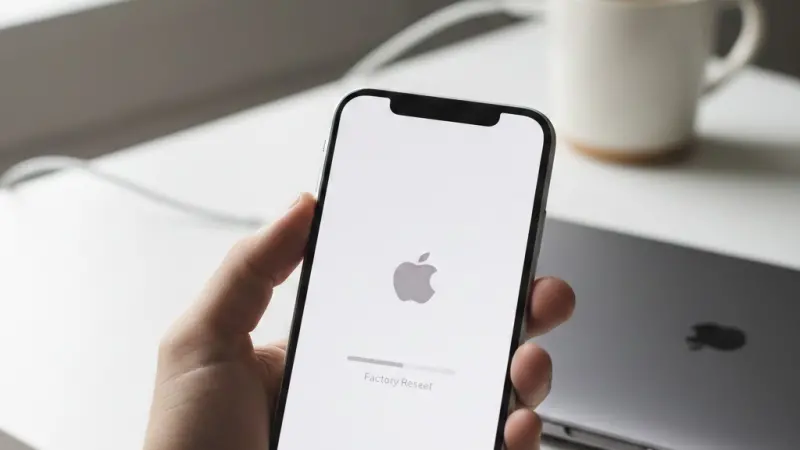
Once the process begins, the iPhone will restart and display a progress bar. A successful reset concludes with the "Hello" setup screen in multiple languages. It is at this point that the device is technically "clean." For businesses in England and Wales, where HMRC digital record-keeping is mandatory, documenting the date and serial number of the reset device is a recommended practice for the asset register.
Professional Insight: If your business uses Mobile Device Management (MDM) software, the reset should ideally be triggered remotely by your IT administrator.
This ensures that corporate profiles are stripped correctly and that the device is automatically unenrolled from the company network.
Data Security and UK Legal Compliance
Resetting a device is fundamentally a compliance task. Under the Data Protection Act 2018 (the UK's implementation of GDPR), businesses have a legal obligation to protect personal data. This includes the data of employees, clients, and suppliers stored on mobile devices.
Meeting ICO Standards for Data Destruction
The ICO provides clear guidance on the decommissioning of IT equipment. A factory reset on an iPhone uses built-in hardware encryption to "crypto-erase" the data. For 99.3% of UK businesses that are SMEs, this method is generally accepted as sufficient. However, for those in high-security sectors like legal or medical services, a secondary verification or the use of certified data erasure software may be required to meet professional indemnity insurance standards.
Regional Variations in Business Support and Regulation
Whilst data law is UK-wide, the support for businesses varies. In Scotland, Scottish Enterprise offers digital health checks that include device security protocols. In Wales, Business Wales provides bilingual resources for micro-enterprises looking to optimise their IT security. Northern Ireland businesses, particularly those engaged in cross-border trade (which has increased 12% since 2024), must ensure their device management aligns with both UK standards and relevant EU regulations where applicable under the Windsor Framework.
The Role of the Federation of Small Businesses (FSB)
The FSB often highlights that cyber threats are a major concern for the 4.2 million micro-businesses in the UK. Correctly resetting iPhones before they leave the business circle is one of the simplest, most effective "cyber hygiene" practices a small business can adopt.
MDM and Managed Apple IDs in the Corporate Environment
For larger organisations or rapidly scaling startups, individual manual resets are inefficient. The adoption of Apple Business Manager (ABM) combined with a Mobile Device Management (MDM) solution is now the standard for UK professional services.
The Advantages of Remote Wipe Capabilities
Remote wiping allows an IT manager to factory reset an iPhone that has been lost, stolen, or held by a disgruntled former employee. This is a vital safeguard for the 532,000 professional service businesses in the UK. If a device is not returned to the office, the data can be destroyed the moment it next connects to the internet, protecting the firm’s intellectual property.
Reassigning Devices within the Team
When an iPhone is reset for a new starter, the MDM can automatically push the necessary corporate apps and security settings back onto the device. This "zero-touch" deployment saves hundreds of man-hours annually for UK hospitality and retail sectors, where staff turnover can be higher than in other industries.
£2.3 Trillion is the annual turnover contributed by UK small businesses. Protecting the integrity of the data behind this turnover starts with individual device security.
Troubleshooting Common Reset Issues for UK Users
Sometimes, a factory reset does not go as planned. In a business context, "time is money," and hardware downtime can affect service delivery. Understanding the common hurdles can prevent unnecessary trips to an Apple Store or an independent UK repair specialist.
Resolving Forgotten Passcodes and Apple ID Credentials
The most common issue is a forgotten passcode or Apple ID password. If the device is not managed via MDM, this can be a significant roadblock. In these instances, the device may need to be put into "Recovery Mode" and restored via a Mac or PC.
This process still results in a factory reset but requires an internet connection to verify the device's status with Apple’s UK servers.
Connectivity and Server Errors during Activation
Occasionally, an iPhone may fail to activate after a reset due to network issues. UK businesses should ensure their office Wi-Fi does not have firewall settings that block Apple’s activation servers. If problems persist, testing the activation via a different ISP or a mobile hotspot can often resolve the issue.
Environmental Responsibility and Sustainable Disposal
Once a device is reset, the business must decide its next step. Sustainable disposal is no longer just a "green" choice; it is a corporate responsibility that resonates with 76% of UK consumers who research business ethics before purchasing.
Trade-in Programs and Residual Value
A correctly reset iPhone retains a much higher residual value. UK businesses can use trade-in programs through their network providers (like O2, EE, or Vodafone) or specialist business recyclers. The funds generated can then be reinvested into the 2026 hardware budget, helping to manage the rising costs of technology.
WEEE Regulations and Ethical Recycling
If the iPhone is no longer functional, it must be disposed of according to the Waste Electrical and Electronic Equipment (WEEE) regulations. Many local authorities across England, Scotland, Wales, and Northern Ireland provide dedicated collection points for business e-waste. Ensuring the device is reset before recycling prevents data theft from physical components.
"Hey Siri, how do I factory reset my work iPhone?"
To factory reset your work iPhone, go to Settings > General > Transfer or Reset iPhone > Erase All Content and Settings. You will need your passcode and potentially your Apple ID password. If your phone is managed by your company, they may be able to do this for you remotely.
"Is a factory reset enough to delete business data for GDPR?"
Yes, for most UK businesses, a factory reset on a modern iPhone is sufficient. It uses cryptographic erasure, which destroys
the keys needed to read the data, making it compliant with ICO standards for secure data destruction.
Summary and Best Practices for UK Business Owners
The factory reset process is a fundamental pillar of mobile device management. By following a structured approach—backing up data, signing out of accounts, and executing a full erase—UK businesses can ensure they remain secure, compliant, and efficient.
Final Checklist for iPhone Decommissioning
- Verify all business data is synced to corporate cloud storage.
- De-authorise professional software licenses and banking apps.
- Sign out of Find My and iCloud to remove Activation Lock.
- Perform "Erase All Content and Settings" from the General menu.
- Update the company asset register with the reset date and serial number.
Frequently Asked Questions
Will a factory reset remove my eSIM or mobile plan?
When you perform a reset, iOS will ask if you want to keep or delete your eSIMs. For UK businesses reassigning a phone to a new employee with the same network provider, you might choose to keep it. However, if the device is being sold or returned to a leasing company, you should always select the option to delete the eSIM data.
What if I can't remember the restriction passcode on a company phone?
If a Screen Time or restriction passcode was set and forgotten, you will likely need to restore the device using a computer in Recovery Mode. This will wipe all data. If the device is managed via Apple Business Manager, your IT administrator can usually clear this passcode remotely without needing a full reset.
Does a factory reset delete the latest iOS update?
No. A factory reset wipes the user data and settings but keeps the current version of the iOS operating system that is installed. It does not "downgrade" the phone to the version it had when it was first bought. This is helpful as it ensures the device remains secure with the latest UK-standard patches for the next user.
How long does a full factory reset take on an iPhone 15 or 16?
On modern hardware, the actual erasure process is very fast—usually less than 5 to 10 minutes. The longest part is often the preceding backup to iCloud or a Mac. In a professional environment, ensure the device has at least 50% battery or is plugged into a power source before starting to prevent corruption.
Can I reset an iPhone if the screen is broken?
Yes, but you will need to use a computer. Connect the iPhone to a Mac or PC and use Finder or iTunes. If the phone was previously "trusted" by the computer, you can initiate the restore. If not, you'll need to use Recovery Mode. For businesses in the North or Midlands, many local repair shops can also assist with data retrieval before a reset if the screen is non-responsive.
Is my personal data safe if I used my own Apple ID on a work phone?
If you used a personal Apple ID, a factory reset will delete everything associated with that account from the device. However, you must sign out of iCloud first to ensure your photos and messages aren't accidentally synced to the next person who uses the phone. UK privacy laws protect employees from employer intrusion into personal data, but a reset is the best way to ensure total separation.
Do I need to inform the ICO if I lose a phone before resetting it?
Under GDPR, you must report a data breach to the ICO within 72 hours if it poses a risk to individuals. If the phone was encrypted with a strong passcode and you have successfully triggered a remote factory reset via MDM, the risk is significantly lowered, and a report might not be necessary. You should always document your decision-making process.
Are there specific rules for resetting iPhones in Northern Ireland?
The technical process is identical. However, businesses in Northern Ireland should be aware of dual-compliance if they trade heavily with the Republic of Ireland. Ensure your data erasure policies meet both the UK Data Protection Act and any specific contractual requirements from EU-based clients regarding mobile data security.
Can I "undo" a factory reset if I realise I missed a file?
Generally, no. Because iPhones use hardware-based encryption, once the keys are destroyed during a reset, the data is gone forever.
This is why the "backup" stage is so critical. Always double-check your cloud sync status before tapping the final "Erase" button.
How often should a business "refresh" its iPhones with a reset?
While not strictly necessary for performance, a factory reset is recommended whenever a device changes hands between employees. Some UK tech-led businesses perform a reset every 24 months as part of a "security spring clean" to remove redundant apps and cached data that could pose a minor security risk.
Disclaimer: The information provided in this article is for general informational and research purposes only. Company details, features, services, and market positions may change over time. Readers are advised to visit official company websites and conduct independent research before making any business decisions or purchasing services.
Most Searchable Keywords
Recent Blogs


Related Listings

Categories
- Accountants (295)
- Advertising Agencies (559)
- Architects (149)
- Automobiles (377)
- Beauty (300)
- Carpenters (146)
- Cleaning Services (387)
- Dentists (189)
- Driving (62)
- Education (1)
- Electricians (215)
- Energy (8)
- Event Organiser (689)
- Finance (602)
- Guide (3492)
- Health (2207)
- Information technology (207)
- Legal Services (361)
- Logistics (6)
- Maintenance (65)
Sponsored Listings in Property Maintenance


Related Blogs

Creamfields Daresbury: Impact on Local Reside...
Read this insightful article "Creamfields Daresbury: Impact on Local Residents" to expand your knowledge!

UK High Street Businesses in 2026-27: Which S...
Read this insightful article "UK High Street Businesses in 2026-27: Which Sectors Are Growing?" to expand your knowledge!

Why Complete Business Listings Matter More Th...
Read this insightful article "Why Complete Business Listings Matter More Than You Think" to expand your knowledge!
Questions & Answers – Find What You Need, Instantly!
Connect with local business experts, share verified insights, and find trusted answers across the Local Page UK network.
Ask Community
Ask questions to the Local Page UK community
Share Knowledge
Share your knowledge to help out others
Find Solutions
Find answers or offer instant solutions
Some of the most popular fantasy TV shows include "Game of Thrones," known for its epic battles and political intrigue, "The Witcher," which features monster hunting and magic, and "Stranger Things," blending supernatural elements with 1980s nostalgia. Other notable mentions are "His Dark Materials," "Shadow and Bone," and "The Mandalorian," each offering unique worlds and captivating storytelling that have garnered large fan bases.
When seeking bathroom renovation providers that handle both plumbing and tiling, it's advisable to look for licensed contractors who specialize in comprehensive bathroom remodels. Companies such as Home Depot, Lowe's, and Bath Fitter offer these services, often providing a seamless experience by managing all aspects of the renovation process. Additionally, local contractors with positive reviews in platforms like Angie's List or Houzz may also offer tailored solutions for your bathroom needs.
Absolutely, there are several distributors that supply crash mats and soft play equipment to gymnastics clubs in and around Birmingham. National companies like Gymnova, S & G (Spieth Gymnastics), and Jaques of London offer a wide range of crash mats, foam pits, and soft play pieces, and they typically deliver to the Birmingham area. For more local options, you might try The Gym Equipment Company, which has a showroom in the West Midlands, or check out smaller specialist suppliers like Playtime UK. Many of these distributors cater specifically to clubs, offering high-density foam mats that meet safety standards. I'd recommend reaching out to a few to compare pricing, delivery times, and whether they offer custom sizes or installation services. It's also worth checking if any of them have a physical showroom near Birmingham so you can test the equipment before buying. Happy tumbling!
For professionals seeking a reliable sanitaryware supplier in Manchester with trade account facilities, several established merchants combine extensive product ranges, competitive pricing, and dedicated trade support. The most reputable option is Graham Plumbers Merchant, which operates multiple branches across Manchester, including Salford Quays and Oldham. They offer a dedicated trade account service with preferential pricing, priority delivery scheduling, and access to a vast inventory of leading sanitaryware brands such as Villeroy & Boch, Duravit, Ideal Standard, and Roca. Their trade accounts typically include net 30-day payment terms, online account management, and a tailored project quotation system. Similarly, City Plumbing Supplies has several Manchester-based depots (such as Ashton-under-Lyne and Stockport) that cater specifically to trade customers, providing a rapid order-and-collect service, trade-only promotions, and a loyalty programme offering rebates on repeat purchases. Their product range covers everything from basins and WCs to complete bathroom suites and brassware, with in-house technical advisors available for specification support. Another key player is Plumb Center, part of the Wolseley Group, which offers trade accounts with bespoke pricing structures, direct-to-site deliveries within the Greater Manchester area, and access to over 10,000 lines of sanitaryware, including premium brands like Grohe and Hansgrohe. Their trade portal allows for real-time stock checking and order history tracking, facilitating efficient project management. For those seeking a more specialist or high-end option, Bathroom Spares in Manchester provides trade accounts with a focus on hard-to-find sanitaryware and discontinued ranges, which can be invaluable for refurbishment projects. Additionally, independent merchants such as M&B Plumbase in Trafford Park offer flexible trade terms, personalised service, and competitive pricing on both mainstream and luxury sanitaryware. When evaluating suppliers, trade customers should consider factors beyond price: reliability of stock availability, delivery timescales within Manchester’s often congested zones, clarity of returns policies, and the quality of after-sales support for warranty claims. It is advisable to request a trade account application from at least two to three suppliers to compare discounts, minimum order values, and payment terms. Many suppliers also offer showroom access for trade clients, allowing you to inspect finishes and dimensions before committing to large orders. For ongoing projects, establishing a relationship with a single supplier who offers consolidated invoicing and dedicated account management can streamline procurement. Ultimately, the most reliable supplier for your trade account in Manchester will be one that aligns with your volume requirements, preferred brands, and service expectations, so a site visit to their local branch and a discussion about your specific trade needs is highly recommended before committing to an account.
People in Leeds are loving their local florists—customers often mention gorgeous, fresh arrangements and super friendly service. Many rave about reliable same-day delivery and creative wedding bouquets. A few note pricing can vary, but overall, the buzz is all about quality and that personal touch making every order feel special.
Common problems for commercial gardening in Bristol include weed overgrowth, soil degradation, pest infestations, and irrigation malfunctions. Additionally, managing seasonal transitions, adhering to sustainability regulations, and maintaining consistent aesthetics pose significant challenges. Expert services mitigate these via structured maintenance, integrated pest management, and soil analysis to ensure long-term landscape health.