
How to Get Verified on Social Media: LinkedIn, Meta, & X
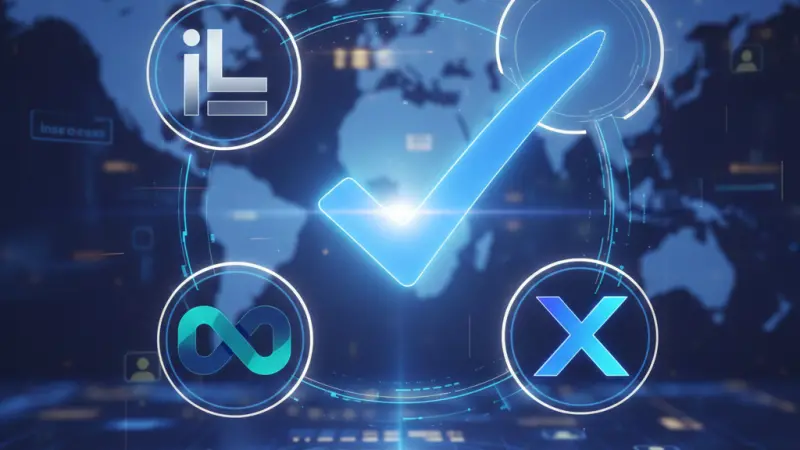
In the digital age, credibility is the currency of the realm. Whether you are a budding entrepreneur, a seasoned marketer, or a public figure, the "Blue Tick" is the ultimate badge of honor. Social media verification is no longer just about ego; it is a critical component of a robust social media marketing strategy. It signals to your audience, competitors, and the platforms themselves that you are the real deal.

In this comprehensive guide, we will dive deep into the nuances of verification across LinkedIn, Facebook, Instagram, and X (formerly Twitter), providing you with a roadmap to establish unshakeable digital trust.
What is a Verified Social Media Account?
At its core, a verified account is one that has been officially authenticated by the host platform.This means the platform has reviewed the user’s identity—whether an individual or an entity—and confirmed that the account belongs to the person or brand it claims to represent.
Why the "Blue Tick" Matters
The visual indicator (usually a blue or gold checkmark) serves several vital purposes:
Trust & Legitimacy: It provides visitors with the confidence that they are interacting with an official source, reducing the risk of falling for scams or parody accounts.
Searchability: Verified accounts often rank higher in search results within the platform, making your brand easier to find.
Brand Protection: It acts as a safeguard against impersonation, which can be devastating for a business’s reputation.
Feature Access: Some platforms gate certain high-level features (like advanced analytics or monetization tools) behind the verification wall.
Universal Prerequisites for Verification
While every platform has its own set of rules, four "Golden Pillars" apply across the board. Before applying anywhere, ensure your digital house is in order:
Authenticity: You must represent a real person, a registered business, or a legally recognized organization. Fake names or "meme" accounts rarely pass the test.
Completeness: Your profile should be 100% complete. This includes a clear profile picture, a professional cover photo, a detailed bio, and up-to-date contact information.
Active Presence: Most platforms require you to have posted within the last 3 to 6 months. Ghost accounts are rarely verified.
Compliance: You must have a "clean" record. Any history of violating community guidelines or terms of service can lead to an instant rejection.
How to Get Verified on LinkedIn: The Professional Standard
LinkedIn has revamped its verification process to focus heavily on secure identity verification. Unlike other platforms that focus on "notability" or fame, LinkedIn focuses on identity.
Step-by-Step LinkedIn Verification (UK Focus)
For users in the UK, LinkedIn partners with Persona, an identity verification service.
Access the Feature: Open the LinkedIn app on your mobile device (web verification is currently unavailable).
Navigate: Go to your profile, tap the "More" button (three dots), and select "About this profile."
Start Verification: Tap "Verify now."
The Identity Check: You will be redirected to Persona.You will need a government-issued ID, such as an NFC-enabled e-Passport or a residence permit.
Scanning: You will be asked to take a photo of your ID and then hold your phone against the passport to scan the NFC chip.
Biometric Check: Finally, you’ll take a real-time selfie to ensure the person holding the phone matches the ID.
Key LinkedIn Insights
Data Privacy: While Persona collects the data, LinkedIn only displays that you are "Verified." Your private ID details are not public.
Personal Only: Currently, LinkedIn does not offer verification badges for Business Pages, only for individual professional profiles.
Name Match: Your LinkedIn profile name must be an exact match to your legal ID.
How to Get Verified on Facebook: Authenticity for Brands
Facebook verification is a multi-tiered system. You can either earn it through notability or buy it through Meta Verified.
The Organic (Notability) Route
If you are a public figure or a large brand, you can apply for a badge for free. Facebook looks for four specific criteria:
Authentic: Representing a real entity.
Unique: Only one account per person or business (with exceptions for language-specific pages).
Complete: Must have an 'About' section and at least one post.
Noteworthy: This is the hard part. Your account must represent a highly searched-for entity. Facebook reviews news articles and press mentions to confirm this.
The Meta Verified Route
For individuals and creators who aren't "famous" yet, Meta Verified is a subscription service. It provides a badge, proactive account protection, and direct support access for a monthly fee. Note: This is currently limited to individual profiles and is not yet universal for all business pages.
How to Get Verified on Instagram: Visual Credibility
Instagram remains the most "status-heavy" platform for the blue tick. Like Facebook, it offers both the Notability route and the Meta Verified subscription.
How to Request Verification
Login: Ensure you are on the specific account you want to verify.
Settings: Go to your profile -> Settings -> Account Type and Tools -> Request Verification.
Proof of Identity: Enter your full name and upload a photo of a government-issued ID (Driver's License, Passport, or National ID).
Category Selection: You must choose a category (e.g., News/Media, Sports, Government, Influencer) and provide links to articles that prove your significance.
Tip: Having a verified Facebook page does not automatically verify your Instagram. You must apply for each separately.
How to Get Verified on X (Formerly Twitter)
Under the leadership of Elon Musk, X has completely democratized (and monetized) verification. The "Legacy" blue checks are gone, replaced by a subscription-led model.
Types of Checkmarks on X
Blue Checkmark: Indicates a subscriber to X Premium. It offers features like post editing and longer videos.
Gold Checkmark: Reserved for "Verified Organizations." This is a higher-tier subscription for businesses that want to link their employees' accounts to the main brand.
Grey Checkmark: Reserved for government officials or multilateral organizations.
The X Premium Process
To get your blue tick on X, click on the "Premium" tab in your sidebar. You must provide a phone number, and your account must have been active for at least 30 days.
X will review your profile to ensure it is not deceptive before granting the badge.
Strategies to Increase Your Chances of Verification
If you are going for the "Notability" route (free verification), you need to build a digital footprint outside of social media.
Press Releases: Get featured in reputable news outlets. A mention in a local paper or a niche industry blog counts.
Wikipedia: Having a Wikipedia page is often seen as the "gold standard" of notability by Meta’s algorithms.
UGC (User-Generated Content): Encourage your followers to tag you. High engagement and "viral" mentions signal to platforms that you are a person of interest.
Cross-Platform Consistency: Use the same handle and profile picture across all networks to build a cohesive brand identity.
Boosting Your Online Visibility in the UK
Building a verified presence takes time, but you can start establishing your business’s authority today by listing your services in reputable local directories. For UK-based entrepreneurs, getting your business seen is about being where the customers are.
If you want to grow your digital footprint, consider using the local page uk business directory. Whether you are looking for a uk online business directory to list your new startup or a reliable uk business directory to find partners, visibility is key.
Small business owners can take advantage of the uk local business directory to find local businesses uk and join a comprehensive local businesses list uk. From a uk small business directory to more specialized uk b2b business directory or uk b2c business directory needs, having a presence in a business directory uk online is essential. It serves as a uk service providers directory that ensures your uk business listings online are accurate, and your uk business directory website presence is strong.
Ready to start? You can get a business listing uk today. Using a business listing uk is the fastest way to get a business listing uk. This business listing uk allows for a business listing uk that puts you on the map. Don't miss out on a business listing uk; even a business listing uk can drive significant traffic. Check out the business listing uk options or secure a business listing uk to reach the capital. This is the best business listing uk available.
For those focusing on quality, local business listings uk and uk service listings provide a gateway to uk verified business listings. Find uk top rated local businesses, or browse the uk home services directory for help. Whether you need uk professional services listings, uk trade services listings, or a uk local trades directory, the local page uk listings hub is your ultimate uk local business search tool.
What Professionals Often Want to Know
Do I have to pay for a blue tick?
On X, yes. On Meta (Facebook/Instagram), you can pay for a subscription or apply for a free badge if you are notable.
How long does verification take?
Usually between 48 hours to 2 weeks, depending on the platform.
Can I change my name after being verified?
Generally, no. Changing your username or display name will often result in the loss of your badge.
Does verification mean I can’t be banned?
No. Verified accounts must still follow all community guidelines or risk suspension.
What ID is best for LinkedIn verification?
A valid, NFC-enabled passport is the most successful method for LinkedIn.
Can I verify my business on LinkedIn?
No, LinkedIn currently only verifies individual professional profiles.
What happens if my request is denied?
Most platforms allow you to re-apply after 30 days. Use that time to improve your presence.
Is Meta Verified available for business pages?
It is currently rolling out in phases; some regions have it for businesses, others only for individuals.
Does verification help with the algorithm?
Yes, verified accounts often receive a slight boost in search and comment visibility.
Do I need a certain number of followers to get verified?
There is no official minimum, but "notability" usually implies a significant following or press presence.
Can I buy a verification badge from a third party?
Never. This is a common scam. Verification can only be granted by the platforms themselves.
What is a Gold Checkmark?
It is X's way of identifying an official organization.
Is my data safe with Persona on LinkedIn?
Persona is a leading identity verification firm used by many global brands; they use high-level encryption.
Why did I lose my verification?
Common reasons include changing your handle, violating terms, or letting your subscription lapse.
Does being verified protect me from hackers?
It provides "proactive monitoring" on some platforms, but you should still use Two-Factor Authentication (2FA).

Disclaimer: The information provided in this article is for general informational and research purposes only. Company details, features, services, and market positions may change over time. Readers are advised to visit official company websites and conduct independent research before making any business decisions or purchasing services.
Most Searchable Keywords
Recent Blogs

Related Listings
Categories
- Accountants (295)
- Advertising Agencies (559)
- Architects (149)
- Automobiles (376)
- Beauty (300)
- Carpenters (146)
- Cleaning Services (386)
- Dentists (189)
- Driving (61)
- Electricians (215)
- Energy (8)
- Event Organiser (684)
- Finance (598)
- Guide (3363)
- Health (2205)
- Information technology (206)
- Legal Services (352)
- Logistics (6)
- Maintenance (65)
- Manufacturing (35)
Sponsored Listings in Health and Wellbeing


Related Blogs

Bristol Firework Displays Every Local Should...
Read this insightful article "Bristol Firework Displays Every Local Should Experience" to expand your knowledge!

Self Assessment Registration 2026 Common Erro...
Read this insightful article "Self Assessment Registration 2026 Common Errors and Rules" to expand your knowledge!
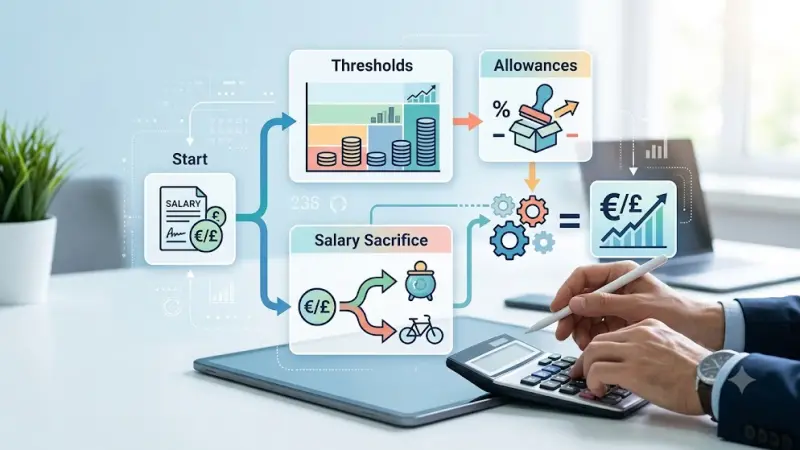
Calculate Your 2026 Employer National Insuran...
Read this insightful article "Calculate Your 2026 Employer National Insurance Bill Easily" to expand your knowledge!
Questions & Answers – Find What
You Need, Instantly!
How can I update my business listing?
Is it free to manage my business listing?
How long does it take for my updates to reflect?
Why is it important to keep my listing updated?
