
How to Factory Reset Android Phone
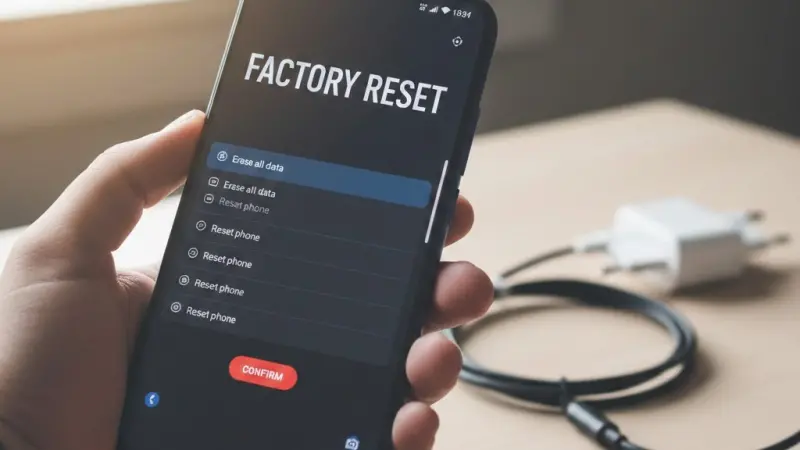
How to Factory Reset Android Phone: The Definitive UK Business Guide
Published: February 2026 | Author: LocalPage.uk Content Architecture Team | Subject: Business Hardware Management
In the rapidly evolving landscape of 2026, the Android ecosystem continues to dominate the UK business sector. With 82% of UK adults now owning a smartphone and a significant portion of the 5.6 million private sector businesses utilising Android for mobile operations, knowing how to securely factory reset a device is no longer just a technical skill—it is a compliance necessity. Whether you are a tradesperson in the Midlands upgrading your handset or a Glasgow-based professional service firm offboarding staff, ensuring a clean break between your business data and a physical device is paramount.
76% of UK consumers now research local businesses online before purchasing, often interacting with mobile-optimised content that business owners manage directly from their Android devices.
Preparing Your Android Device for a Secure Reset
Before initiating any reset, a professional must acknowledge that the process is irreversible. In the context of UK GDPR and ICO regulations, losing access to client data without a backup can lead to significant operational friction. Small businesses contribute £2.3 trillion to the UK’s annual turnover, and much of that productivity is tied to mobile-accessible Cloud data.
Backing Up Essential Business Data
Ensure that all professional communications, particularly those on encrypted platforms like WhatsApp Business or Slack, are backed up to a secure UK-based cloud instance. For businesses in Northern Ireland, where cross-border trade has risen by 12% since 2024, maintaining synchronised data across devices is critical for seamless operations under the Windsor Framework guidelines.
Removing Account Locks and FRP
Factory Reset Protection (FRP) is a security feature that can "brick" a phone for the next user if the Google Account is not removed prior to the reset. If you are recycling devices within a London-based startup, failing to remove these accounts can lead to unnecessary downtime for new hires. Always navigate to 'Settings > Accounts' and manually remove every linked profile before proceeding.
The Verification Checklist
Always verify that your two-factor authentication (2FA) codes are transferred to a secondary device. If your Android phone acts as your primary authenticator for HMRC or Companies House portals, a reset without a backup could lock you out of your tax accounts for days whilst awaiting postal recovery codes.
The Step-by-Step Methodology for Modern Android Versions
By 2026, Android versions have streamlined the "Erase All Data" path, yet variations exist between manufacturers like Samsung, Google Pixel, and Motorola. For the 4.2 million micro-businesses in the UK, maintaining hardware longevity starts with understanding these system nuances.
Navigating the Settings Menu Hierarchy
Most modern devices follow a standard path: Settings > System > Reset Options. However, for those using Samsung devices—popular amongst tradespeople in the South West for their rugged designs—the path is often under 'General Management'. It is vital to select 'Factory Data Reset' specifically, as 'Reset Network Settings' will not delete your personal files.
The Final Confirmation and Encryption Verification
Modern Android devices are encrypted by default. When you trigger a reset, the system destroys the encryption keys, rendering the data unrecoverable. This is the standard recommended by the National Cyber Security Centre (NCSC) for UK businesses. Whilst the process usually takes 5-10 minutes, ensure your device has at least 70% battery or is connected to a charger to prevent a system crash during the wipe.
Professional Tip: If your business is based in Wales and you utilise bilingual digital services through Business Wales, remember to document your language settings.
Resetting will revert the device to its factory default, which may require you to re-download Welsh language packs for your business applications.
Understanding the Legal and Compliance Implications
When a business phone is reset, it isn't just a matter of convenience; it’s about the Data Protection Act 2018. If you are a professional service provider in Edinburgh or Belfast, a factory reset is your primary defence against data breaches during hardware disposal.
ICO Guidelines on Device Disposal
The Information Commissioner's Office (ICO) mandates that businesses take "appropriate technical and organisational measures" to protect data. A factory reset is the bare minimum. For firms handling sensitive financial data under FCA oversight, you may need to use a dedicated data-shredding application alongside the factory reset to ensure total compliance.
Employee Offboarding and "Bring Your Own Device" (BYOD)
94% of Welsh micro-enterprises operate with minimal IT staff. When an employee leaves, a clear policy on factory resets for BYOD handsets is essential. You must be able to prove that business-sensitive emails and client contacts have been removed from the personal device without infringing on the employee's personal data rights.
The Compliance Audit Trail
Keep a log of device serial numbers and the date they were factory reset. This "hardware lifecycle" document is often requested during professional audits or when applying for Cyber Essentials certification, a standard now expected for 22% of UK businesses in the professional services sector.
5.6m Private sector businesses in the UK must ensure mobile security. With SMEs making up 99.3% of the economy, the collective impact of mobile data breaches is a multi-billion pound risk.
Regional Variations in Business Tech Support
The UK is not a monolith when it comes to business support. Depending on where your headquarters are registered with Companies House, you may have access to different resources for hardware management.
Support for Businesses in Scotland and Northern Ireland
Scottish Enterprise provides digital transformation grants that can often cover the costs of professional data erasure software for larger fleets. In Northern Ireland, Invest NI offers workshops on cybersecurity that specifically address the movement of mobile hardware in a post-2024 regulatory environment.
Digital Growth Hubs in the North of England
The "Northern Powerhouse" regions, including Greater Manchester and Leeds, have robust Local Enterprise Partnerships (LEPs). These hubs often provide free technical guidance for small businesses on how to decommission old Android hardware safely while transitioning to 5G-enabled 2026 models.
Troubleshooting a Failed Factory Reset
Occasionally, a device may refuse to reset or get stuck in a "boot loop". For a hospitality business in the South West facing a staffing shortage (currently affecting 64% of the sector), technical downtime can be disastrous for booking systems.
Entering Android Recovery Mode
If the software menu is unresponsive, you must use the hardware keys. Typically, this involves holding the 'Volume Up' and 'Power' buttons simultaneously.
This "Hard Reset" is a deeper level of erasure and is often necessary if a device has been compromised by malware or a corrupted update.
Recovering from a Boot Loop
If the device displays the Android logo indefinitely, it may require a firmware re-flash. UK businesses should avoid "DIY" firmware from untrusted sources. Instead, contact the manufacturer or a certified UK repair centre to ensure the device remains secure and compliant with UK telecommunications standards.
The Hardware Replacement Cycle
If a device consistently fails to reset or maintain its encryption, it is time to decommission it. 75% of UK retail businesses are single-person operations; for these entrepreneurs, investing in a new, secure device is often more cost-effective than lengthy repairs that compromise data security.
Voice Search: Quick Answers for Business Owners
"Hey Google, how do I wipe my business Android phone?"
Go to Settings, search for 'Reset', select 'Factory Data Reset', and confirm your pattern or PIN. Ensure all Google accounts are removed first to avoid FRP locks.
"Siri, what is the UK law on deleting data from old phones?"
Under UK GDPR and the Data Protection Act 2018, businesses must ensure all personal data is permanently erased before disposing of or reassigning hardware.
Maximising Resale Value Post-Reset
For a micro-business with 0-9 employees, recouping costs from old hardware is a smart financial move. Small businesses contribute significantly to the circular economy in the UK.
Documenting the Reset for Potential Buyers
When selling a device on a UK-based marketplace, provide a "Certificate of Erasure" or at least a dated photo of the 'Welcome' screen post-reset.
This builds trust, as 68% of UK customers trust online reviews and transparent business practices as much as personal recommendations.
Physical Cleaning and Presentation
A factory reset handles the digital, but the physical matters for value. Use isopropyl alcohol wipes (available from any UK office supplier) to clean the screen and ports. In a competitive 2026 market, a well-presented device can fetch 15-20% more on the secondary market, providing vital liquidity for a growing startup.
Conclusion: Building a Resilient Mobile Strategy
Mastering the factory reset is a small but vital component of a broader UK business strategy. As we move through 2026, the integration of mobile technology in our 5.6 million businesses will only deepen. By following these professional steps—backing up via UK cloud services, complying with ICO guidelines, and understanding regional support—you ensure your business remains agile, secure, and authoritative in your local community.
Frequently Asked Questions
Does a factory reset delete everything on my Android?
Yes, a factory reset returns the phone to its original out-of-the-box state. It erases all photos, messages, apps, and accounts. However, in the UK, it is recommended to also wipe any inserted microSD cards separately, as a standard factory reset may leave external storage data intact, posing a risk to business confidentiality.
How do I bypass the Google lock after a reset?
You cannot easily bypass it—this is a security feature called Factory Reset Protection (FRP). To avoid this, you must remove your Google account from the settings menu BEFORE performing the reset. If you've already reset it, you will need the original account's email and password to unlock the device.
Will a reset affect my HMRC or UK bank apps?
The apps will be deleted. Most UK banks (like Barclays, HSBC, or NatWest) and the HMRC app require you to re-register the device. Ensure you have your physical bank card, card reader, or secondary 2FA device ready before resetting, as you will be logged out immediately.
How long does a factory reset take in 2026?
On modern 2025 and 2026 Android models with UFS 4.0 storage, the process is extremely fast, usually taking between 3 and 7 minutes. Older devices or those with high levels of data fragmentation may take up to 20 minutes. Always keep the device plugged into a power source.
Is it safe to sell my phone after a factory reset?
Provided the device was encrypted (which all Android phones have been by default for several years), a factory reset is considered secure for most UK business purposes. For high-security sectors, the NCSC suggests "overwriting" data, but for general SMEs, a standard reset is sufficient for resale.
What if I live in Scotland - are the laws different?
The Data Protection Act 2018 applies across the whole of the UK, including Scotland. While the legal requirements for data erasure are the same, Scottish businesses can seek specific implementation support through the Scottish Business Resilience Centre (SBRC) for local cyber advice.
Can I recover my data after a factory reset?
Without a prior backup to Google Drive or a physical PC, it is virtually impossible to recover data from a modern, encrypted Android device once the reset is complete. This is why a "pre-flight" check of your business files is the most important step in the process.
Do I need to remove my SIM card before resetting?
Yes. While the reset shouldn't erase your SIM, it is a professional best practice to remove it to prevent it from being lost or accidentally included if the phone is being sent for repair or sale. If you use an eSIM, you will be asked during the reset if you want to keep or delete the eSIM profile.
My phone is frozen. How do I reset it?
You can perform a "Hard Reset" by using hardware buttons. Usually, this involves holding Power + Volume Down for about 10-15 seconds to
force a reboot, or Power + Volume Up to enter the Recovery Menu where you can select 'Wipe data/factory reset'.
Is there a difference between 'Reset' and 'Factory Reset'?
Yes. A standard 'Reset' might just refer to restarting the phone or resetting network/app preferences. A 'Factory Reset' (or 'Erase all data') is the total deletion of all user data. For business offboarding, you must always ensure you choose the latter.
Disclaimer: The information provided in this article is for general informational and research purposes only. Company details, features, services, and market positions may change over time. Readers are advised to visit official company websites and conduct independent research before making any business decisions or purchasing services.
Most Searchable Keywords
Recent Blogs


Related Listings

Categories
- Accountants (295)
- Advertising Agencies (559)
- Architects (149)
- Automobiles (377)
- Beauty (300)
- Carpenters (146)
- Cleaning Services (387)
- Dentists (189)
- Driving (62)
- Education (1)
- Electricians (215)
- Energy (8)
- Event Organiser (687)
- Finance (602)
- Guide (3482)
- Health (2207)
- Information technology (206)
- Legal Services (361)
- Logistics (6)
- Maintenance (65)
Sponsored Listings in Home and Garden



Related Blogs

Ghost Brokers Fake Car Insurance Scam Explain...
Read this insightful article "Ghost Brokers Fake Car Insurance Scam Explained" to expand your knowledge!

UK Baby Names Fastest Rising and Falling Name...
Read this insightful article "UK Baby Names Fastest Rising and Falling Names" to expand your knowledge!

How to Claim for Pothole Damage From Your Cou...
Read this insightful article "How to Claim for Pothole Damage From Your Council" to expand your knowledge!
Questions & Answers – Find What You Need, Instantly!
Connect with local business experts, share verified insights, and find trusted answers across the Local Page UK network.
Ask Community
Ask questions to the Local Page UK community
Share Knowledge
Share your knowledge to help out others
Find Solutions
Find answers or offer instant solutions
For retail fit-out in Manchester, leading commercial architects include Leach Rhodes Walker, SimpsonHaugh, and Buttress, each delivering precise, brand-focused interiors with strong project management. Alternatively, consult the RIBA Manchester directory for accredited practices vetted for retail sector expertise. Always review their retail portfolio and contractor relationships to ensure seamless delivery against programme and budget.
To identify a reputable architectural consultancy in Birmingham, consult the Royal Institute of British Architects’ directory, filter by commercial or industrial expertise, and review project case studies. Prioritise firms with demonstrable success in warehouse planning applications, local planning authority knowledge, and positive client testimonials. Request references and verify their accreditation before commissioning services.
Notable London-based firms offering in-house 3D visualisation for large-scale mixed-use schemes include Foster + Partners, Zaha Hadid Architects, RSHP, PLP Architecture, and WilkinsonEyre. These practices combine architectural design with advanced CGI, enabling comprehensive pre-construction analysis, stakeholder engagement, and photorealistic representation of complex urban projects.
Yes, several Bristol architectural practices focus on historic building restoration for commercial clients, including Ferguson Mann and Stride Treglown. When selecting a specialist, verify their experience with listed buildings, conservation area consent, and heritage-led funding. Engaging a RIBA-accredited conservation architect ensures compliance, sensitive material reuse, and robust project stewardship. We recommend requesting case studies of similar commercial restorations before commissioning services.
When selecting a UK-wide architectural practice, prioritise proven retail sector expertise, national delivery capacity, and robust quality-control systems ensuring consistent store standards. Assess their experience with complex roll-outs, planning compliance, cost management, and multi-site logistics. Verify they offer strong project management, supplier coordination, and agile design adaptability to local constraints while maintaining brand integrity. Request references and evidence of meeting tight, concurrent deadlines.
For bulk church candles and liturgical supplies in Birmingham, consider reputable UK wholesalers such as A.W. Price, Vanpoulles, and J.W. Rudd, all delivering to the city. For specialised candle orders, contact the Birmingham Church Supplies Centre or national chandler The Candle Company. Verify trade accounts directly to access wholesale pricing and timely delivery.
Faith communities in the UK can open trade accounts with specialist liturgical suppliers such as Vanpoulles, or through established church goods wholesalers offering altar wine and wafers. Additionally, many diocesan offices maintain approved vendor lists, and reputable wine merchants provide trade accounts for sacramental use. Contact these suppliers directly to verify eligibility and order requirements.
Yes, several religious goods distributors in Manchester can provide private label vestments, though offerings vary. For a professional solution, contact local ecclesiastical suppliers such as Vanpoulles or Watts & Co., who often accommodate customisation. Alternatively, consult the National Church Supplies catalogue or Manchester’s diocesan office for referrals. Always request samples and confirm embroidery or fabric options before placing large orders.